
Cash Jobs and Estimates
Cash jobs are the work a customer pays for directly, outside an insurance claim: a quote, the repair, and the invoice. Claimory tracks them with the same profit visibility as claims.

- Step 11
Open Cash Jobs
Click Cash Jobs in the left rail. The screen has three views (Active Jobs, Estimates, and Completed), each with its own KPI strip so you can see pipeline value and realized profit at a glance.
app.claimory.io/cash-jobs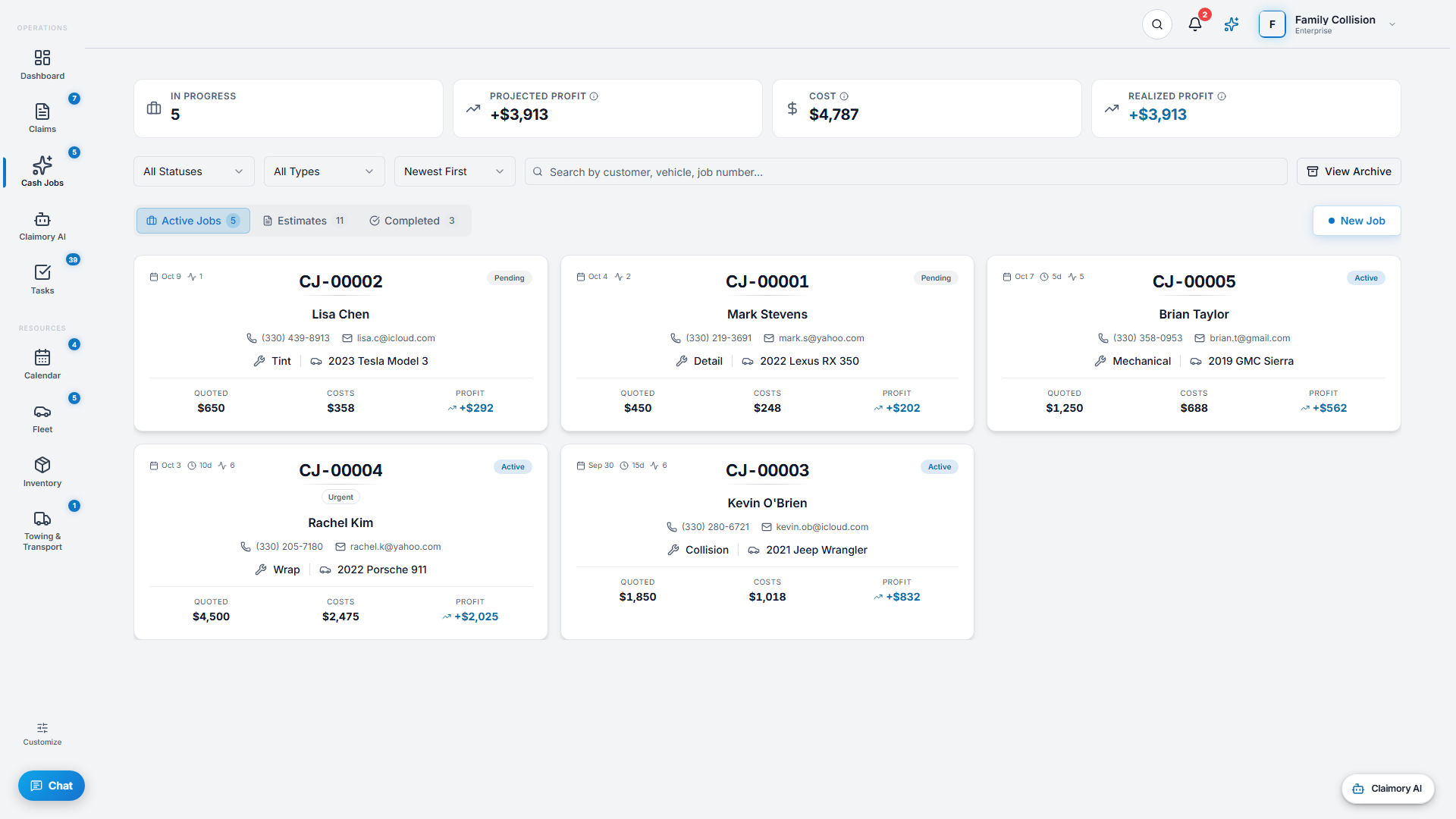
- Step 22
Quote first, or start work
Press New Job. Choose New Estimate to quote the customer first, or New Cash Job to skip the quote and start work right away. Job types include Collision, Detail, Wrap, Tint, Mechanical, and Misc.
app.claimory.io/cash-jobs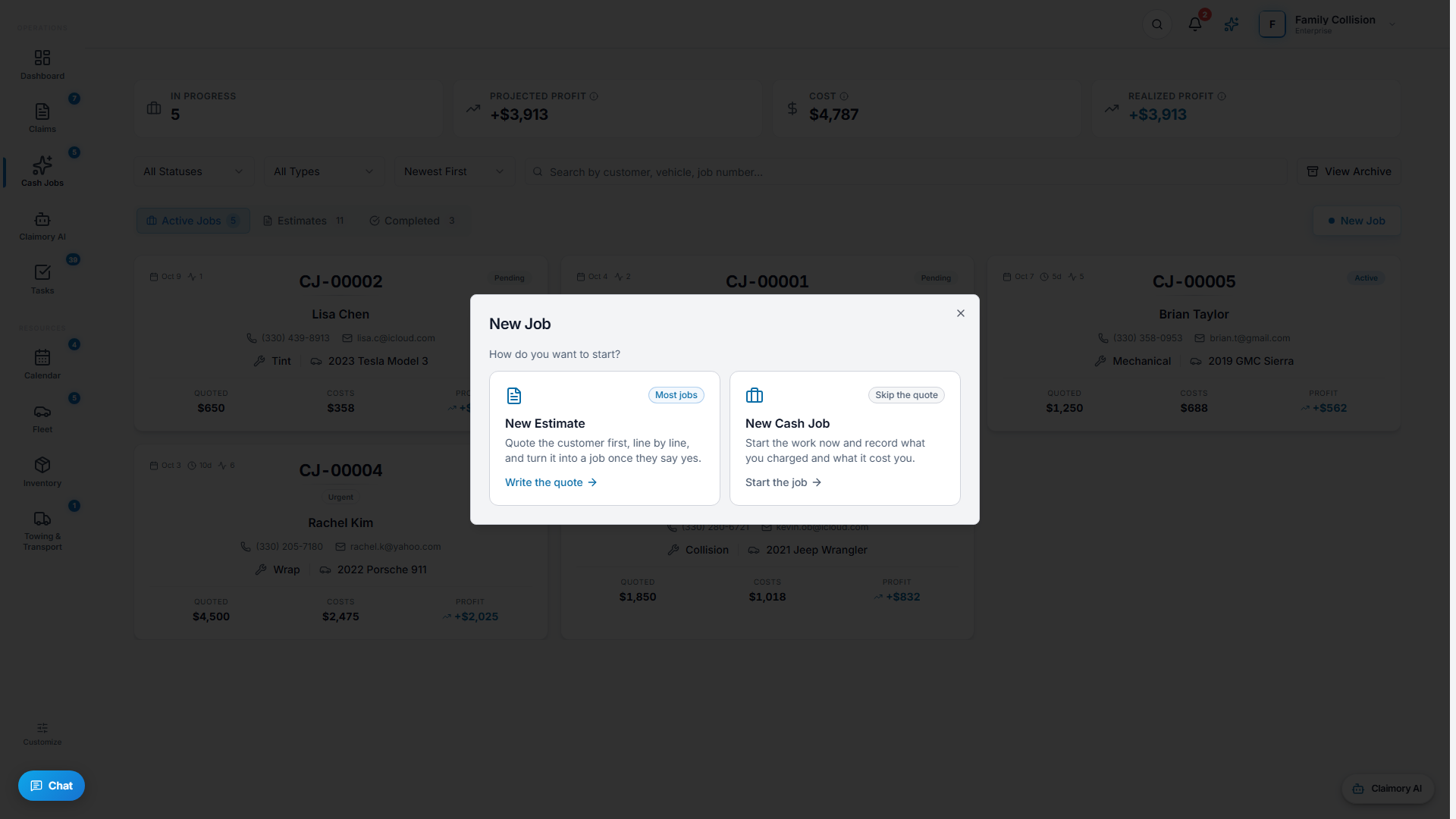
- Step 33
Convert an approved estimate into a job
When a customer approves a quote, open the estimate and press Convert. It becomes an active cash job, carrying the line items over so you do not re-enter anything.
Tip. Your labor rates and tax rate from Settings flow into every estimate and job automatically.
app.claimory.io/cash-jobs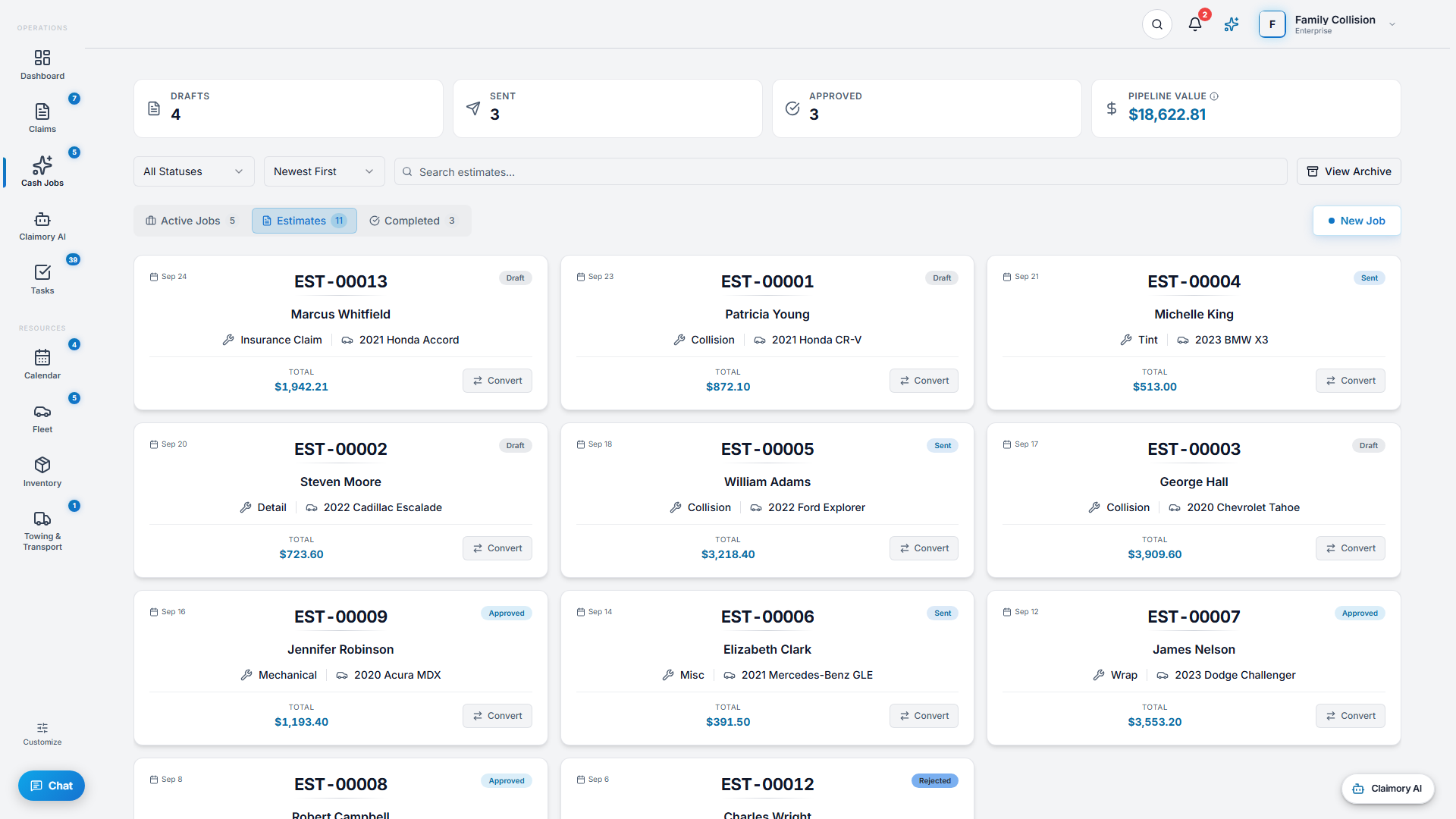
- Step 44
Track the money and invoice
A cash job has its own Activity, Estimate, Financials, and Tasks tabs. From Financials you log costs and labor and create an invoice. Realized profit shows on the list cards and KPIs.
- Step 55
Collect payment
Send a payment link or take payment through your connected Stripe account. The customer pays the invoice from a hosted checkout, and the payment records against the job.


Common questions
Related tutorials
Ready to run your shop on Claimory?
Start a free 14-day trial. No credit card. The full Professional feature set, and an office manager onboarded in about 30 minutes.
No credit card. Works with CCC ONE and Mitchell.