Add your crew to Claimory and decide what each person can do. Roles keep the right controls in the right hands, and seats are tied to your plan.
Step 1
1
Open Team Management
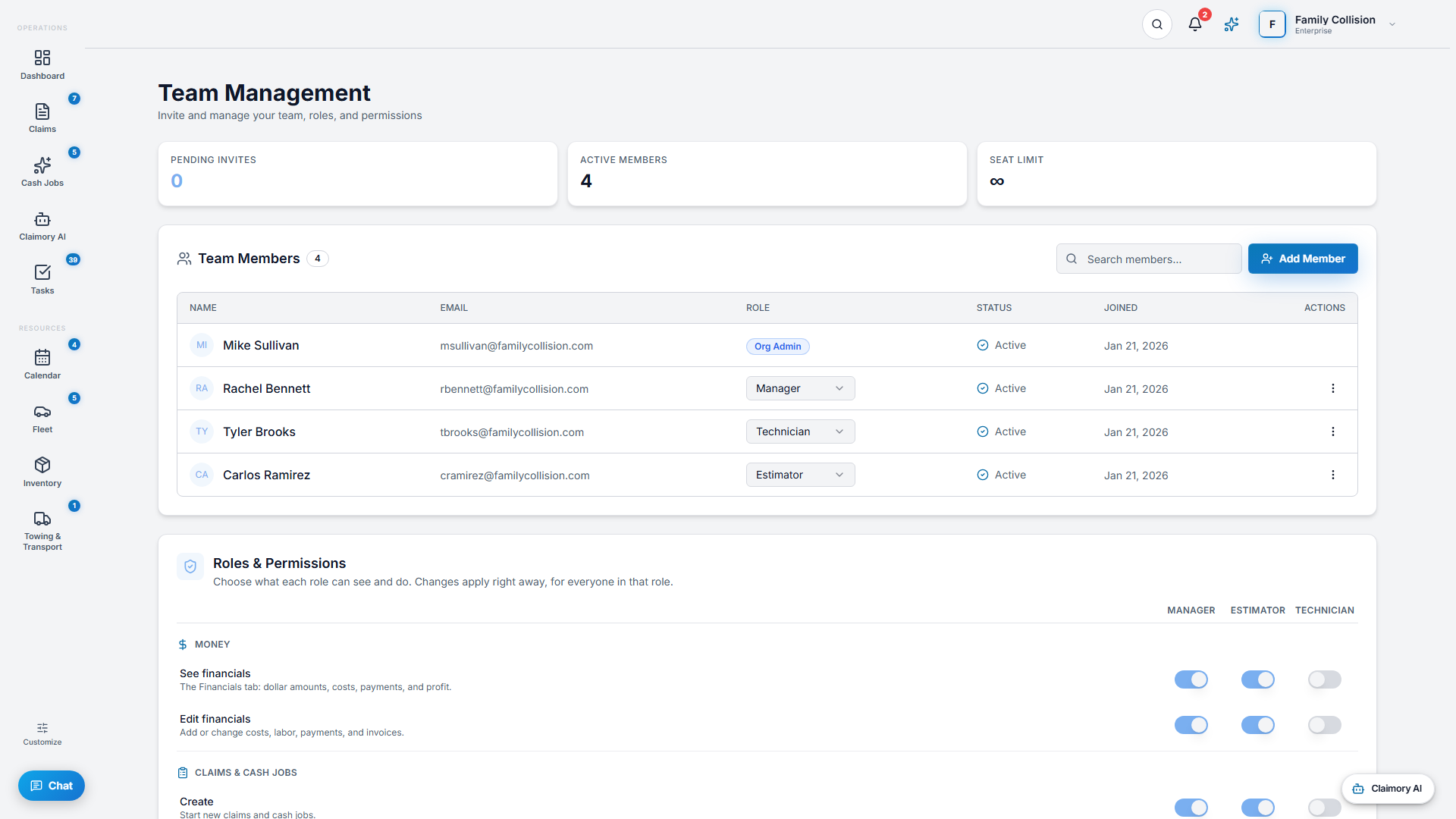
Go to Settings, Team Management (or the Team link). You see your active members, pending invites, and your seat limit, with an Upgrade prompt if you are full.
app.claimory.io/team
Step 2
2
Invite a member
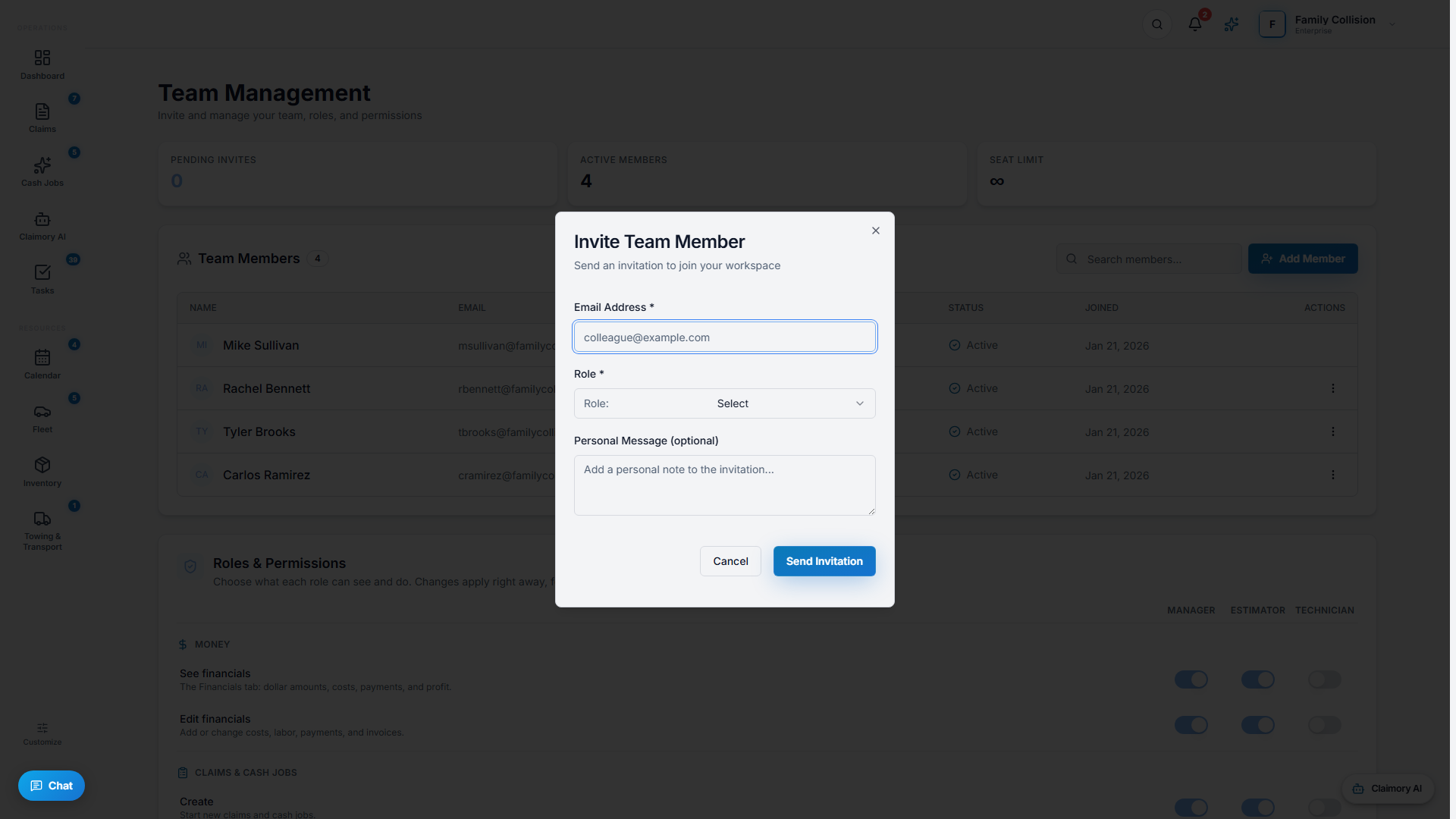
Press Add Member, enter their email, choose a role, and add an optional note. They get an invite link to accept. You can resend or revoke a pending invite.
app.claimory.io/team
Step 3
3
Understand the roles
Owner and Org Admin have full control. Manager runs the shop but cannot edit other managers or admins. Staff are daily users. What roles you can assign depends on your own role.
Pro tip
Customer-portal and estimator-portal users are separate identities and do not use a staff seat.
4
Step 4
4
Watch your seats
Each plan includes a set number of seats (1 on Starter, 3 on Professional, unlimited on Elite). The seat limit blocks new invites until you upgrade or remove a member.