
Creating and Importing Claims
A claim is the unit of work in Claimory: one car, one incident, one insurance interaction. Here is how to get one into the system, either fresh or imported from your estimate.

- Step 11
Open the claims list
Click Claims in the left rail. You get the master list of every insurance claim with a financial KPI strip (Active Claims, Revenue, Costs, Profit), search, status and carrier filters, and a sort control. Active and completed claims are grouped separately.
app.claimory.io/claims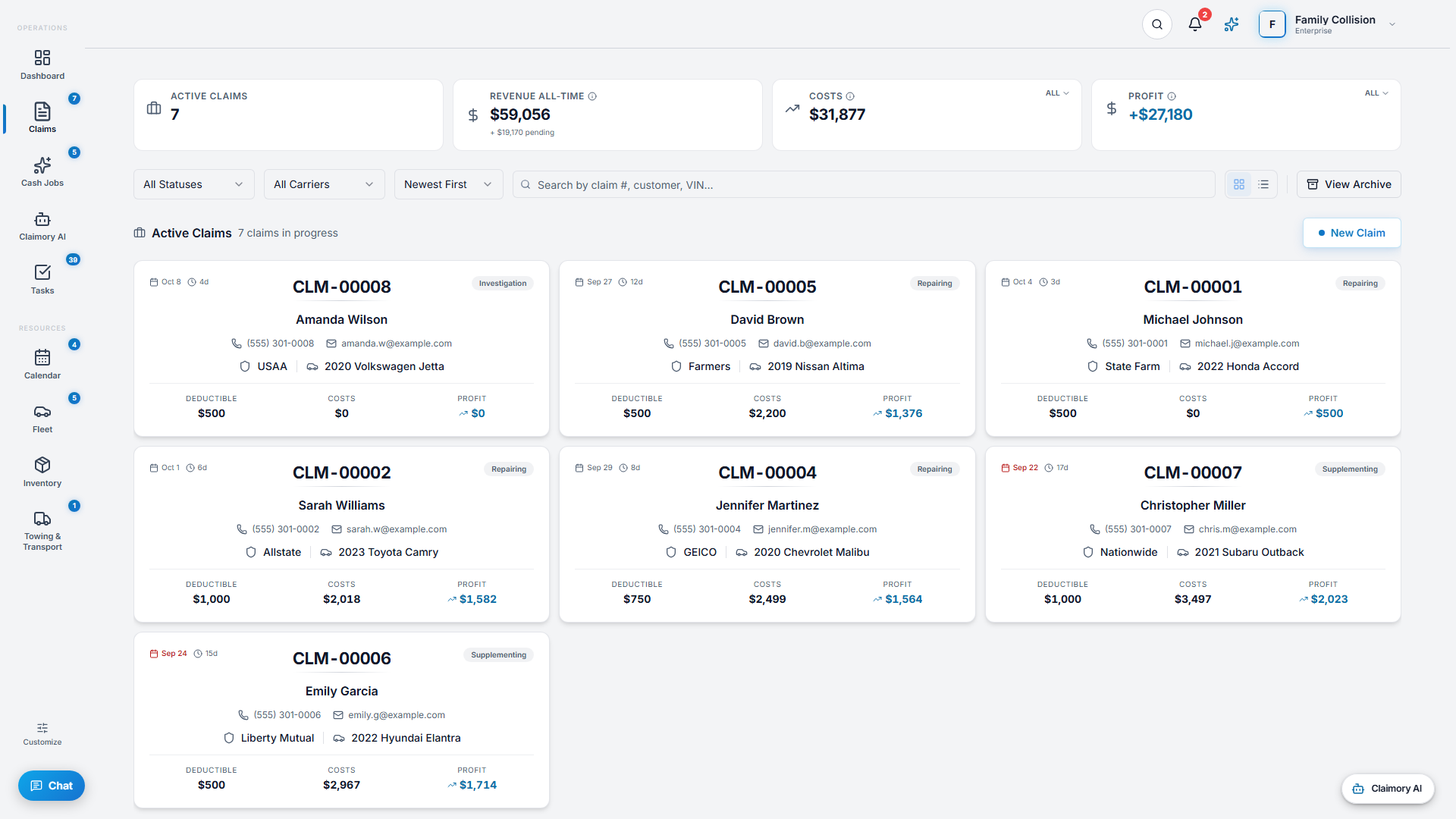
- Step 22
Create a claim by hand
Press New Claim and enter the customer, vehicle (VIN, plate, color), and carrier. Add your shop's RO number too if you use one; it's optional. The claim is ready to work. Use this path for a walk-in or a claim you are starting before the estimate exists.
app.claimory.io/claims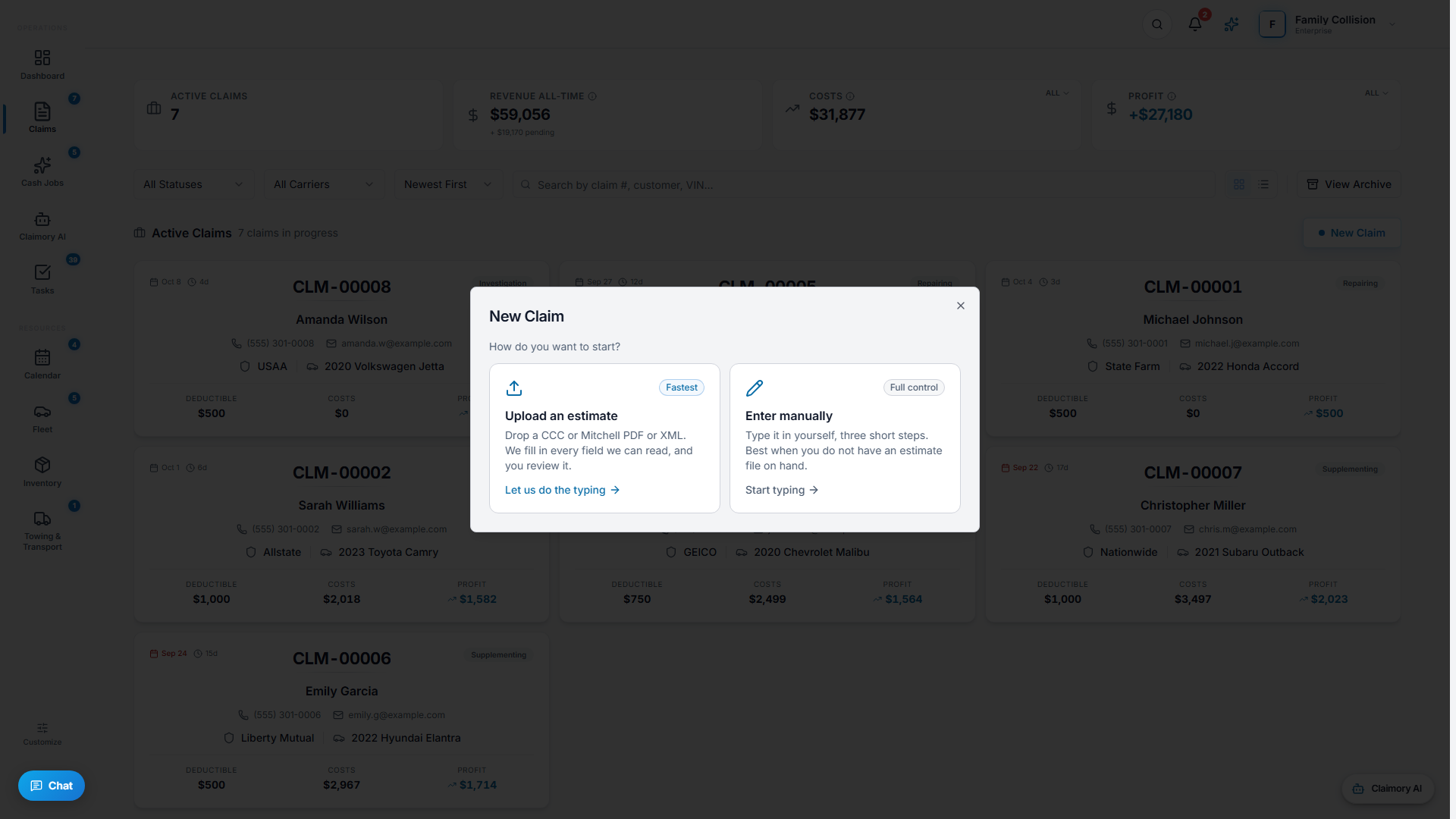
- Step 33
Or import the estimate
From the create dialog choose Import Estimate. Claimory accepts a CCC ONE or Mitchell Cloud XML export directly, and an Audatex estimate as a PDF that the AI parses into line items. This pulls the dollar breakdown in so you are not retyping it.
Tip. The connection is one-way import, not a live sync. You stay in your estimating platform to write estimates and bring them into Claimory to run the claim.
In this step - CCC ONE and Mitchell Cloud: export the estimate as XML, then import.
- Audatex: save the estimate as a PDF, then import (the parser reads it).
- Step 44
Set the status and key details
A claim moves through statuses: New, Repairing, Supplementing, Investigation, and Waiting On Insurance, then Completed, Delivered, or Total Loss. Set the carrier, the arrived date, and the vehicle location so the team and the customer portal stay accurate.
app.claimory.io/claims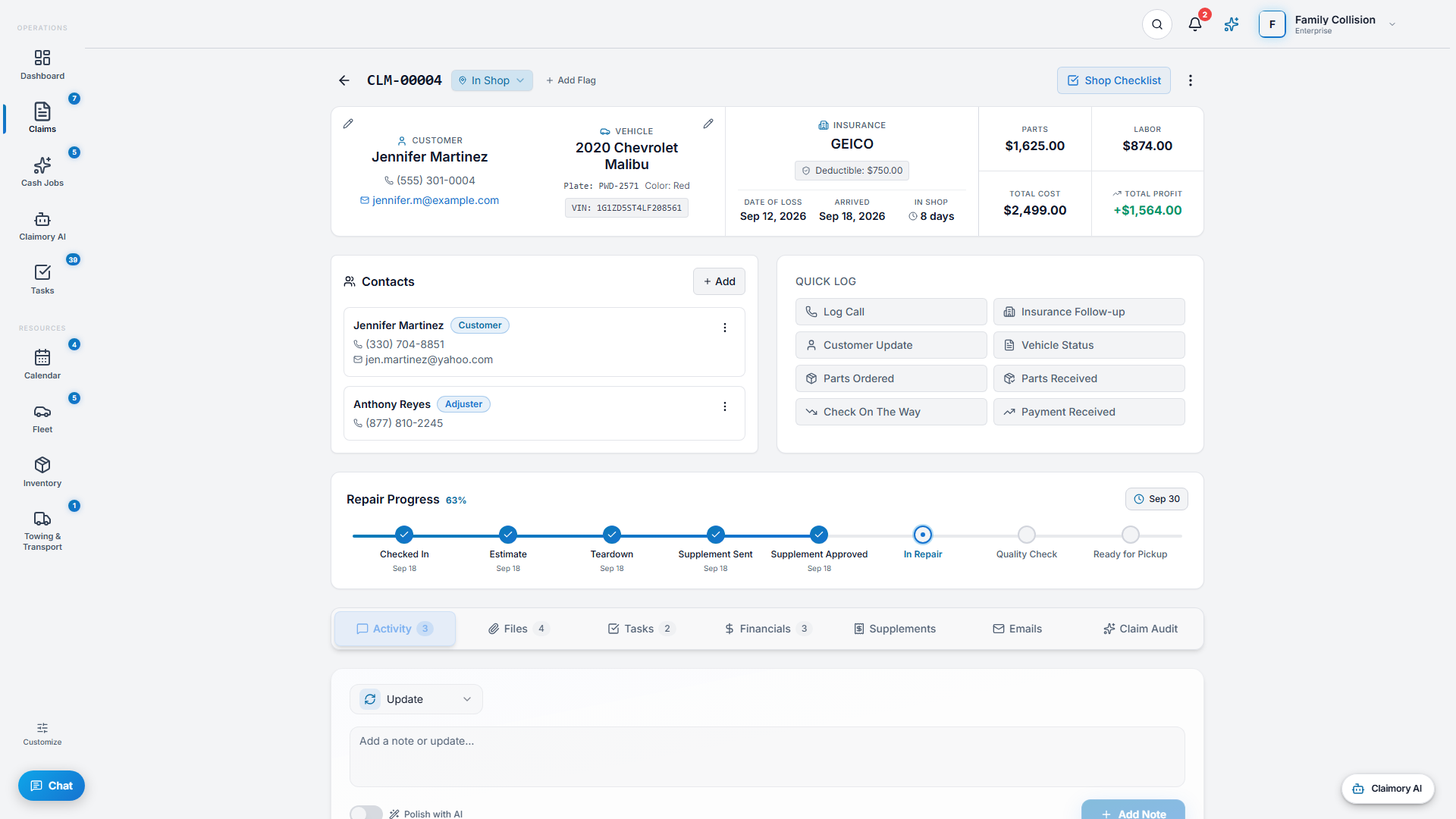
- Step 55
Flag anything risky
Add flags so the whole team sees a claim's situation at a glance: Potential Total Loss, Attorney Involved, Payment Issue, Parts Backorder, High Risk, or Investigation.
app.claimory.io/claims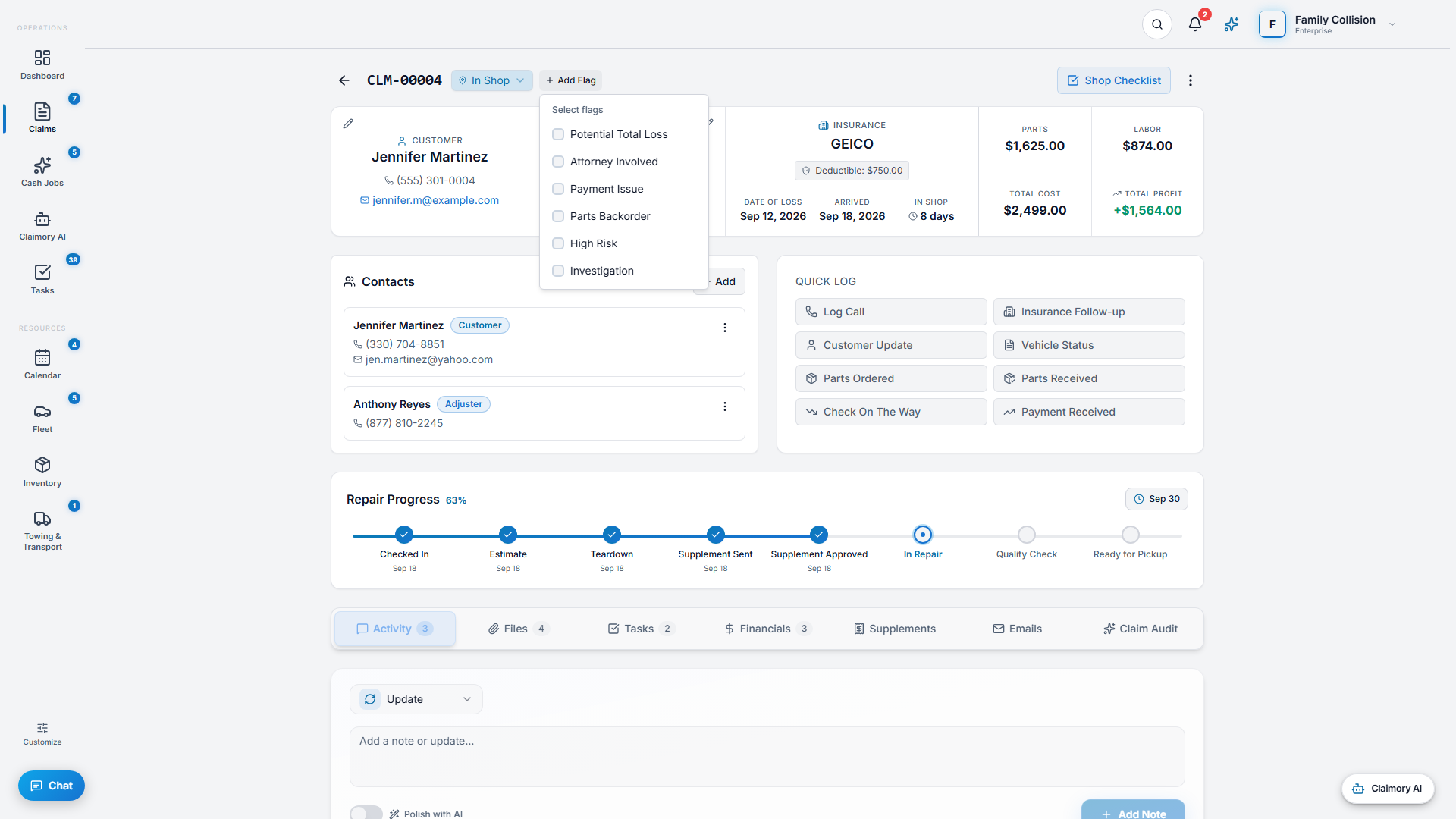


Common questions
Related tutorials
Ready to run your shop on Claimory?
Start a free 14-day trial. No credit card. The full Professional feature set, and an office manager onboarded in about 30 minutes.
No credit card. Works with CCC ONE and Mitchell.