From a brand-new account to your first tracked claim in about half an hour. This is the fastest path to seeing what Claimory does for your shop.
Step 1
1
Start your free trial
From claimory.io, choose Start Free 14-Day Trial and create your account with an email and password. No credit card is required, and you get the full Professional feature set for 14 days, with trial limits: 1 seat, up to 5 active claims, and 3 Claim Audits.
Pro tip
Ending the trial deletes nothing: your data is kept until you ask us to delete it. You just pick a plan whenever you are ready to keep going.
Step 2
2
Answer the 3-step setup wizard
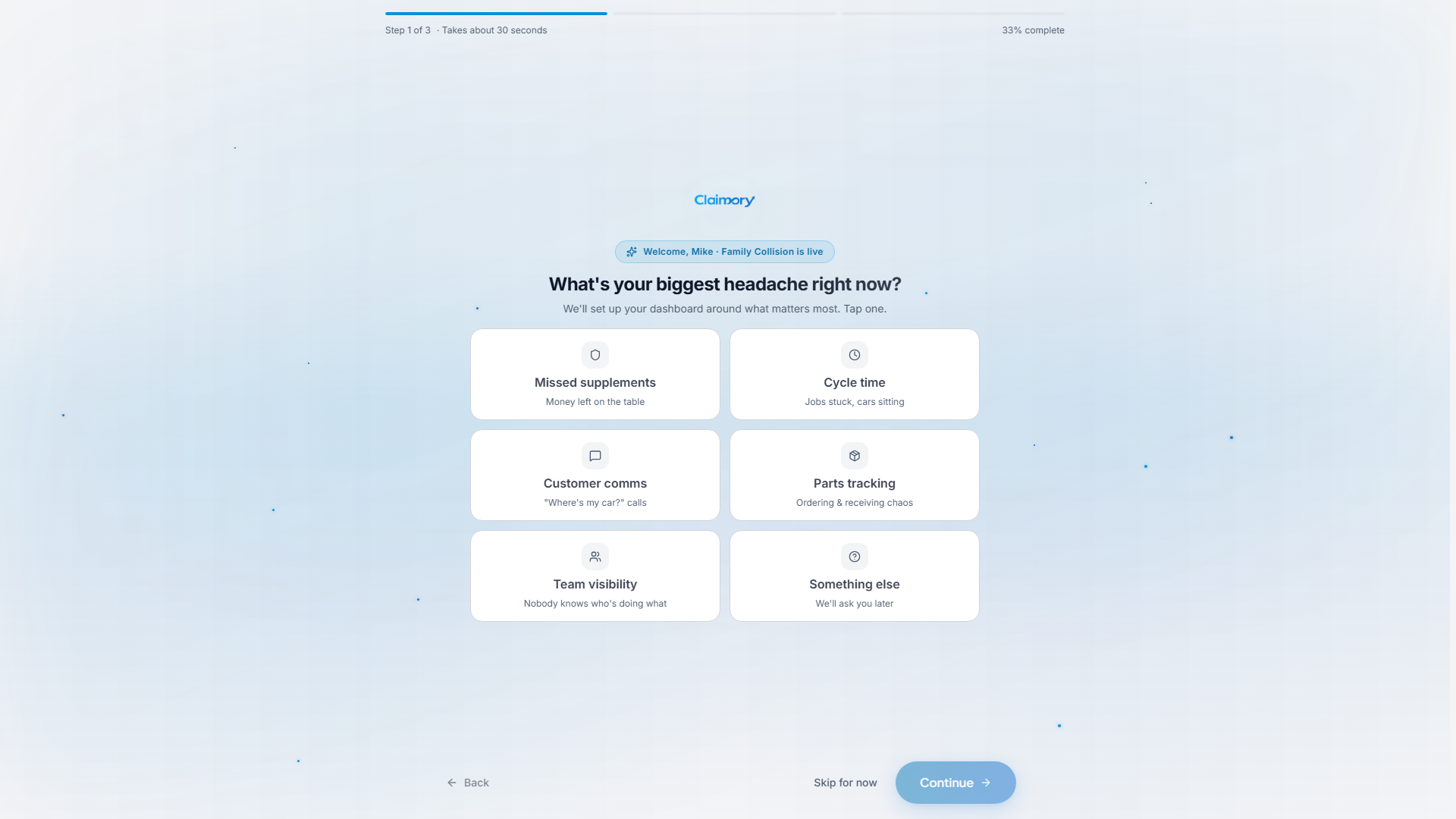
Right after signing up you land in a short wizard. It takes about 30 seconds and personalizes your dashboard. Until you finish it, the rest of the app stays locked.
Your biggest headache right now (missed supplements, cycle time, customer comms, parts, team visibility). This shapes what your dashboard emphasizes.
How big your crew is (solo, 2 to 5, 6 to 15, or 16-plus).
How customers reach you: your shop phone (required, it appears on invoices and the tracking page) and website (optional).
app.claimory.io/dashboard
Step 3
3
Land on your dashboard
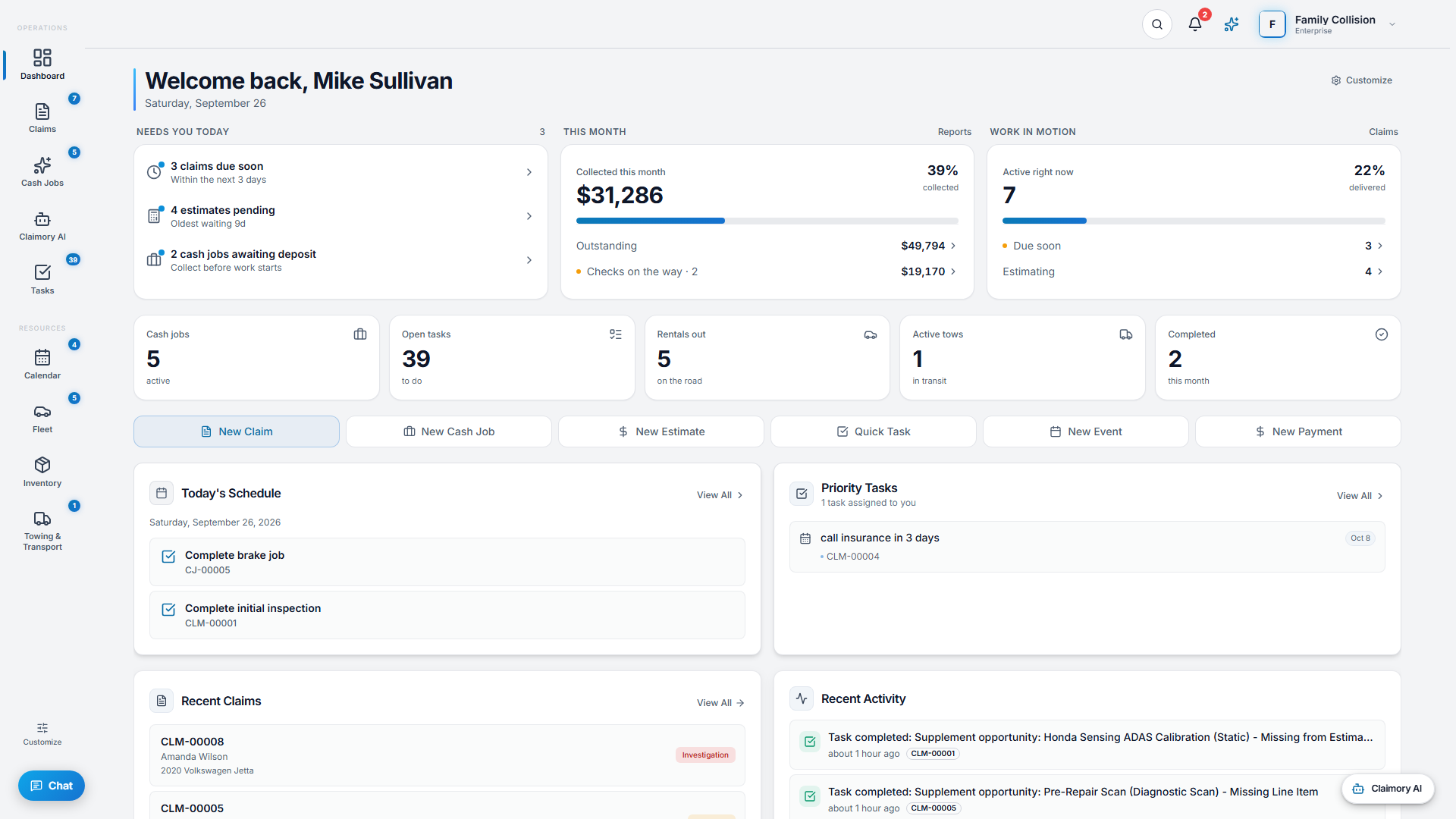
Press Finish and Claimory saves your shop details, then drops you on your dashboard with a prompt to add your first claim. The dashboard is your daily home: it shows what needs attention today, the money picture, and quick-create shortcuts.
app.claimory.io/dashboard
Step 4
4
Create your first claim
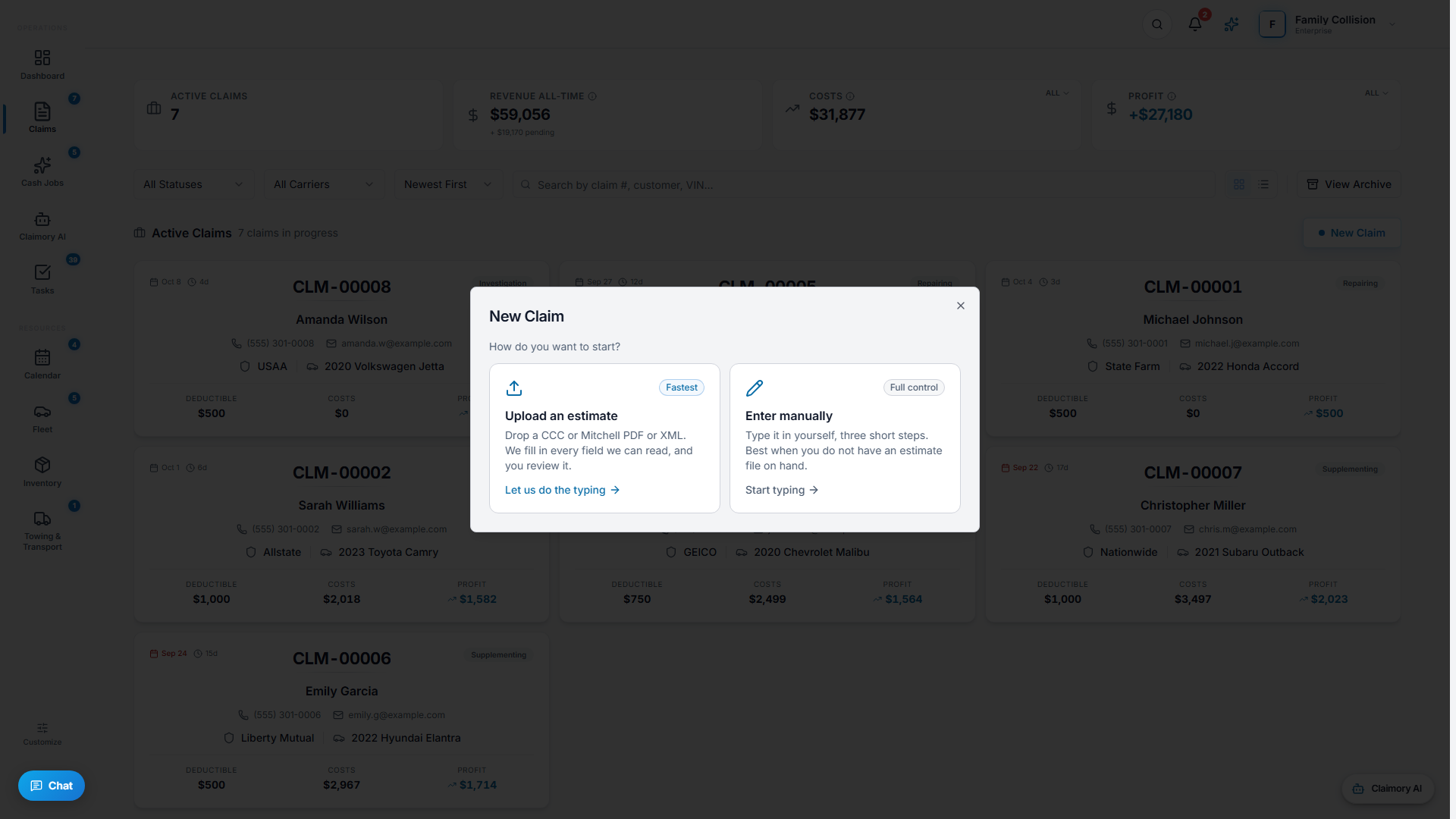
Use the quick-create bar on the dashboard and choose New Claim, or open Claims and press New Claim. You can fill in the customer, vehicle, and carrier by hand, or use Import Estimate to bring in a CCC ONE or Mitchell Cloud XML export, or an Audatex PDF that Claimory parses for you.
Tip. Drop a CCC ONE, Mitchell, or Audatex estimate and Claimory parses it into a new claim in seconds, so your real claims are there from day one.
app.claimory.io/dashboard
Step 5
5
Invite your office manager
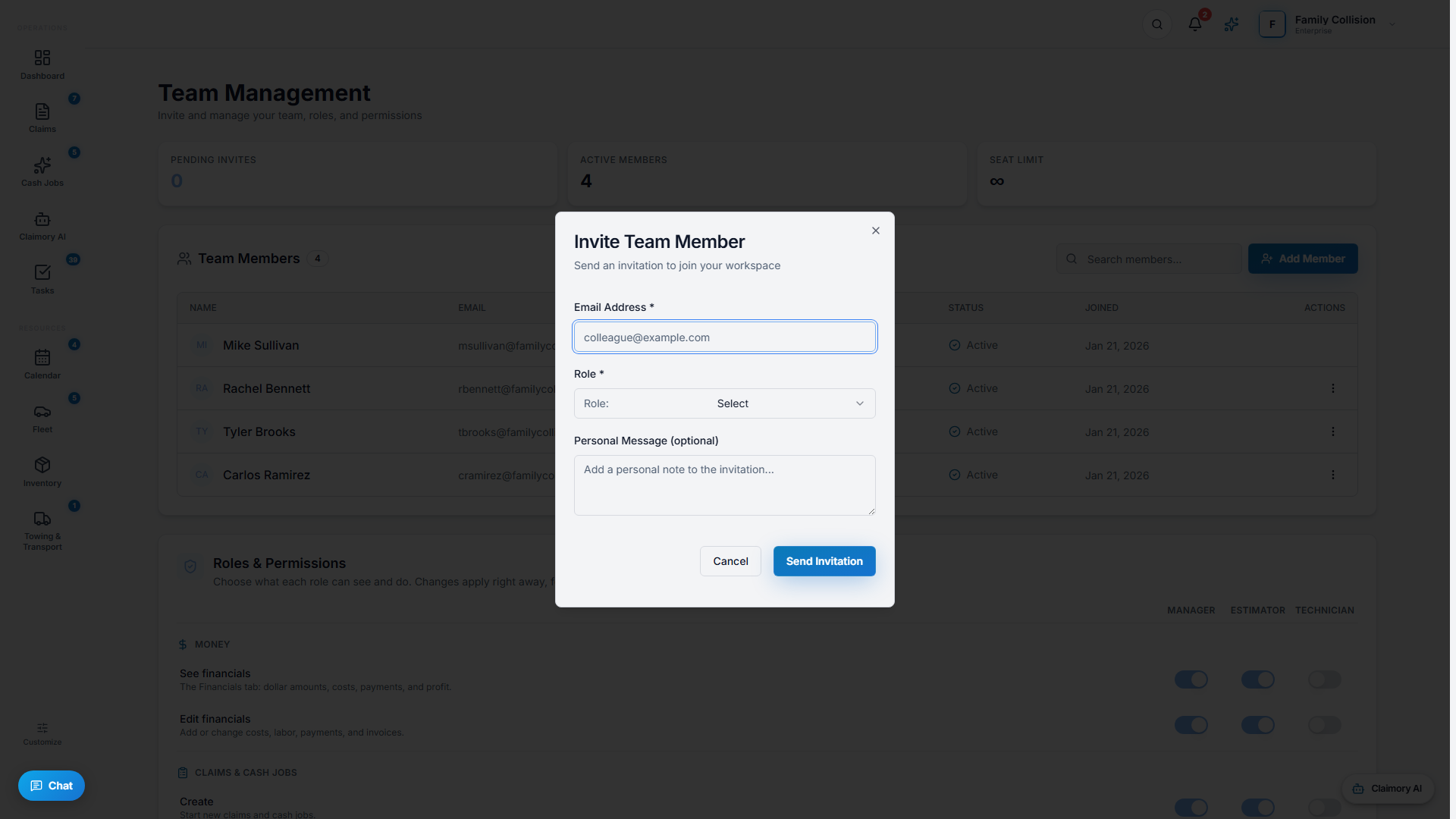
On Professional and up you can add seats. Open Settings, then Team Management, and Add Member with their email and a role. They get an invite link and can be fully onboarded in about 30 minutes.