    Prices go up on January 1, 2027. Subscribe before then and keep today's price. How the price lock works
    Shop SOP Checklist

    The same repair steps, on every car in the shop

    Claimory's Shop SOP Checklist puts a collision repair shop's standard operating procedure on every claim, in 9 sections from intake to delivery. A standard car has 28 steps, and the frame, alignment and ADAS sections join only when the car needs them.

    1. 01

      Intake & Administration

      6 steps

    2. 02

      Blueprinting & Teardown

      5 steps

    3. 03

      Body Repair

      2 steps

    4. 04

      Structural / Frame Repair

      3 steps, when the car needs it

    5. 05

      Wheel Alignment

      4 steps, when the car needs it

    6. 06

      ADAS Calibration

      4 steps, when the car needs it

    7. 07

      Refinish & Paint

      5 steps

    8. 08

      Reassembly & Systems

      5 steps

    9. 09

      Detail & Delivery

      5 steps

    Try it

    Tick a step, watch the car move

    These are the standard steps from the Claimory checklist. Tick a few, switch on a section under This car needs, and fold a section once it is done. Nothing here is saved.

    Shop SOP Checklist

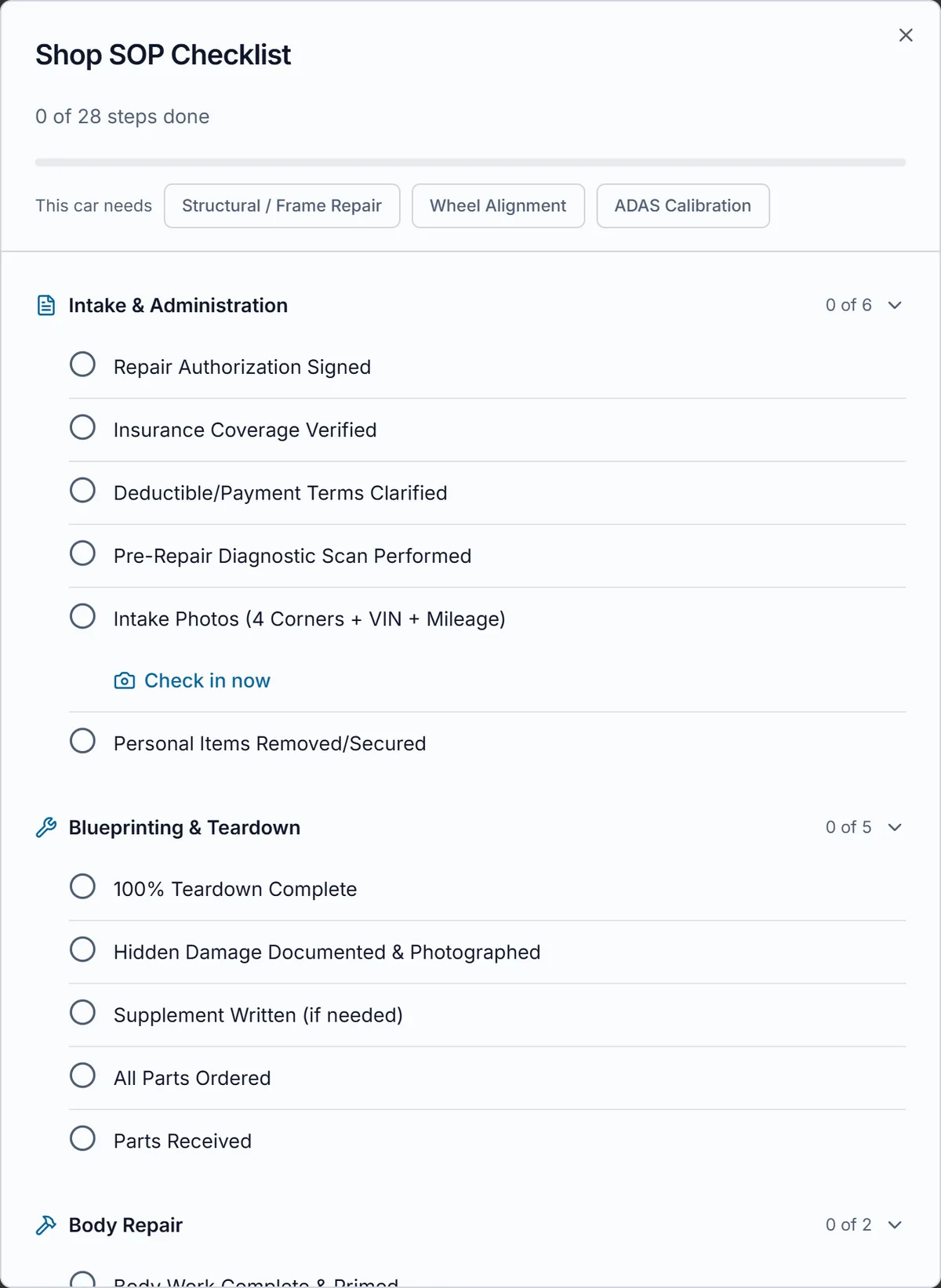
    0 of 28 steps done

    This car needs

    Intake & Administration

    0 of 6

    Blueprinting & Teardown

    0 of 5

    Body Repair

    0 of 2

    Structural / Frame Repair

    0 of 3

    Wheel Alignment

    0 of 4

    ADAS Calibration

    0 of 4

    Refinish & Paint

    0 of 5

    Reassembly & Systems

    0 of 5

    Detail & Delivery

    0 of 5
    The Shop SOP Checklist on a Claimory claim: 0 of 28 steps done with a progress bar, This car needs with Structural / Frame Repair, Wheel Alignment and ADAS Calibration, then Intake & Administration with its six steps and a Check in now link under the intake photos step, and Blueprinting & Teardown below.
    On the claim

    One button on the claim, the whole repair inside

    The Shop Checklist button on a Claimory claim opens the checklist for that car. Sections that were already finished start folded, so the next open section is the first thing on the screen, and the ticks are saved on the claim for the phone at the car and the computer at the front desk alike.

    On the Claimory checklist, the intake photos step shows Check in now, which opens the check-in camera for the claim. The Final Quality Check needs a manager or the owner to tick it, so nobody signs off their own car on the way out.

    Once the first check-in photo for the claim uploads, Claimory ticks the Intake Photos step by itself, the one step on the checklist nobody has to tick by hand.
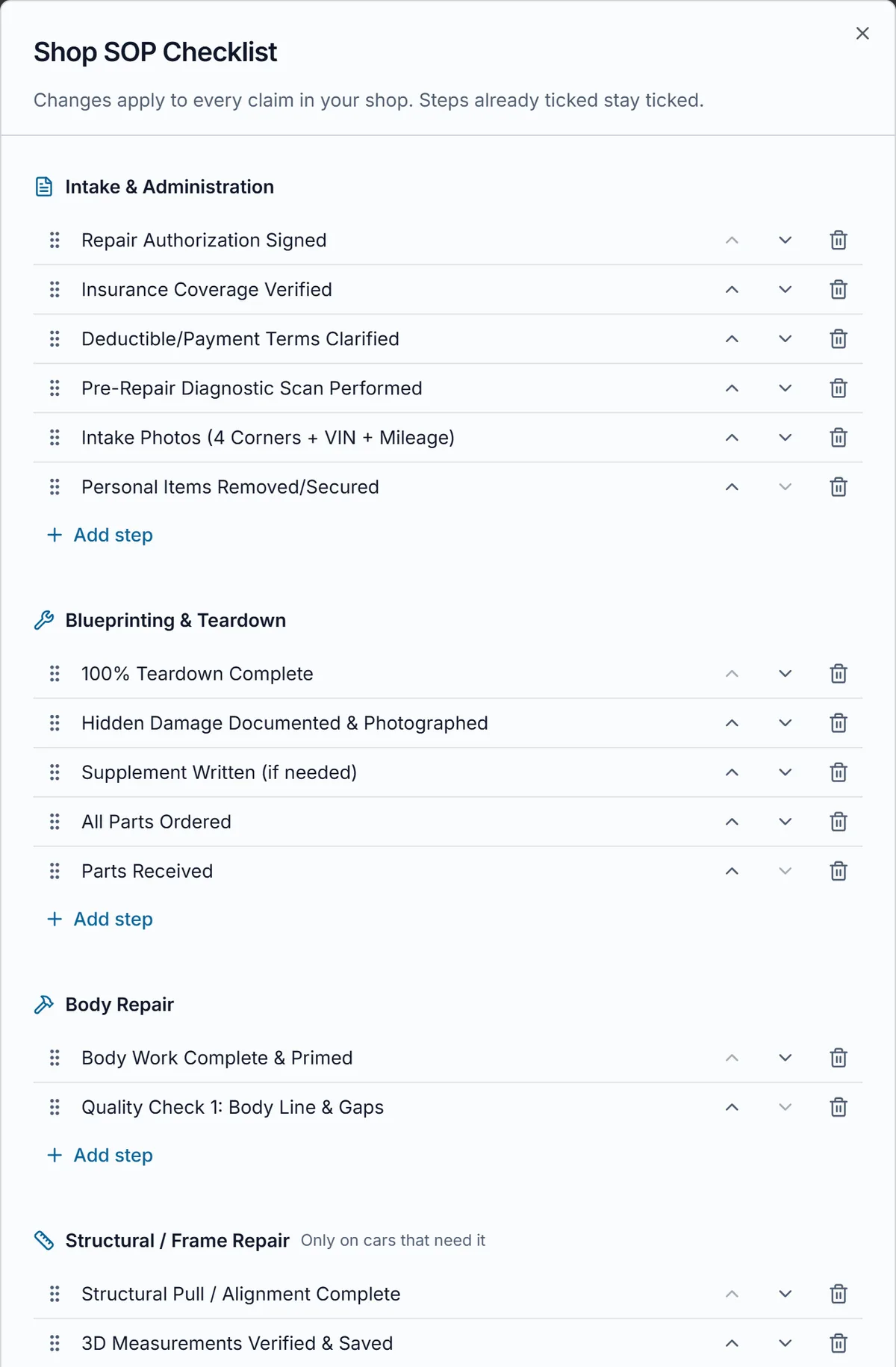
    The Claimory Shop SOP Checklist in edit mode: a note that changes apply to every claim in the shop and steps already ticked stay ticked, then each section with its steps, a drag handle, move up, move down and delete on every step, an Add step link under each section, and Only on cars that need it beside Structural / Frame Repair and Wheel Alignment.
    Edit steps

    Your shop's own steps, on every claim at once

    With Custom Shop Checklist, a free add-on from the Claimory Marketplace on Professional, Elite and the free trial, an owner or manager taps Edit steps on any claim's checklist. Every step gets a drag handle, Move up, Move down and Delete, and each section ends with Add step. A step label holds up to 80 characters, and a section holds up to 30 steps.

    A step drags with a mouse, a finger or the keyboard, and it moves only inside its own section, so a refinish step never lands in intake by accident. The frame, alignment and ADAS sections keep their Only on cars that need it label in edit mode, so the shop sees which steps every car gets and which ones join per car.

    Save changes applies the new list to every claim in the shop, and steps already ticked stay ticked, because each tick on a Claimory claim is saved against its own step. A deleted step's tick simply stops counting. Restore standard steps brings back Claimory's list at any time.
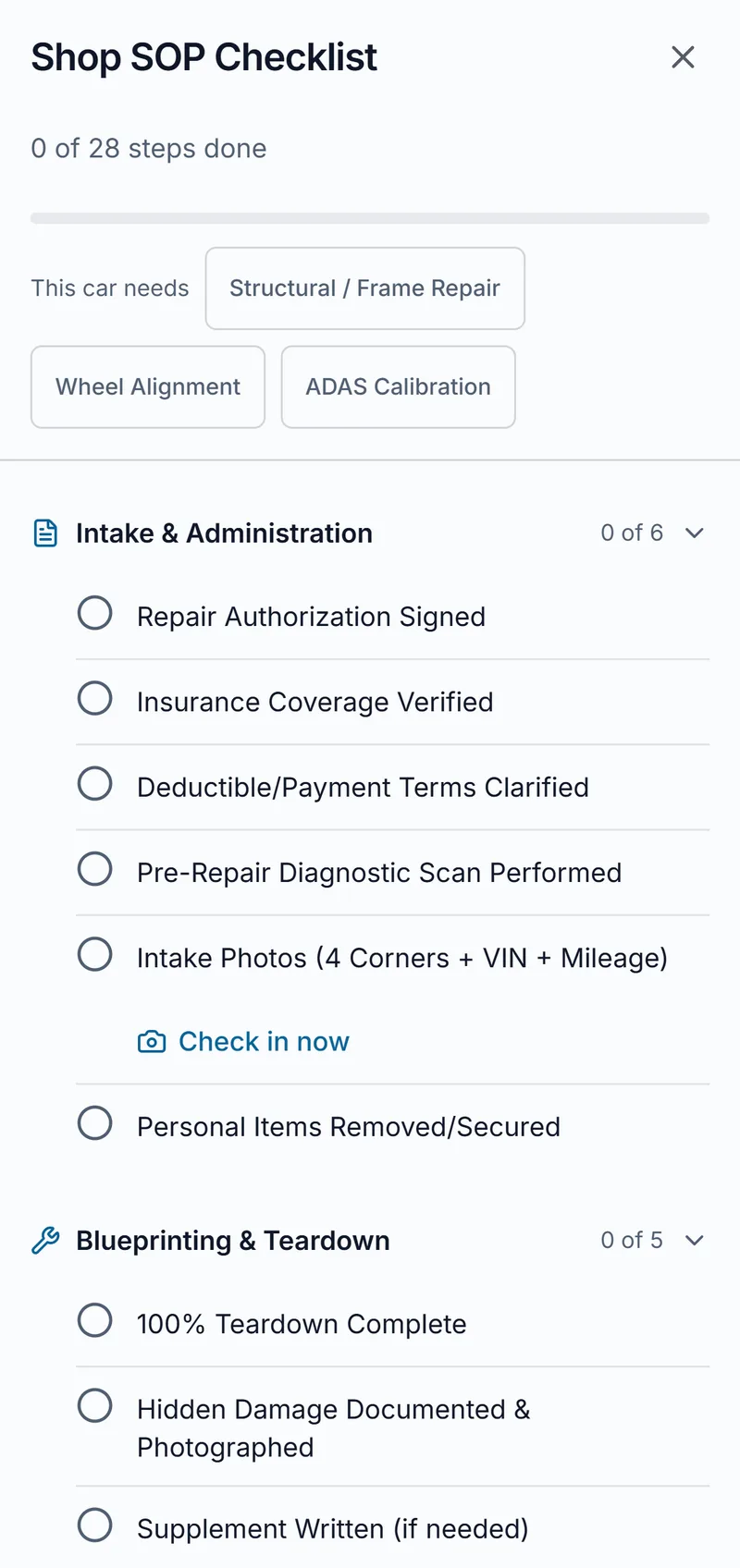
    The Claimory Shop SOP Checklist on a phone: 0 of 28 steps done with a progress bar, This car needs with Structural / Frame Repair, Wheel Alignment and ADAS Calibration buttons, the Intake & Administration steps with a Check in now link under the intake photos step, and the Blueprinting & Teardown steps below.
    The checklist on a phone, at the car.
    Who ticks what

    Every person in the shop, on the same list

    The Claimory checklist opens the same way on a phone at the car and on the computer at the front desk, so each person ticks their own part of the repair where they are standing.

    Front office
    The front office owns the first and last steps of the Claimory checklist: the signed repair authorization, the insurance coverage check and the deductible terms at intake, then the customer notified for pickup, the final paperwork and warranty, and the final payment collected at delivery.
    Estimator
    The estimator works the Blueprinting & Teardown section of the Claimory checklist: the 100% teardown, the hidden damage documented and photographed, the supplement written when one is needed, and the parts ordered and received. A claim with the supplement step open is a claim still waiting on the carrier.
    Body and frame tech
    The body tech ticks body work complete and primed and the first quality check on body lines and gaps. On a car with frame damage, the Structural / Frame Repair section adds the pull, the 3D measurements verified and saved, and the weld with its destructive test, so the record of the structural repair sits on the Claimory claim.
    Painter
    The painter's section of the Claimory checklist is Refinish & Paint: the color match verified on a spray out card, the prep work, base and clear coat, denib and polish, and the second quality check on paint finish and texture.
    Production manager or owner
    The production manager or the owner ticks the Final Quality Check, the one step on the Claimory checklist a technician cannot tick. With the Custom Shop Checklist add-on, the manager or owner is also the one who taps Edit steps and shapes the list the whole shop works from.
    What it replaces

    The binder in the office, moved onto the claim

    A paper checklist clipped to the repair order, lost by the time the car leaves
    A checklist saved on the Claimory claim, ticked from a phone at the car
    An SOP binder in the office that nobody opens
    The shop's steps in front of every person who opens the claim
    Asking around to find out whether the post-repair scan was done
    A step count and a tick on Post-Repair Diagnostic Scan Performed
    A tech signing off their own car on the way out
    A Final Quality Check only a manager or the owner can tick
    Good to know

    What the checklist does and does not do

    1. 01The Claimory checklist ticks one step on its own: Intake Photos, once a check-in photo for the claim has uploaded. A person ticks every other step.
    2. 02A shop keeps one list for every claim. The only per-car choice is the three sections under This car needs.
    3. 03A step moves only inside its own section, and a step label holds up to 80 characters.
    4. 04Changing the steps needs the free Custom Shop Checklist add-on, from the Marketplace on Professional, Elite and the free trial, and an owner or manager account.
    5. 05The checklist is never shared with a customer's attorney through attorney sharing.

    Related Claimory features

    • Vehicle check-in

      The camera and e-signatures behind Check in now and the signed repair authorization.

    • Production board

      Every car in the shop by repair stage, on a board and on the shop TV.

    • Supplement tracking

      Follows the supplement written in Blueprinting & Teardown until the carrier pays.

    • Attorney sharing

      Shares a claim with the customer's attorney, and never the checklist.

    • Claim Audit

      Reviews the claim's estimate for missed items before the supplement goes out.

    Put your SOP on every claim

    The Claimory Shop SOP Checklist comes with every plan. Try Claimory free for 14 days, no credit card.

    Questions

    What shops ask about the checklist

    The Claimory Shop SOP Checklist is a repair checklist on every claim in a collision repair shop, opened from the Shop Checklist button on the claim page. It walks the car from intake to delivery in sections, from Intake & Administration through Blueprinting & Teardown, Body Repair, Refinish & Paint and Reassembly & Systems to Detail & Delivery. A count and a progress bar show how many steps are done, so anyone in the shop sees where the car stands.

    A standard Claimory checklist has 28 steps in 6 sections, and 39 steps when all three optional sections are on. Intake covers the signed repair authorization, insurance coverage, deductible terms, the pre-repair scan, intake photos and personal items. Teardown covers the 100% teardown, hidden damage, the supplement and parts. Then come body work, refinish with a spray out card and a paint check, reassembly with the post-repair scan and a test drive, and detail and delivery.

    Three sections of the Claimory checklist appear only on a car that needs them: Structural / Frame Repair, Wheel Alignment and ADAS Calibration. Under This car needs at the top of the checklist, a tap switches each one on for that claim, and its steps join the count. Frame repair adds the pull, 3D measurements and a destructive weld test. Alignment adds the printout and a steering angle sensor reset. ADAS adds the calibrations and the calibration report.

    The Final Quality Check step on the Claimory checklist needs a manager or the shop owner to tick it, so a technician cannot sign off their own car on the way out. Every other step can be ticked by anyone working the claim. The two earlier quality checks, the body line and gaps after body repair and the paint finish and texture after refinish, sit in their own sections along the way.

    Yes, with Custom Shop Checklist, a free add-on from the Claimory Marketplace on Professional, Elite and the free trial; Starter has no Marketplace, so a Starter shop keeps the standard steps. With it added, an owner or manager taps Edit steps to add, delete and reorder steps, each step up to 80 characters and up to 30 steps in a section. A step moves only inside its own section. The shop keeps one list for every claim, and Restore standard steps brings back Claimory's steps without losing the ticks already on claims.

    Yes. On the Claimory checklist, the Intake Photos step shows Check in now until it is ticked, and a tap opens the check-in camera for that claim, so the four corners, the VIN and the mileage are shot without leaving the checklist. Once the first check-in photo uploads, Claimory ticks the Intake Photos step by itself. The same intake section asks for the signed repair authorization, which Claimory can collect on the spot during check-in.

    The Claimory Shop SOP Checklist is on every claim on every plan, Starter included, with the standard steps and the three optional sections. Changing the steps themselves takes the Custom Shop Checklist add-on, free in the Claimory Marketplace on Professional, Elite and the free trial; Starter keeps the standard steps. Ticks are saved on the claim, so the checklist looks the same on a phone at the car and on the computer at the front desk.

    The ticks stay. When an owner or manager edits the Claimory checklist, the change applies to every claim in the shop, and steps already ticked stay ticked, because each tick is saved against its own step. A moved step keeps its ticks on the claims that had them, and a deleted step simply stops counting. Restore standard steps brings back Claimory's list the same way, so a shop can try its own steps without wiping the record on the cars already in the building.

    In Claimory, an owner or manager with the Custom Shop Checklist add-on taps Edit steps on the checklist. Every step then shows a drag handle, Move up, Move down and Delete, and each section ends with Add step. A step can be dragged with a mouse, a finger or the keyboard, and it moves only inside its own section, so a paint step never lands in intake. Save changes applies the new order to every claim.

    No. When a Claimory shop shares a claim with the customer's attorney, the checklist stays inside the shop along with internal notes, Claim Audit and customer portal links. The attorney sees only the parts of the claim the shop switched on, such as the vehicle, the insurance details, repair progress and chosen files. The shop's SOP, and who ticked which step, is never part of what an attorney can see.

    A Claimory checklist on every claim turns the shop's standard operating procedure into a record on each car. Steps such as the pre-repair and post-repair diagnostic scans, the 3D measurements, the alignment printout and the ADAS calibration report are either ticked on the claim or they are not, so a missed step shows before the car leaves. A new hire reads the same steps the shop's best tech follows, on the claim in front of them.