
Photos, notes and a signature, before the keys hit the board
Claimory checks a car in from a phone: a camera with a guide spot for every shot a collision repair shop needs, photos named by what the shop says while it shoots, and a repair authorization the customer signs on the spot or from a link by email.
Eight spots around the car, each photo named for you
The Claimory check-in camera has a guide spot for each corner, the VIN, the odometer, the inside and the damage. With Take notes on, the words said before each photo go into its name, and every shot is saved on the phone the moment it is taken. Tap a spot to see the photo it leaves on the claim.
Front left
- What the shop says
- "Scrape on the front bumper"
- The photo on the claim
- Check-in 2026-11-02 2.05 PM Front left Scrape on the front bumper.jpg
- For Claim Audit
- Counts as the overall shot.
Front right
- What the shop says
- Nothing this time. The photo keeps the spot's name.
- The photo on the claim
- Check-in 2026-11-02 2.05 PM Front right.jpg
- For Claim Audit
- Counts as the overall shot.
Rear left
- What the shop says
- "Dent in the rear quarter panel"
- The photo on the claim
- Check-in 2026-11-02 2.05 PM Rear left Dent in the rear quarter panel.jpg
- For Claim Audit
- Counts as the overall shot.
Rear right
- What the shop says
- Nothing this time. The photo keeps the spot's name.
- The photo on the claim
- Check-in 2026-11-02 2.05 PM Rear right.jpg
- For Claim Audit
- Counts as the overall shot.
VIN
- What the shop says
- Nothing this time. The photo keeps the spot's name.
- The photo on the claim
- Check-in 2026-11-02 2.05 PM VIN.jpg
- For Claim Audit
- Counts as the VIN shot.
Odometer
- What the shop says
- "Check engine light on"
- The photo on the claim
- Check-in 2026-11-02 2.05 PM Odometer Check engine light on.jpg
- For Claim Audit
- Kept on the claim, not counted as an audit shot.
Inside
- What the shop says
- "Phone charger left in the console"
- The photo on the claim
- Check-in 2026-11-02 2.05 PM Inside Phone charger left in the console.jpg
- For Claim Audit
- Kept on the claim, not counted as an audit shot.
Damage
- What the shop says
- "Cracked headlight lens"
- The photo on the claim
- Check-in 2026-11-02 2.05 PM Damage Cracked headlight lens.jpg
- For Claim Audit
- Counts as the close-up shot.
Eleven documents, ready to sign
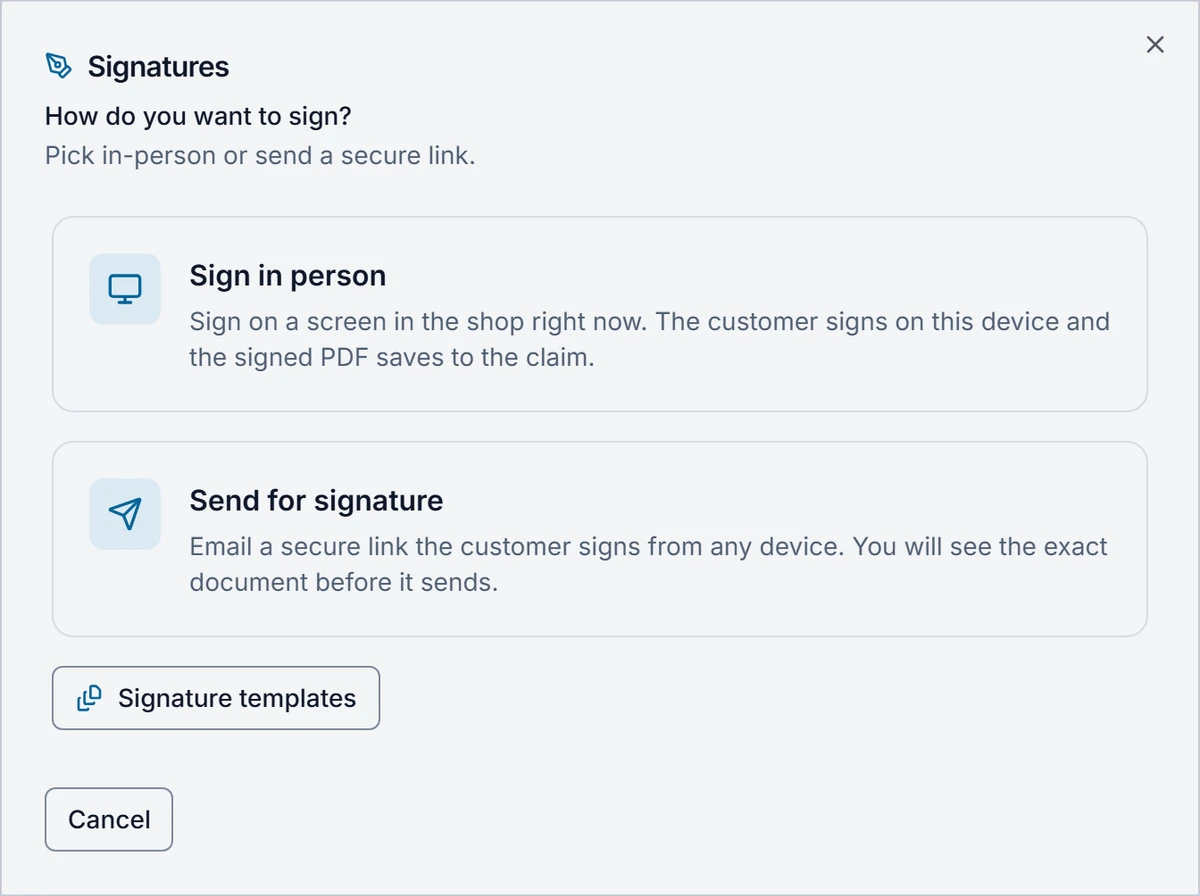
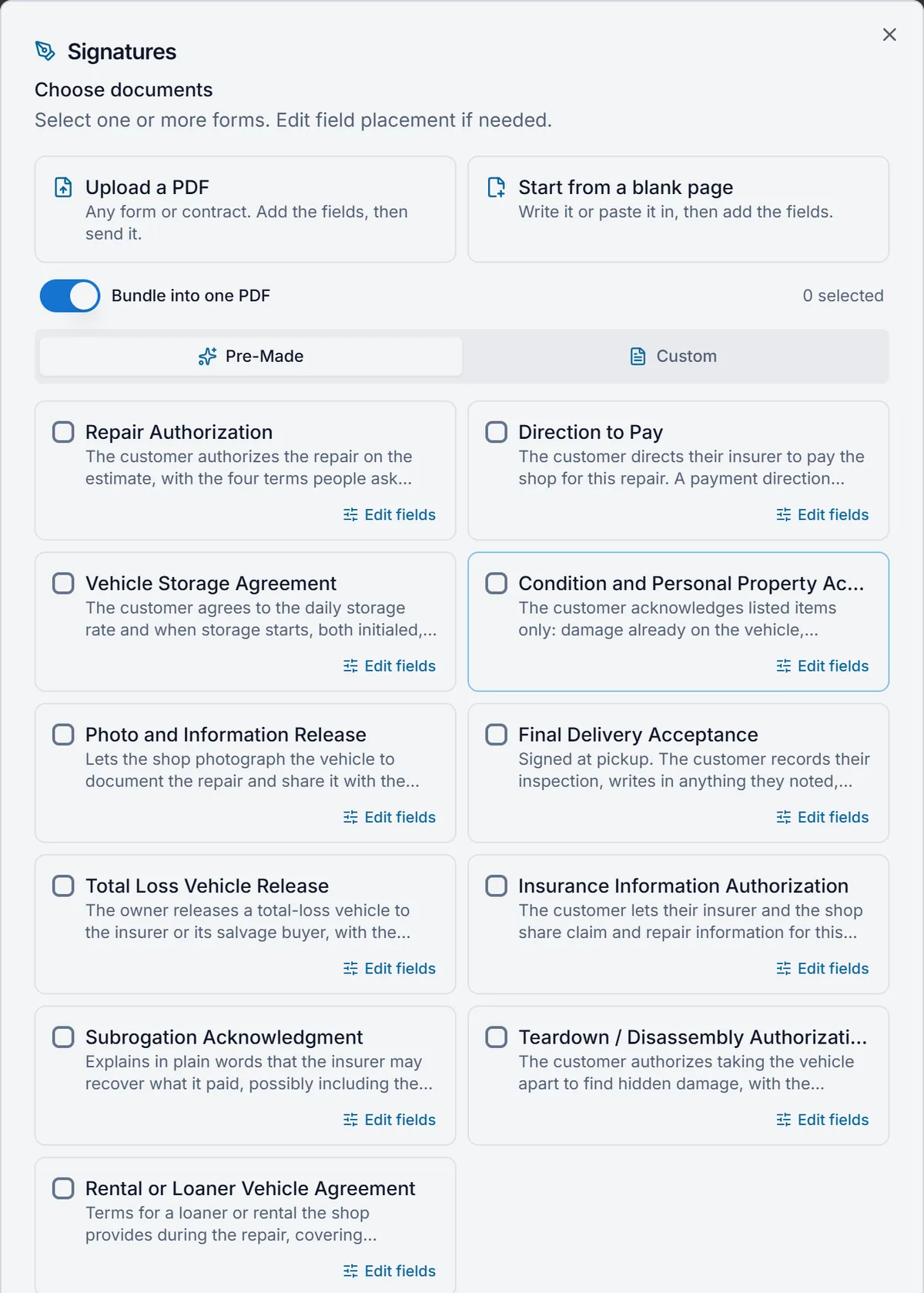
Claimory comes with the documents a collision repair shop asks customers to sign, from the repair authorization to final delivery. Pick one or several, bundle them into one PDF, and the signed copy is saved to the claim's Files tab.
- Repair Authorization
- Teardown / Disassembly Authorization
- Direction to Pay
- Insurance Information Authorization
- Subrogation Acknowledgment
- Vehicle Storage Agreement
- Total Loss Vehicle Release
- Final Delivery Acceptance
- Condition and Personal Property Acknowledgment
- Photo and Information Release
- Rental or Loaner Vehicle Agreement
Licenses and insurance cards, locked apart
Claimory keeps a customer's personal papers in a locked Sensitive documents card on the claim. Claimory AI never reads them, and the customer never sees them in the portal.
- Driver's license
- Insurance card
- Insurance policy
- Registration
- Title or bill of sale
- Other document
Every signed copy, on the claim it belongs to
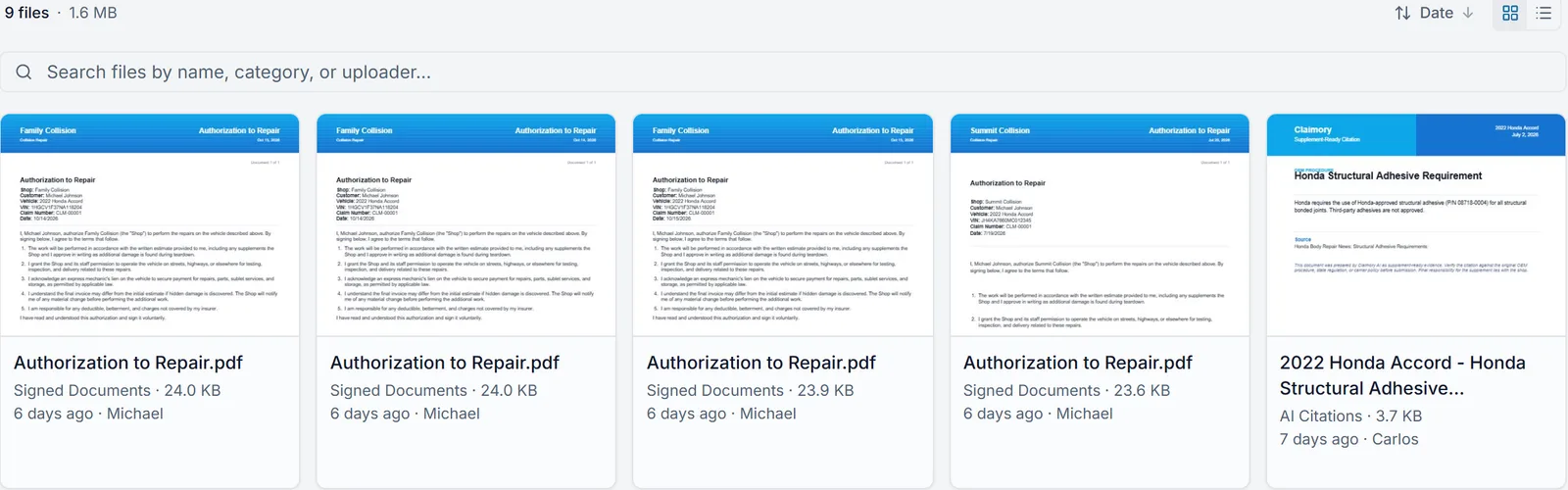
A document signed through Claimory lands on the claim's Files tab under Signed Documents the moment it is signed, whether the customer signed at the counter or from an email link at home. The Files tab shows who sent it and when, and its search finds a file by name, category or uploader.
Check-in photos land on the same claim, each one named for its guide spot, the time and the words said before it, so a search for "headlight" finds the damage shot. Personal papers stay out of this list, in the locked Sensitive documents card.
One walkaround, five people served
Vehicle check-in in Claimory takes a few minutes at the car and saves work for everyone who touches the claim after it.
- 01
Front office
The front office runs check-in in Claimory: Check in on the claim, the walkaround with the guide spots, then the repair authorization signed on the same phone before the customer leaves the counter. A customer who left already gets the documents by email instead.
- 02
Estimator
The estimator gets photos already sorted. Each Claimory check-in photo is named for its guide spot and the words said before it, and the corners, the VIN and the damage are tagged for Claim Audit as overall, VIN and close-up shots, so the estimate review starts with the right pictures.
- 03
Shop owner
The shop owner gets a signed repair authorization, a direction to pay or a storage agreement saved as a PDF on the Claimory claim, not in a folder in the office. The customer's license and insurance card sit in a locked Sensitive documents card that Claimory AI never reads.
- 04
Tech or porter
Whoever moves the car reads the check-in photos first. A note said at the Inside spot, such as a phone charger left in the console, sits under that photo on the Claimory claim, and the shop's checklist has its own Personal Items Removed/Secured step.
- 05
The customer
The customer signs on the shop's screen at the counter, or opens a secure link from an email and signs on any device with no Claimory account. The signed copy is on the claim the moment it is signed.
The clipboard and the camera roll
- A paper repair authorization in a folder in the office
- A signed PDF on the claim's Files tab
- Check-in photos on someone's own phone camera roll
- Photos saved to the claim, named by spot and time
- Damage notes on a clipboard that never reach the estimate
- Words said at the car, in each photo's name and note
- A photocopy of the driver's license in a file cabinet
- A locked Sensitive documents card on the claim
What check-in does not do
- Check-in photos do not write the estimate. The estimate still comes from CCC ONE, Mitchell or Audatex.
- Take notes uses the phone's own dictation. With the microphone blocked or no signal, notes turn off and the photos are kept.
- Send for signature goes by email, so the customer needs an email address to sign away from the shop.
- Sensitive documents are never read by Claimory AI and never shown to the customer in the portal.
Related Claimory features
- Shop SOP checklist
Check in now on the intake photos step, ticked once a check-in photo uploads.
- Claim Audit
Reads the tagged check-in photos with the estimate before it goes to the adjuster.
- Loaner vehicles
Goes with the Rental or Loaner Vehicle Agreement in the signature documents.
- Total loss
Goes with the Total Loss Vehicle Release when the car is not repaired.
- Production board
Where the car shows up in Checked In once it is in the building.
Check in the next car with Claimory
Try Claimory free for 14 days, no credit card.