
Every car in the shop, by repair stage
Claimory's production board puts every claim and cash job in a collision repair shop on one board, in a column for each repair stage, and TV mode puts the shop's dashboard full screen on a TV on the shop wall. The Board is an Elite add-on from the Claimory Marketplace, and TV mode works on every plan.
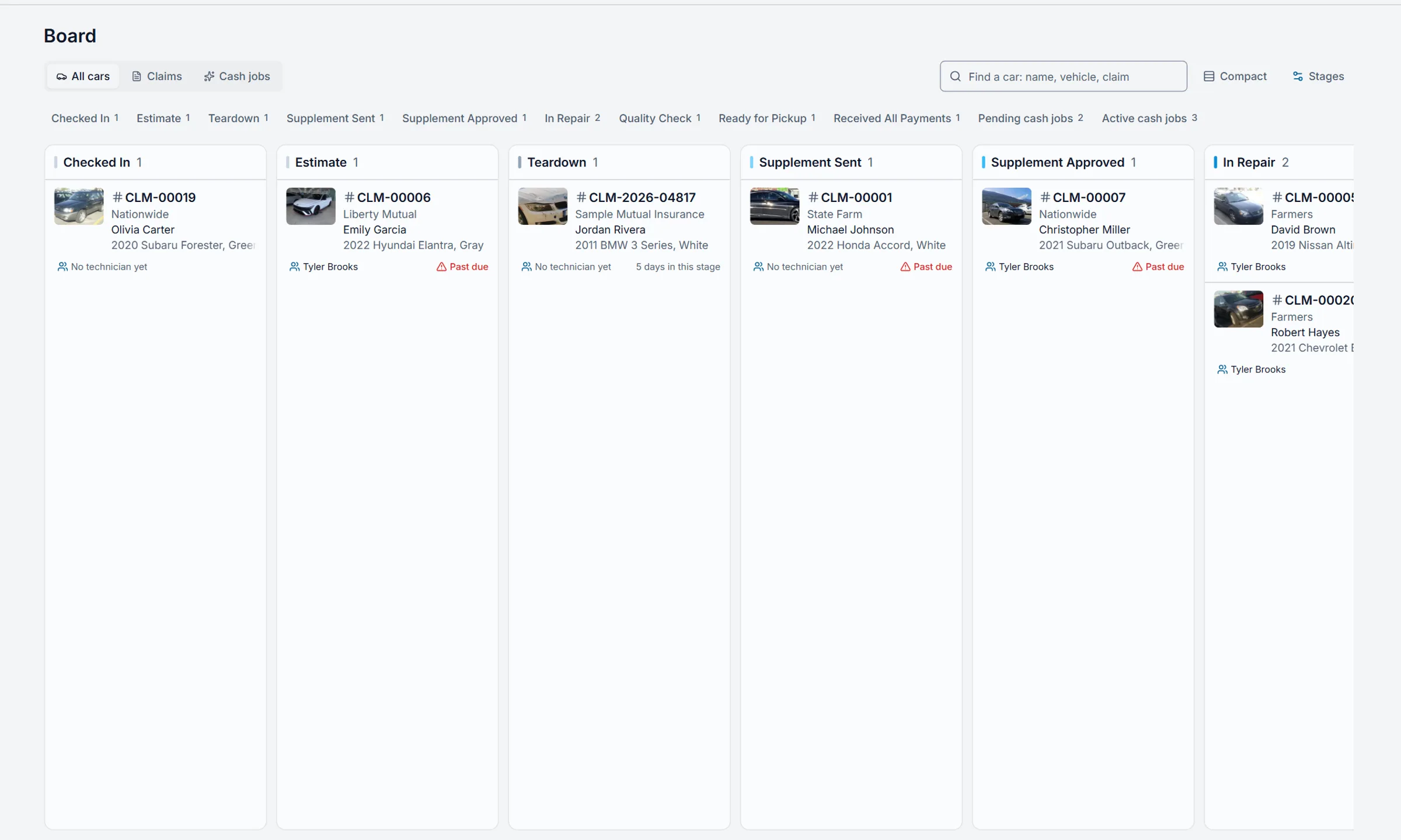
One dashboard, on the desk and the wall
Claimory TV mode is on every plan, Starter included. Show on a TV in the dashboard menu puts the current tab full screen, and after 12 hours untouched the updates pause until someone taps Resume. Switch below between the front desk and the shop TV.
The dashboard at the front desk
At the front desk, the Claimory dashboard shows what needs the office today, the money collected this month and the checks on the way, the open claims, this week's schedule, who owes the shop and the claims in each repair stage, with every menu and button in reach.
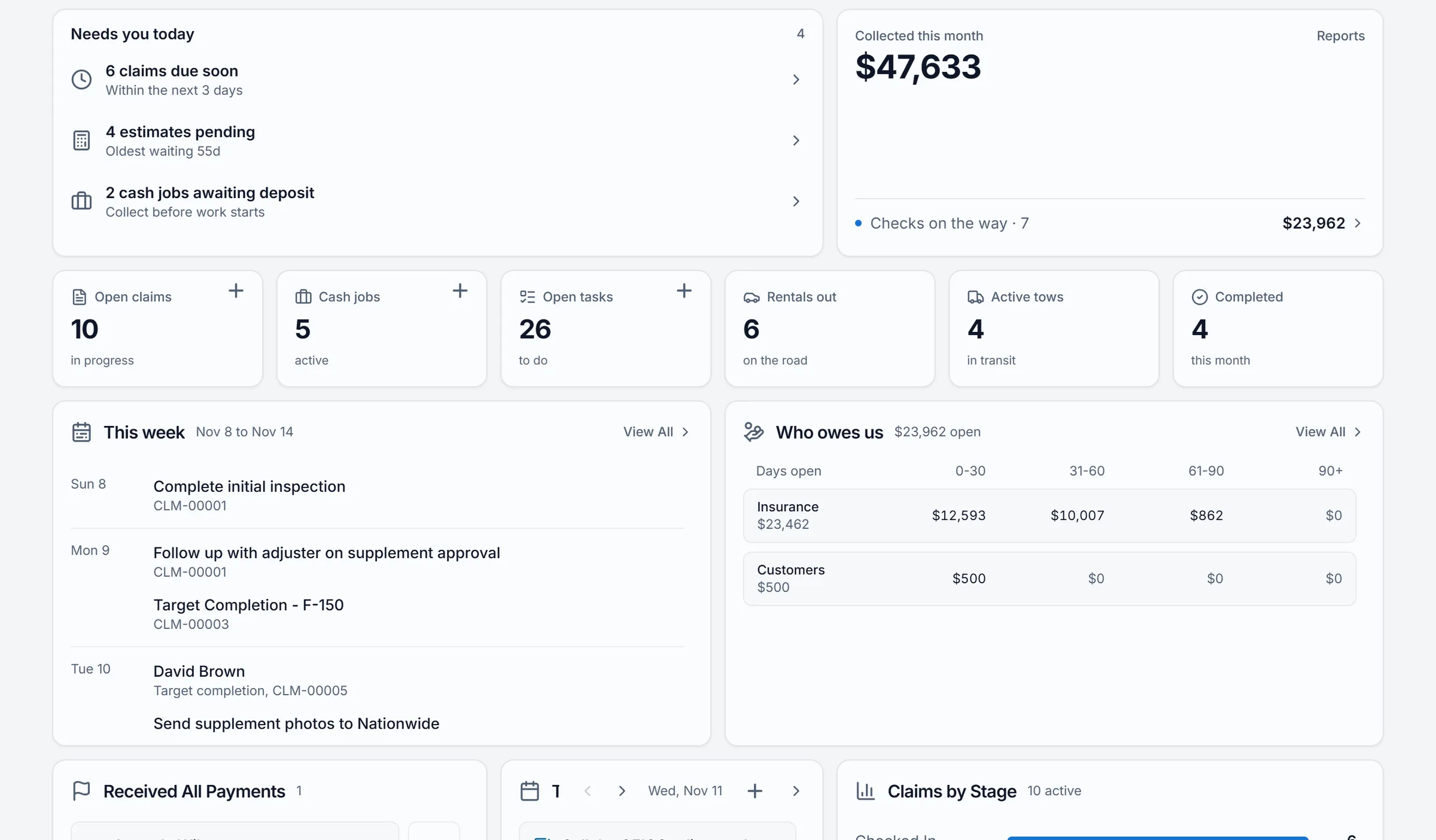
The same tab on the shop wall
On the shop TV, Claimory TV mode shows the same dashboard tab full screen with no menus, updates it every few minutes and keeps the screen awake. Money widgets stay hidden until the owner turns on Show money on this TV.
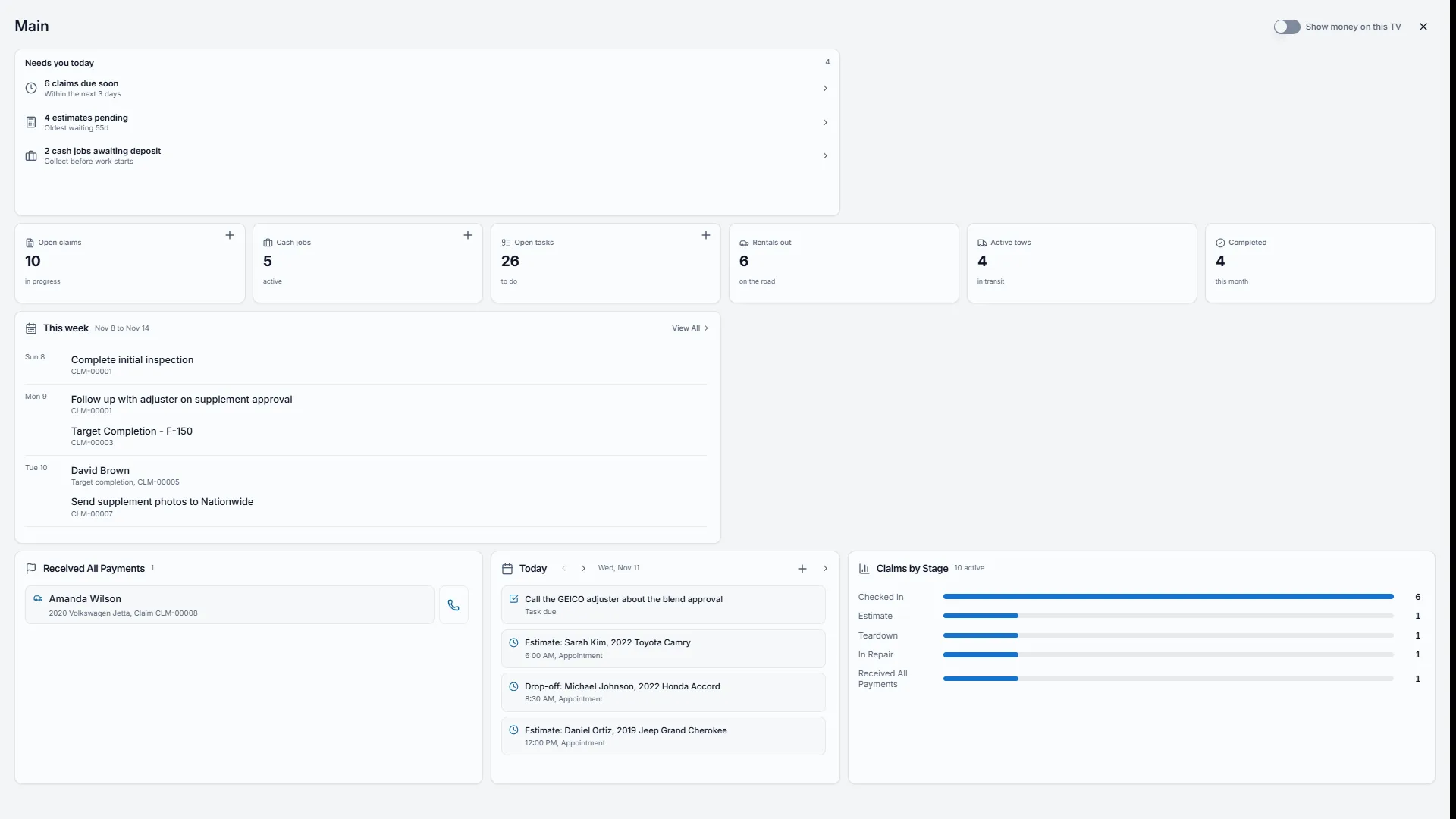
Columns that match how your shop moves cars
The Claimory production board reads the shop's own list of repair stages. A shop starts with these eight and can keep as few as 3 or as many as 12, with one column on the board for each.
- 01Checked In
- 02Estimate
- 03Teardown
- 04Supplement Sent
- 05Supplement Approved
- 06In Repair
- 07Quality Check
- 08Ready for Pickup
Spot the stuck cars without opening a claim
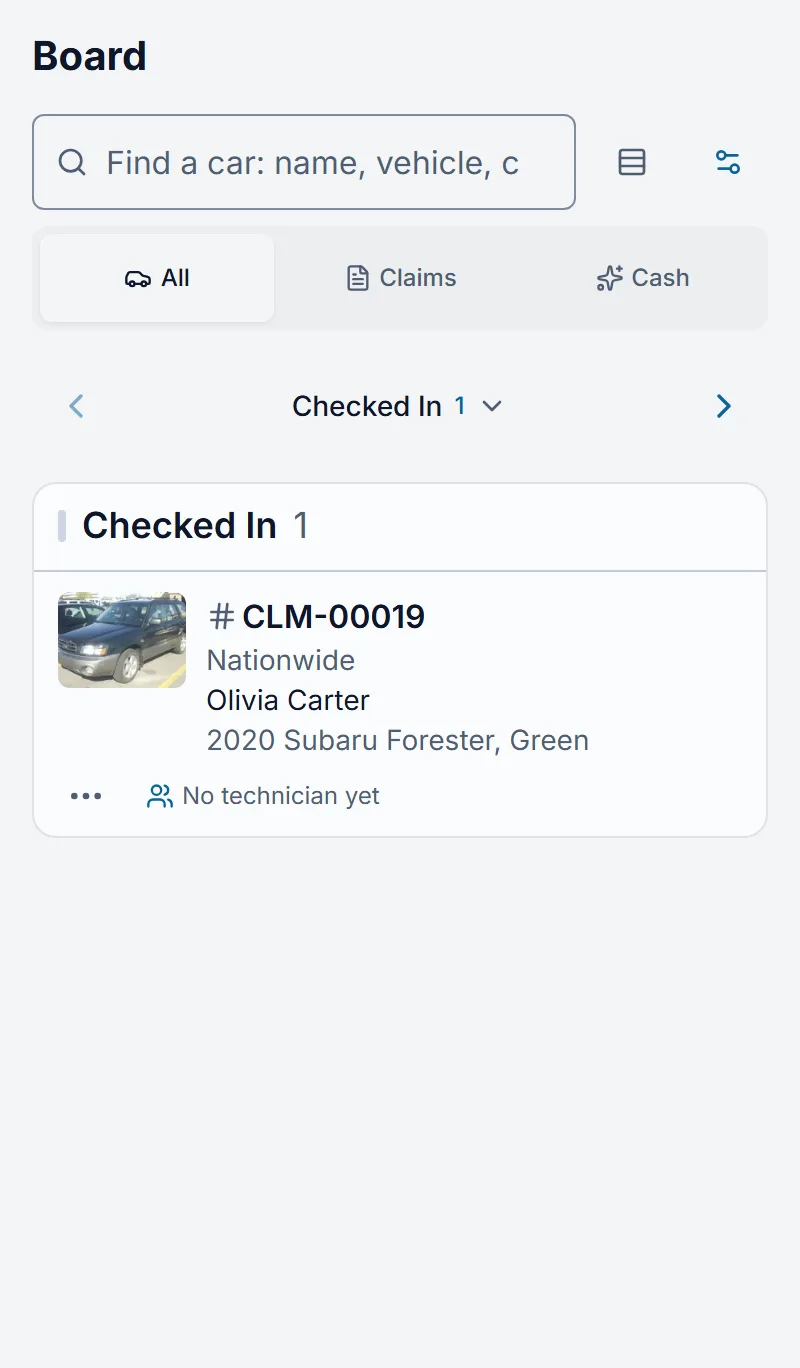
On a phone, the Claimory production board shows one repair stage at a time and a swipe moves to the next, so a production manager can walk the floor with it. Search finds a car by customer name, vehicle or claim number, and Compact view fits more cars on the screen.
Each card on the Claimory board carries the claim number, the insurance carrier, the customer, the vehicle and color, the technician and the days in the current stage. The tabs above the board count the cars in every stage, so a glance says where the shop's work is piling up.
- Claim number first
- The claim number leads, then the carrier, the customer and the car, each on its own line.
- Technician and days in stage
- The technician on the job and the days in this stage sit along the bottom. Drag the car to move it, and Undo puts it back.
- Stuck and past due
- A red line shows on a car that has sat 7 days or more in one stage, or that is past due.
- Claims and cash jobs
- Claims sit in their repair stage, and cash jobs get a lane for each status after the stages.
One board, read five ways
The Claimory production board answers a different question for each person in a collision repair shop, from the production manager at the morning stand-up to the tech glancing at the shop TV.
- Production manager
- The production manager runs the Claimory production board. Each morning the red lines show which cars have sat 7 days or more in one repair stage and which are past due, so the stand-up starts with the cars that are stuck instead of a walk around the lot. On the floor the board fits in a pocket: one stage per screen on a phone, a swipe to the next, and a new stage picked from the car's card when it is ready to move.
- Shop owner
- The shop owner reads the Claimory board as the state of the business: how many cars wait on an estimate, how many wait on a supplement, how many are in repair and how many are ready to go home and be paid for. The owner also decides what the shop TV shows, because only the owner sees the Show money on this TV switch.
- Estimator
- The estimator watches the Teardown, Supplement Sent and Supplement Approved columns on the Claimory board. A car that piles up in Supplement Sent is a supplement still waiting on the adjuster, and the days in that stage on its card say how long it has waited, which is the number to quote on the next follow-up call.
- Front office
- When a customer calls to ask about the car, the front office types the customer's name, the vehicle or the claim number into Find a car on the Claimory board and reads the stage, the technician on the job and the days in that stage off the card, while the customer is still on the phone.
- Techs on the floor
- Techs read the Claimory dashboard on the shop TV: today's appointments, the open claims, the tasks and the cars in each repair stage, updated every few minutes with no one at a keyboard. The TV keeps the money widgets off the wall unless the owner turns them on.
The whiteboard, retired
Without a board, a collision repair shop tracks production on a whiteboard, a spreadsheet or memory. The Claimory production board reads the claims themselves, so it is never a day behind.
| Before | With the board |
|---|---|
| A whiteboard by the shop door, erased and rewritten by hand | A Claimory board that moves a car with a drag and counts its days in each stage on its own |
| A spreadsheet of open repair orders that is out of date by noon | Every open claim and cash job read live from the claims themselves |
| A walk around the lot to find a car a customer is asking about | Find a car by name, vehicle or claim number, from the desk or a phone |
| A stand-up that guesses which cars are stuck | A red line on every car that has sat 7 days in one stage or is past due |
What the board does not do
- The Board is not in the free trial, Starter or Professional. It is an Elite add-on from the Claimory Marketplace.
- Cash jobs open from the board rather than drag between columns, because a cash job moves by status, not by repair stage.
- Cash jobs leave the board when the shop turns the Cash Jobs tool off.
- TV mode is not a separate TV app. It runs in a browser on a computer or tablet signed in to Claimory and connected to the TV.
- Show on a TV is not offered on a phone.
- The shop TV never shows money unless the owner turns on Show money on this TV for that screen.
Related Claimory features
- Cycle time dashboard
Measures the days between the same repair stages the board moves cars through.
- Customer portal
Shows the customer the repair stage their car is in.
- Shop SOP checklist
The shop's own steps inside every claim, from intake to delivery.
- Vehicle check-in
Photos and signatures for the car that lands in Checked In.
- Time clock
Who clocked in on the floor and how long they worked.
Put every car on one board
The Claimory production board is included with Elite, and TV mode comes with every plan. Try Claimory free for 14 days, no credit card.