
Write collision estimates from your own rates
Claimory lets a collision repair shop write an estimate line by line, send it as a quote PDF, turn a yes into the job, and read the carrier's estimate onto the same claim.
No credit card. Works with CCC ONE and Mitchell.
Change a line, watch the total follow
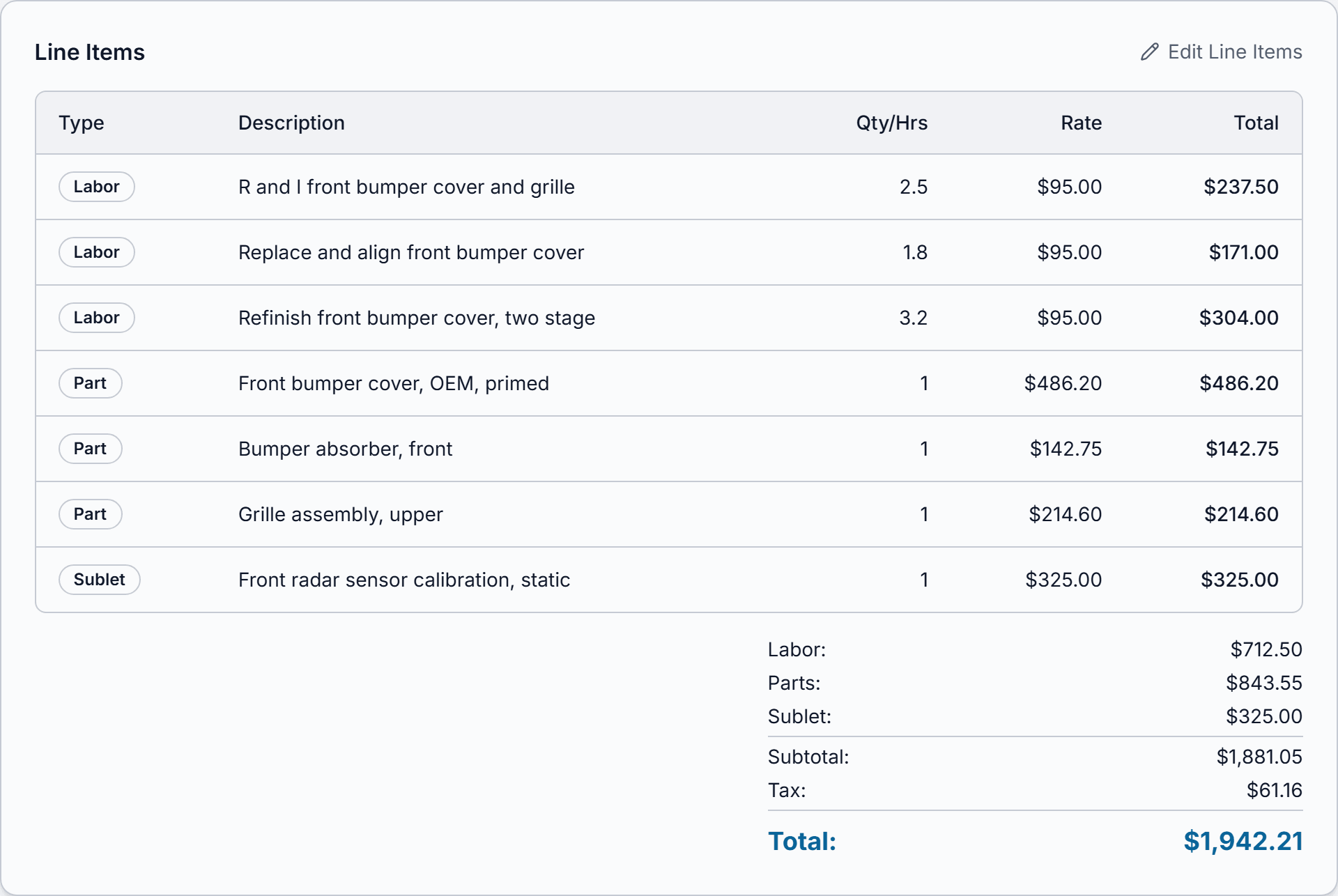
These are the lines from the estimate above. Change the hours, tax a line or add one, the way the Quote step in Claimory does it.
Front bumper, 2021 Honda Accord$1,942.21
- LaborR and I front bumper cover and grille2.5$237.50
- LaborReplace and align front bumper cover1.8$171.00
- LaborRefinish front bumper cover, two stage3.2$304.00
- PartFront bumper cover, OEM, primed1$486.20
- PartBumper absorber, front1$142.75
- PartGrille assembly, upper1$214.60
- SubletFront radar sensor calibration, static1$325.00
Add a line the first look missed
- Labor
- $712.50
- Parts
- $843.55
- Sublet
- $325.00
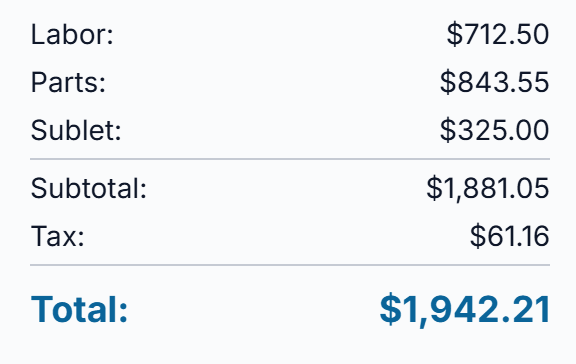
- Subtotal
- $1,881.05
- Tax on taxable lines, 7.25%
- $61.16
- Total
- $1,942.21
Start with who is paying
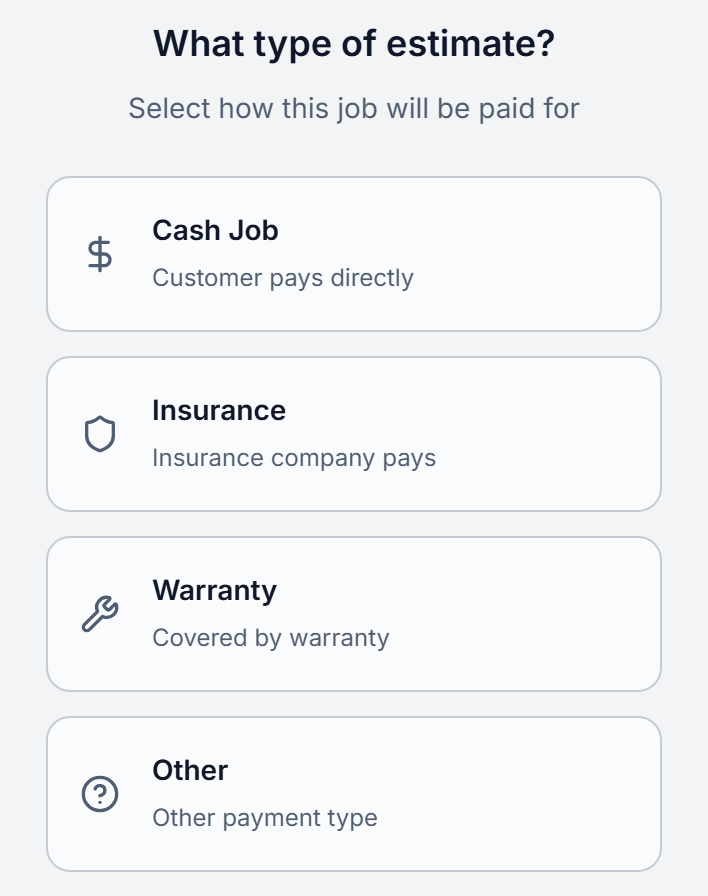
A Claimory estimate takes four steps, Type, Customer, Vehicle and Quote, and the first one decides what the rest ask for.
- Cash Job
- The customer pays. Deposit, payment terms and a quote expiration date go on the document.
- Insurance
- The carrier pays. Claimory also asks for the insurance company, the adjuster, the policy number and the deductible, and marks the estimate Preliminary, Supplement or Final.
- Warranty
- Work billed back to a warranty administrator.
- Other
- Fleet, dealer, internal, or any other payer.
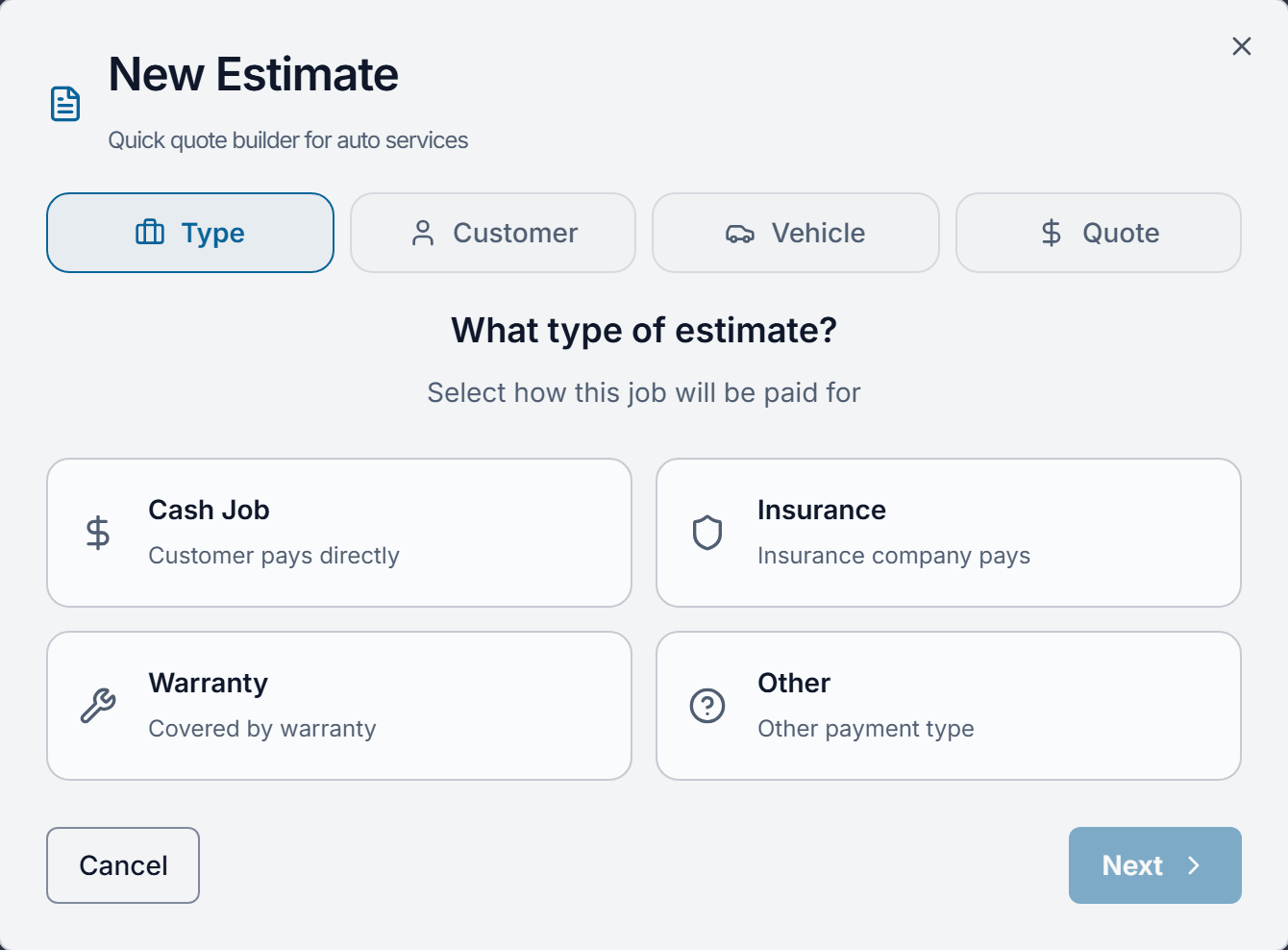
- 1TypeCash Job, Insurance, Warranty or Other.
- 2CustomerWho the estimate is for: name, phone and email.
- 3VehicleScan or type the VIN. Insurance work adds the carrier and adjuster.
- 4QuoteLines, tax, a percent discount, a deposit and an expiry date.
The customer opens a real document
Quote PDF turns a Claimory estimate into a one-page letter on your letterhead, ready to send or print with nothing retyped.
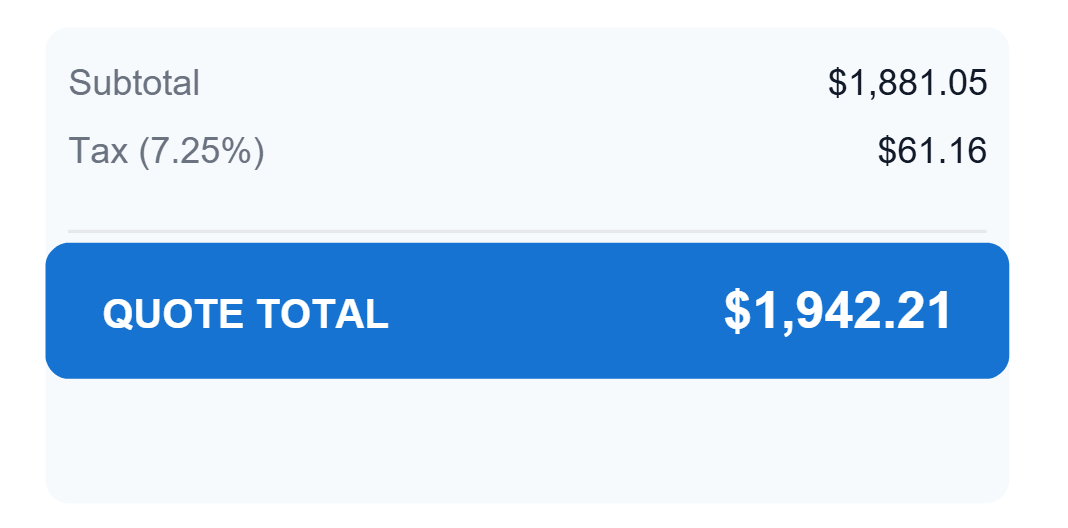
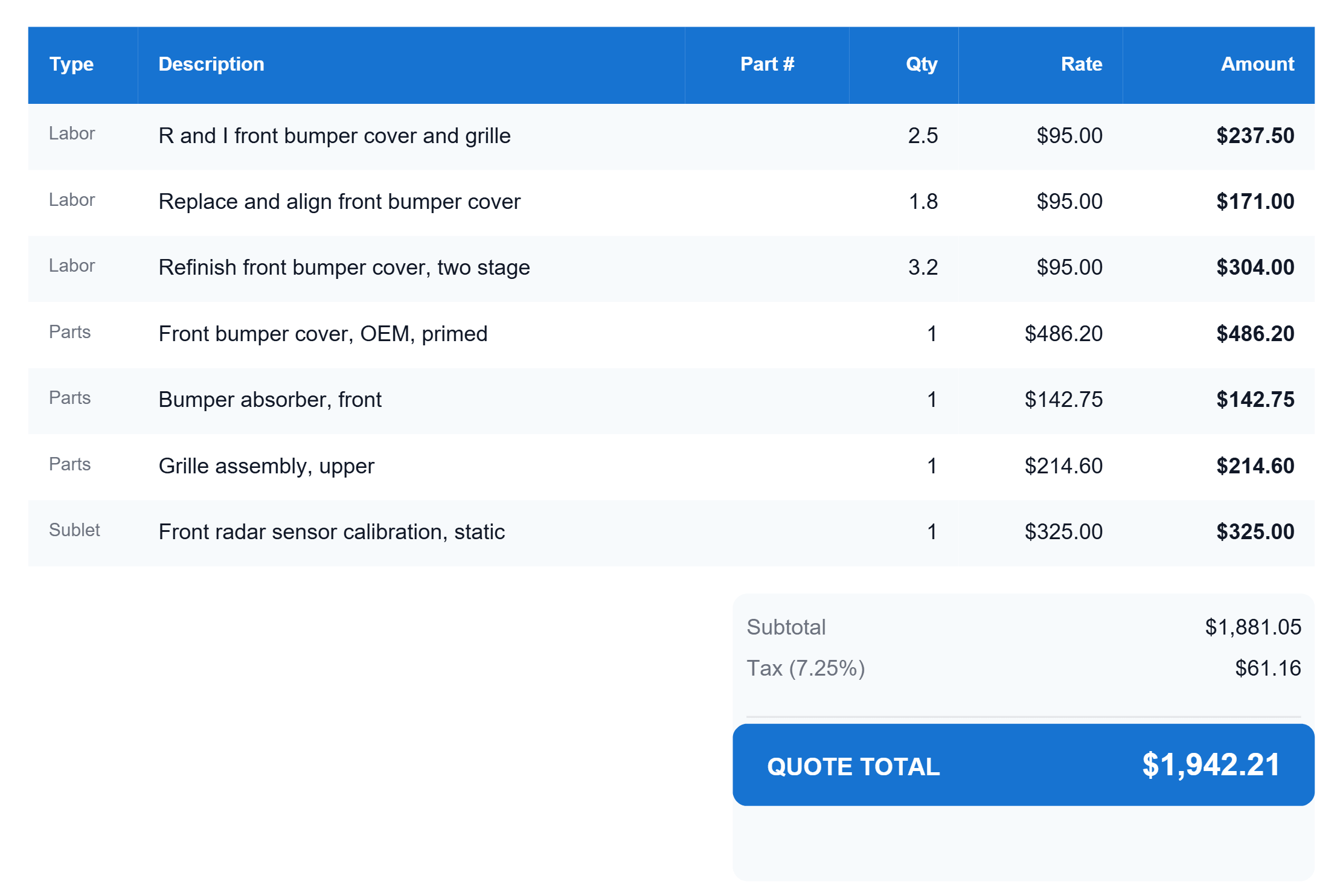
The same estimate as a quote PDF, below the letterhead, the customer and the car.
Your letterhead
Shop name, address, phone and email come from your workspace settings.
The lines as written
Type, description, part number, quantity, rate and amount, in your order.
Tax they can check
Subtotal, the rate in brackets and the dollars it made, then the total.
The car on the page
Year, make, model, VIN and plate sit beside the customer.
A yes becomes the job
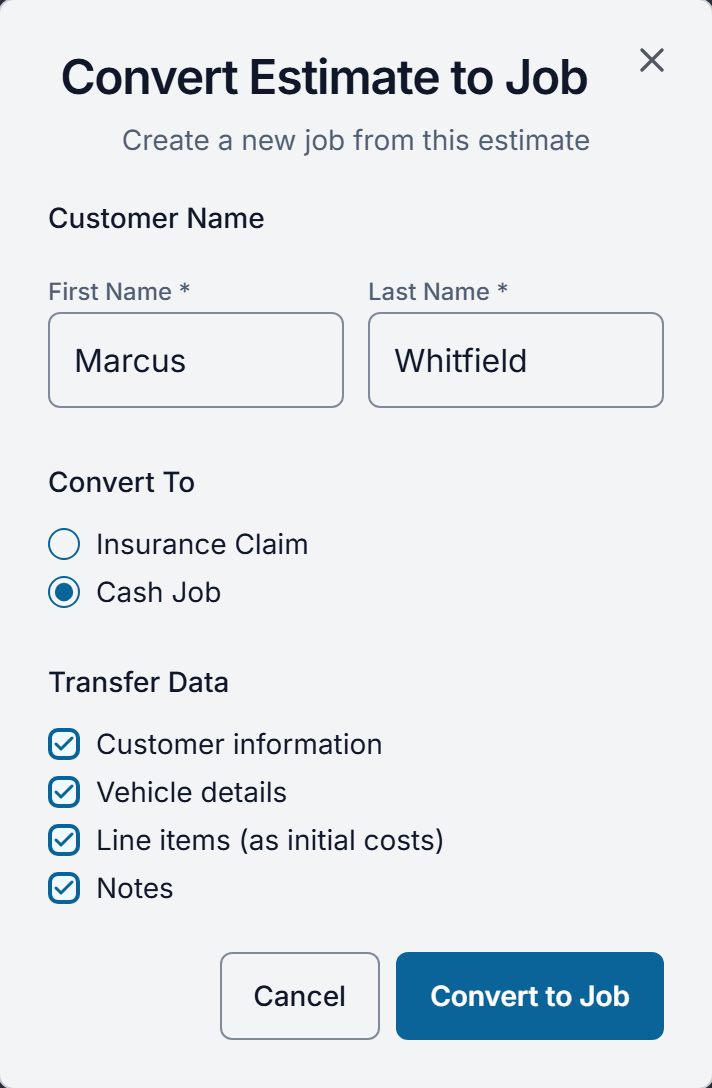
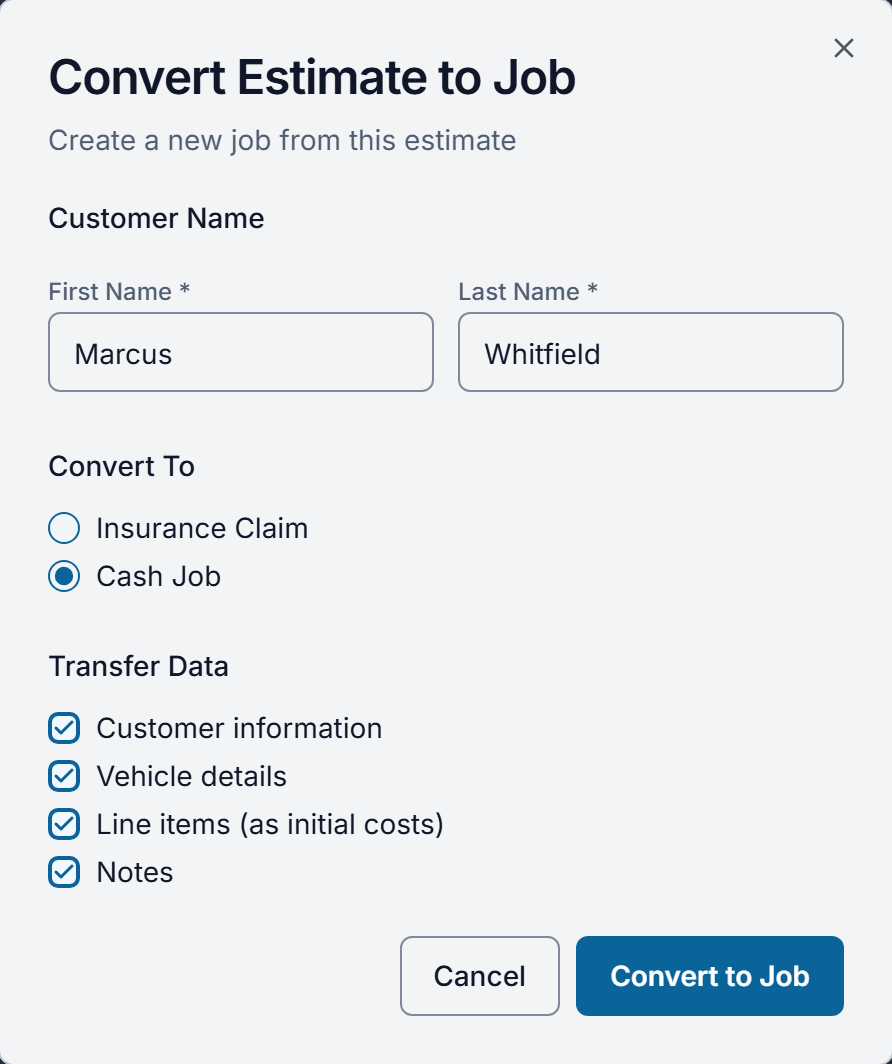
Convert a Claimory estimate and pick what carries across: customer, vehicle, line items as initial costs, notes. Insurance work becomes a claim, customer-pay work becomes a cash job.
- Draft
- Being written in the shop.
- Sent
- Out to the customer, with the send time.
- Approved
- The customer said yes.
- Converted
- It became a claim or a cash job, and it locks.
- Declined
- The customer said no. The record stays.
- Expired
- The quote date passed while it sat unanswered.
The carrier's estimate comes in line by line
Claimory works beside CCC ONE, Mitchell and Audatex. Write there against OEM labor times, P-pages and parts pricing, then put the file on the claim, up to 50MB.
| Written in | You upload | Claimory keeps |
|---|---|---|
| CCC ONE | XML, EMS or CIECA file | Lines, hours, parts and totals, as exported |
| Mitchell | XML, EMS or CIECA file | Lines, hours, parts and totals, as exported |
| Audatex | Lines read from the document, beside it for review | |
| Any other platform | Lines read from the document, beside it for review |
Each import is a numbered version on the claim, opened beside the source for your review before it saves. Estimate import comes with Professional, Elite and the free trial.
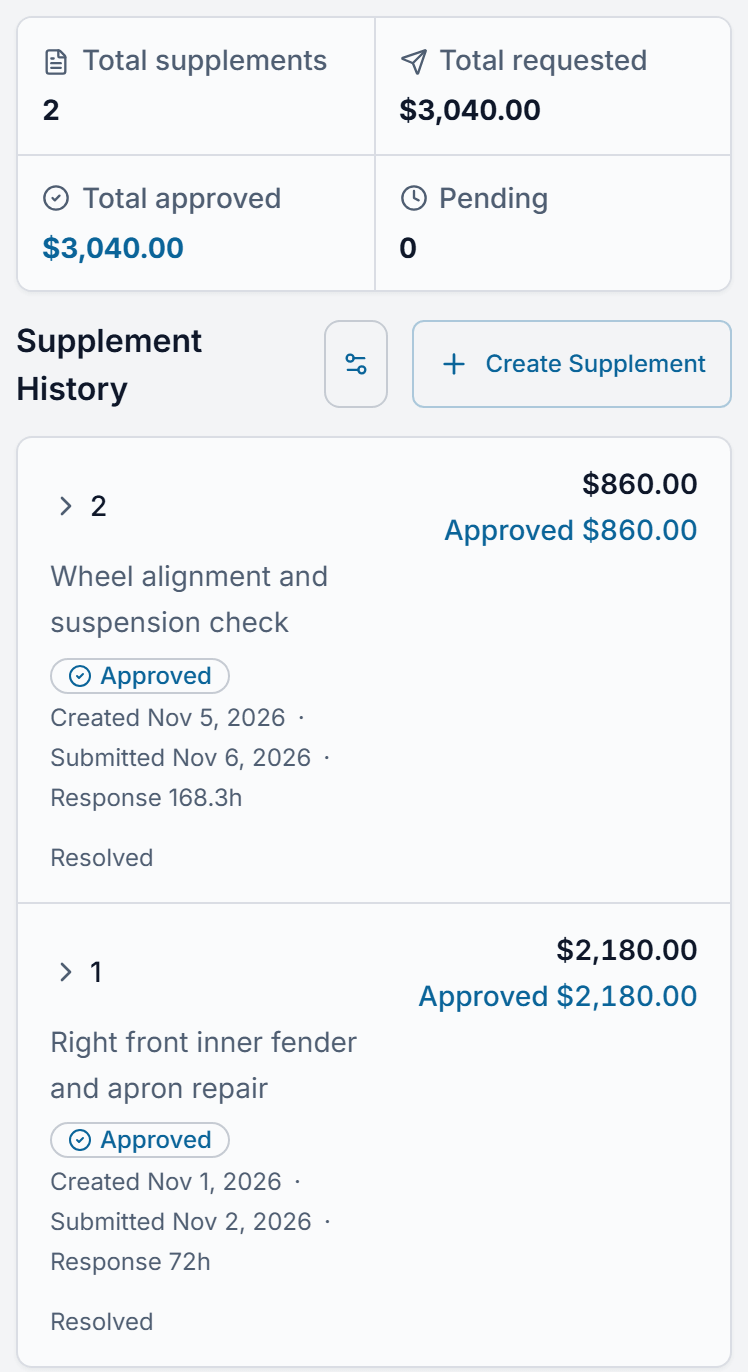
Teardown found more. Add the supplement.
Supplements sit on the same Claimory claim as the estimate, each with its own number, its dates and the carrier's answer.
- Write it
- Labor, Part, Sublet, Material or Other lines, each priced.
- Send it
- Claimory counts the days the carrier takes from there.
- Record the answer
- Amount allowed beside amount asked, on each line.
Say it, and it is on the estimate
Claimory AI shows the exact change on a card and makes it when you approve. How Claimory AI works
Lines
Add a line, change its hours or rate, take one off, or put them in the order your estimator writes.
Document
Save a new version and keep the earlier one, generate the quote PDF, send it to the customer.
Supplement
Open one, mark it approved with the amount allowed or denied with the reason, and draft the follow-up to the carrier.
Where the estimate goes next
- Supplement tracking
Every supplement still waiting, longest wait first.
- Claim Audit
Finds lines the estimate appears to be missing, with a citation.
- Claims management
The claim the estimate and the supplement live on.
- Claimory and CCC ONE
How the two work side by side in one shop.
What shops ask about estimates
Yes. Claimory has a four-step estimate builder, Type, Customer, Vehicle and Quote, so a collision repair shop can write a customer-pay, warranty or insurance estimate from its own rates. The job type is Cash Job, Insurance, Warranty or Other, and the Quote step holds line items with hours and a rate, separate labor, parts and sublet subtotals, tax, a percent discount and a deposit. Choosing Insurance also collects the insurance company, the adjuster's name, email and phone, the policy number and the deductible, and marks the estimate Preliminary, Supplement or Final.
Claimory works beside CCC ONE, Mitchell and Audatex. An estimate written in Claimory prices from the lines and rates the collision shop enters, and an estimate written on one of those platforms against OEM labor times, P-pages and parts pricing is imported onto the claim, where its lines, hours and totals are read. A shop that writes insurance estimates on CCC ONE, Mitchell or Audatex keeps that platform and lets Claimory read what it wrote.
A collision shop uploads the carrier's estimate to the Claimory claim, as a PDF from any platform or as an XML, EMS or CIECA file exported from CCC or Mitchell, up to 50MB. Claimory stores each import as a numbered estimate version and breaks it into lines with the operation, description, part number, quantity, rate, hours, labor type and amount, plus the vehicle and the labor rates it found. The lines open beside the source document for review, and the shop saves them to the claim from there. Estimate import comes with Professional, Elite and the free trial.
The Claimory quote PDF is a one-page letter on the collision repair shop's own letterhead, with the shop name, address, phone and email from its workspace settings. It names the customer and the car, with the VIN and plate, then lists every line with its type, description, part number, quantity, rate and amount, above the subtotal, the tax rate in brackets with its dollars, and the quote total.
A sent Claimory estimate records how many times the customer has viewed it and when it was last opened, and past its quote expiration date it shows as Expired, so a collision repair shop sees which quotes to call about. Once the customer says yes, the shop converts it into an insurance claim or a cash job and picks what carries across: customer information, vehicle details, line items as initial costs, and notes. The converted estimate locks, so the document that created the job stays as it was. A Claimory estimate holds one of six statuses: Draft, Sent, Approved, Converted, Declined and Expired.
Claimory multiplies each estimate line's hours or quantity by its rate, totals labor, parts and sublet separately, then adds tax on the lines marked taxable. Parts and fees start taxable and labor starts untaxed, the collision shop can switch tax on or off for each line, and a percent discount and a deposit go on the same Quote step.
Yes, on the claim itself. The Claimory claim's Financials tab carries an Estimate Intelligence breakdown of the parsed estimate, an Estimate vs Actuals card and a Supplement Timeline, under the Total Cost, Received, Pending and Profit tiles, so a collision shop holds the job against the estimate while the car is still in the building.
Yes. Claimory AI can add, edit, delete and reorder estimate line items, save an estimate version, generate the estimate PDF and send it to the customer, and on the supplement side it can create a supplement and mark one approved or denied. Claimory AI shows each step first as a card naming the exact change, and it runs when a person at the collision shop approves it.
Yes. The Claimory Claim Audit reads the claim's estimate lines and photos and names what it believes is missing, with a citation next to each finding. It is evidence a collision shop can act on or set aside, and the estimator decides what goes on the estimate. Claim Audit comes with Professional, Elite and the free trial.
Claimory keeps the supplement on the same claim as the estimate, with lines typed Labor, Part, Sublet, Material or Other, and records the amount the carrier approved beside the amount the collision shop requested on each line, with the reason for a cut. A supplement holds one of seven statuses, Draft, Submitted, Pending Review, Approved, Partially Approved, Denied and Withdrawn. Days waited, aging alerts and the Open Supplements panel are covered at /features/supplement-tracking.
Claimory keeps a denied supplement on its claim with its reason, every line and the amount requested, so a collision repair shop answering the insurance carrier's denial starts from the full record instead of rebuilding it. The shop records the denial on the claim's Supplements view, and a revised request is written as a new supplement on the same claim, numbered beside the first. On Professional and Elite, Claimory's Claim Audit supplement package builds one PDF for the adjuster with the state law or OEM text quoted for each item the shop ticks, and Claimory's guide at /blog/what-to-do-when-an-insurance-supplement-is-denied covers the next steps with the carrier.
Claimory lets a collision repair shop list the pre-repair scan and the post-repair scan on a supplement as lines of their own, typed Labor or Sublet, each with a description, a quantity and a rate, so each scan is a priced line the insurance carrier answers. The carrier decides what it pays, and the claim's Supplements view shows the amount requested beside the amount the carrier approved, with the scan reports the shop uploads kept in the claim's Files. Claimory's guide at /blog/pre-scan-and-post-scan-what-collision-shops-need-to-know covers what each scan involves.
Claimory lets a collision repair shop put an ADAS calibration on a supplement as its own line, typed Labor or Sublet, with a description, a quantity and a rate, so the calibration is a priced line the insurance carrier answers. The carrier decides what it pays, and once its answer is recorded the claim's Supplements view shows the amount requested beside the amount the carrier approved, with the documents the shop uploads kept in the claim's Files. Claimory's guide at /blog/when-is-adas-calibration-required-after-collision-repair covers when a calibration is called for.
Claimory shows a collision repair shop what any supplement writer, in-house or remote, actually brings back: every supplement sits on its claim with the amount requested beside the amount the insurance carrier approved. Recording an outside writer's supplements on their claims the same way gives the shop the numbers to judge that service by, claim by claim. On Professional and Elite, Claimory's Claim Audit also reads the claim's estimate lines and photos and lists operations the estimate appears to be missing, each with a note the shop's own estimator can paste into the supplement.
Scroll for all 14.
Your next estimate, written tonight
Write it, send the PDF, and convert the yes into a claim or a cash job. Free for 14 days, no credit card.