
Run more than one shop from one login
One Claimory login can open several shops. On Elite, Locations adds them up on one page.
- 2 min read
- Elite
- Owner, Manager
What you get
- A shop list in your account menu to switch in one press
- Claims and money added up across every location
- A table that compares your shops side by side
Before you start
- Any plan to switch shops. Elite for the Locations page.
- The owner, admin or manager role for Locations.
- Your shops grouped by Claimory support. Email support@claimory.io with their names.
Step by step
0 done of 4 steps
Switch shops
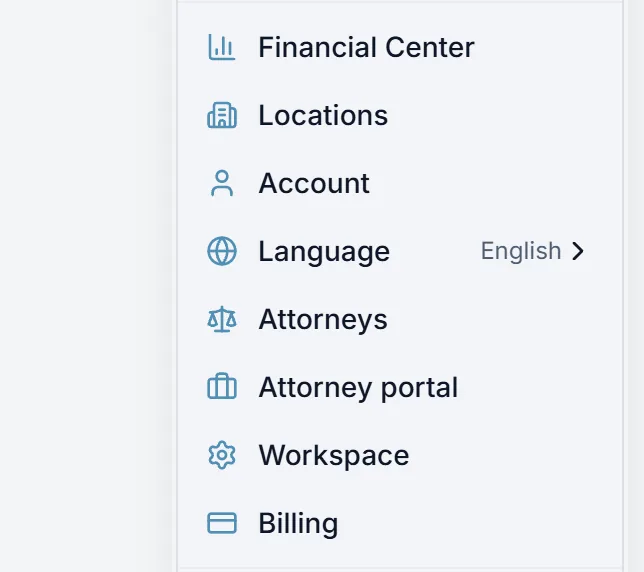
Press your shop's name in the top right corner
Every shop your login belongs to is at the top of the menu.
Press the other shop
Claimory says Workspace switched and opens that shop's dashboard.
See all shops together
Open Locations
Press your shop's name, then Locations. Multi-Location Roll-Up shows Active Claims, Revenue (MTD), Received, Waiting, Customer owes, Completed (MTD) and Cash Jobs across the group.
Press View on a location
The By location table compares every shop. Press View to drill into one. Use the PDF, Excel or CSV button to export the page.

Questions and fixes
Can one Claimory account have more than one shop?
Yes. One login can belong to several workspaces, and each keeps its own claims, team and settings. Switch from the list at the top of your account menu.
How does billing work for more than one location?
Each location has its own subscription, from $49.99 a month on Starter, $129.99 on Professional and $349.99 on Elite. Groups of 3 or more locations get volume pricing: email info@claimory.io for a quote.
Can my locations share staff and buying?
Yes. On Elite, add Multi-location Tools from the Marketplace at each shop, and Locations gets tabs for Staff loans, Purchasing and Shared accounts.
Your locations aren't grouped yet
Email support@claimory.io with the names of your shops, and Claimory sets up your roll-up.
This roll-up isn't available for your account
The roll-up needs Elite on a grouped shop. Move to Elite in Billing if you have not, then email support@claimory.io.
Failed to switch workspace
Check your connection, open the menu under your shop's name and press the shop again.
Export failed. Please try again.
Reload Locations and press the export button once more.
What to do next
- Plans and billingChoose a Claimory plan, move from your free trial to paid, change plans, fix a failed card, find invoices, cancel or restart your subscription.
- Reports and exportsOpen your reports in Claimory, read cycle time and carrier performance, track expenses and payroll, and export files for your accountant.
- Still stuck?Open the Support Center to find the fix or write to a person.