
Log a tow, dispatch it and bill it
Towing & Transport in Claimory tracks each tow from the call to the bill, whether your truck or another company runs it.
- 4 min read
- Professional and up
- Owner, Manager, Front desk, Technician
What you get
- Every tow tied to its claim or cash job
- Your trucks, drivers and outside tow companies in one place
- A tow invoice PDF in two presses
- A count of tows you delivered and still have to bill
Before you start
- Professional or Elite. Towing is open during your free trial too.
- Towing & Transport in your left menu. If it is missing, add it from the Marketplace.
- The customer's name and the drop-off address.
Step by step
0 done of 8 steps
Set up once
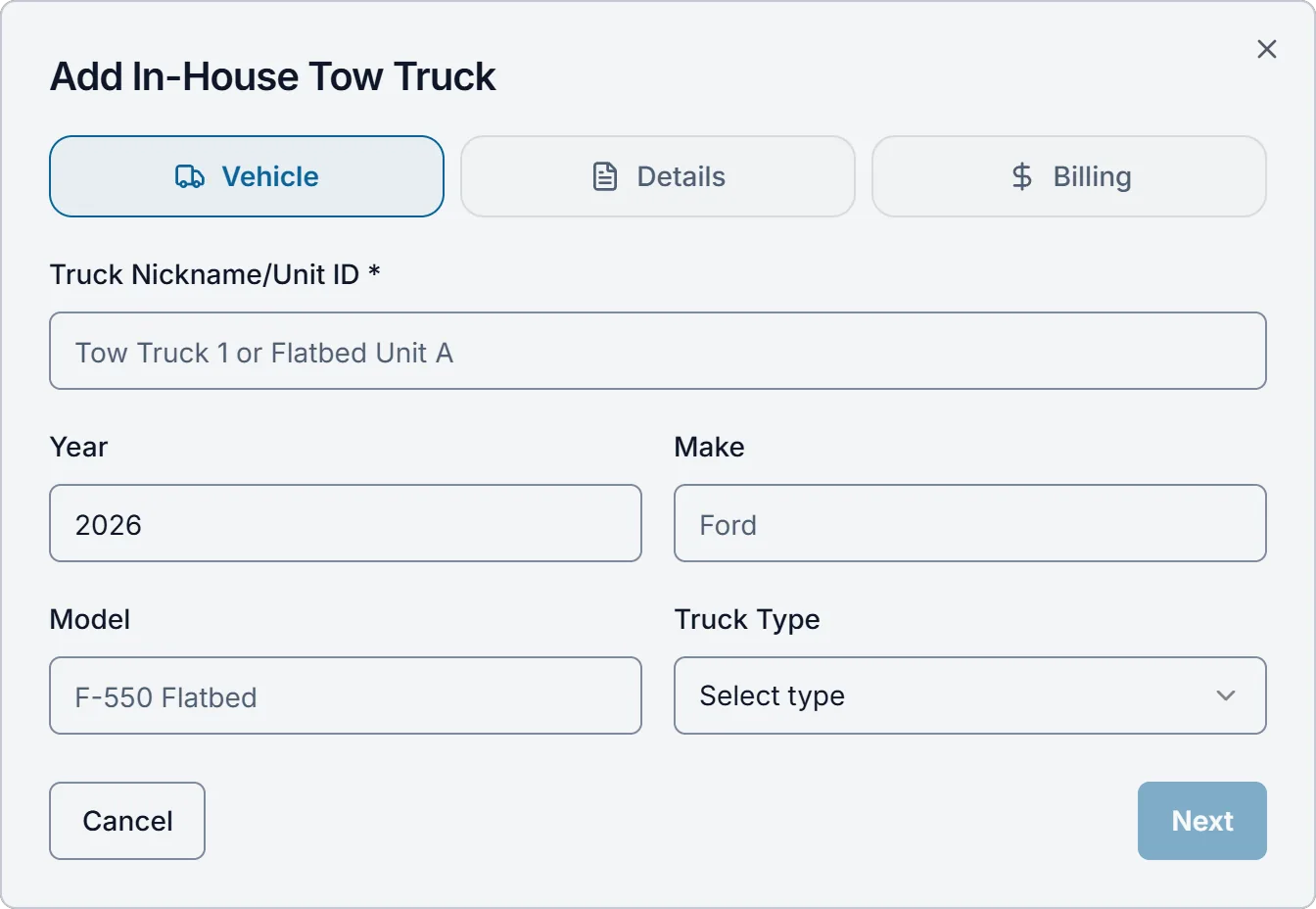
Add your truck
Open Towing & Transport, press New Tow, then Add Tow Truck. Type the truck's nickname, the plate and the notes. On Billing choose Billable, set the Base Hook Fee ($) and the Per Mile Rate ($), and press Add truck.
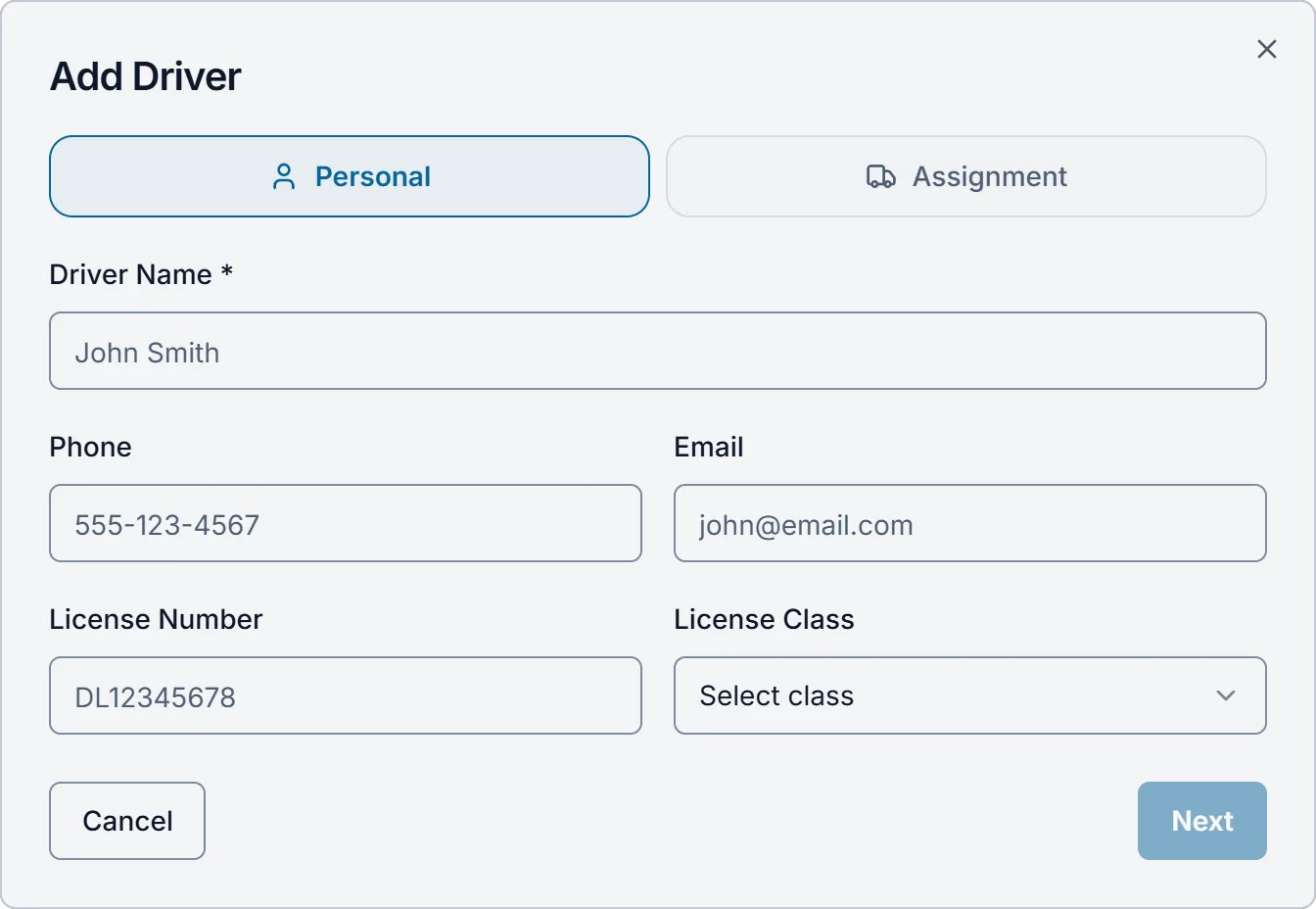
Add your drivers
Press New Tow, then Add Driver. Type the Driver Name, the License Number and the License Class, pick a truck and press Add driver. Claimory marks a license Expires soon or Expired.
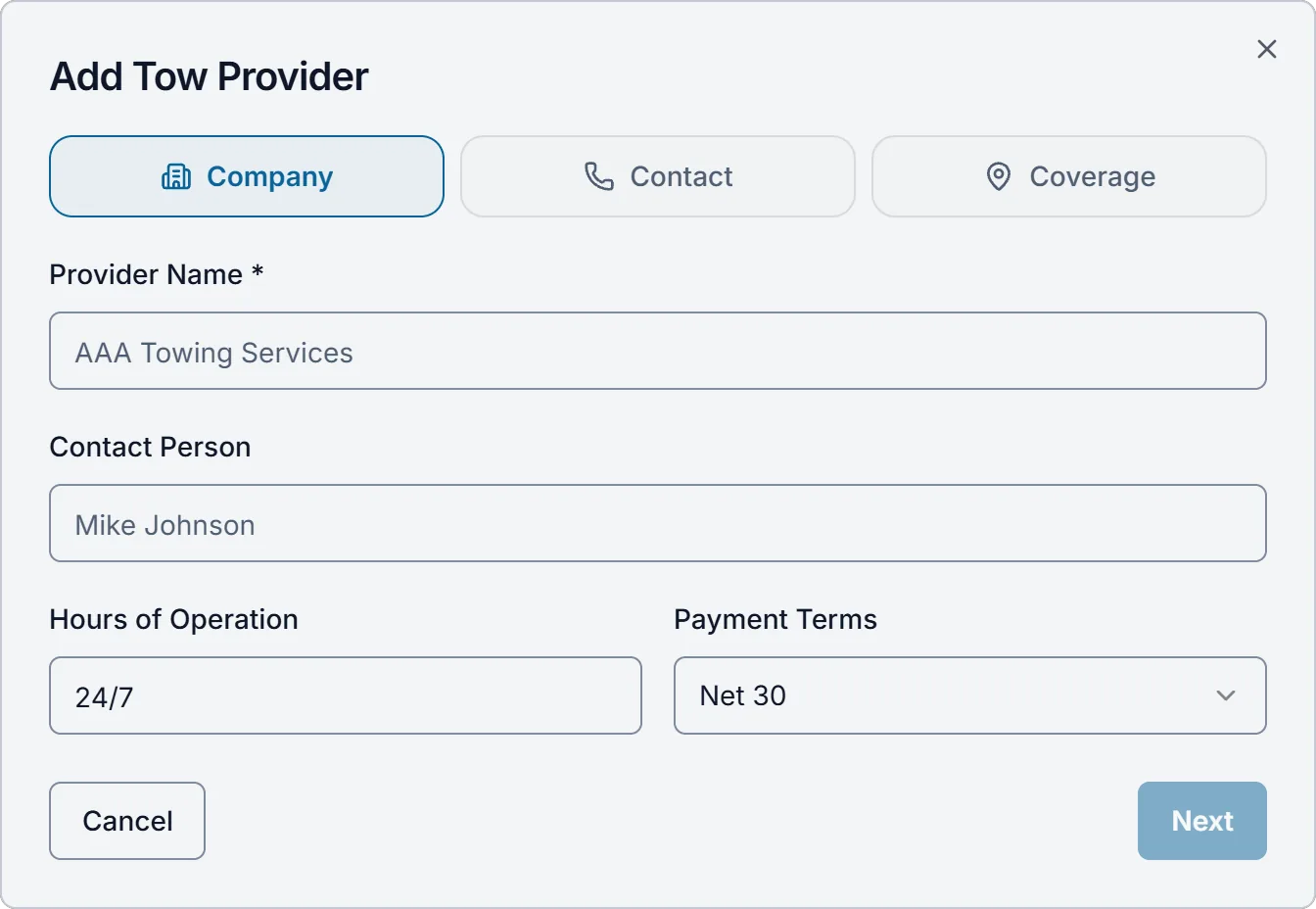
Add outside tow companies
Press New Tow, then Add Provider. Fill in Company, Contact and Coverage, then press Add provider.
Run a tow
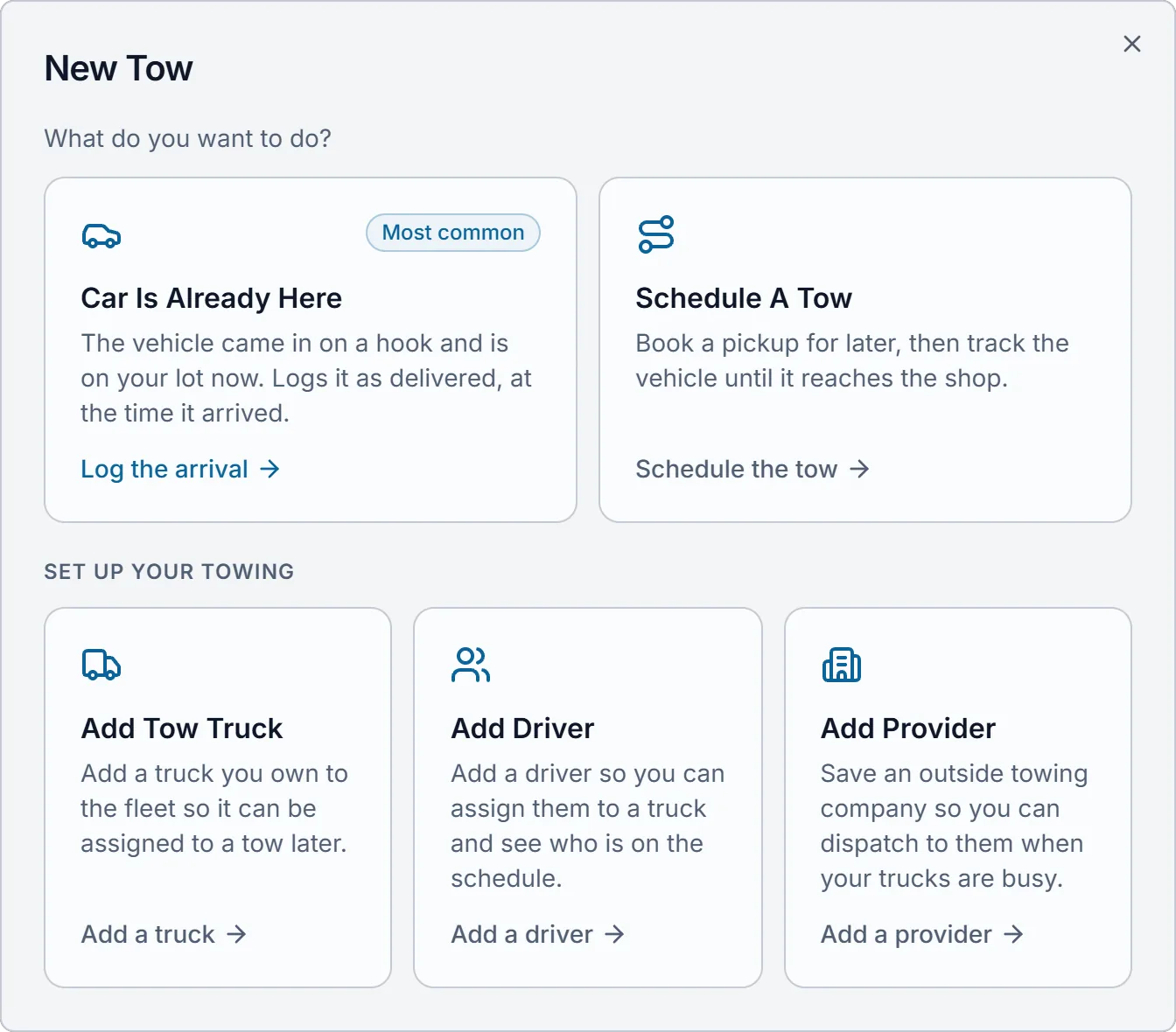
Press New Tow
Press Car Is Already Here if the car was dropped off. Press Schedule A Tow to send for one.
Fill in the car and the route
Choose External Provider or In-House Truck, and link the claim or cash job. Type the Customer Name, the vehicle, the pickup and the drop-off address. Pressing Next takes you to each part.
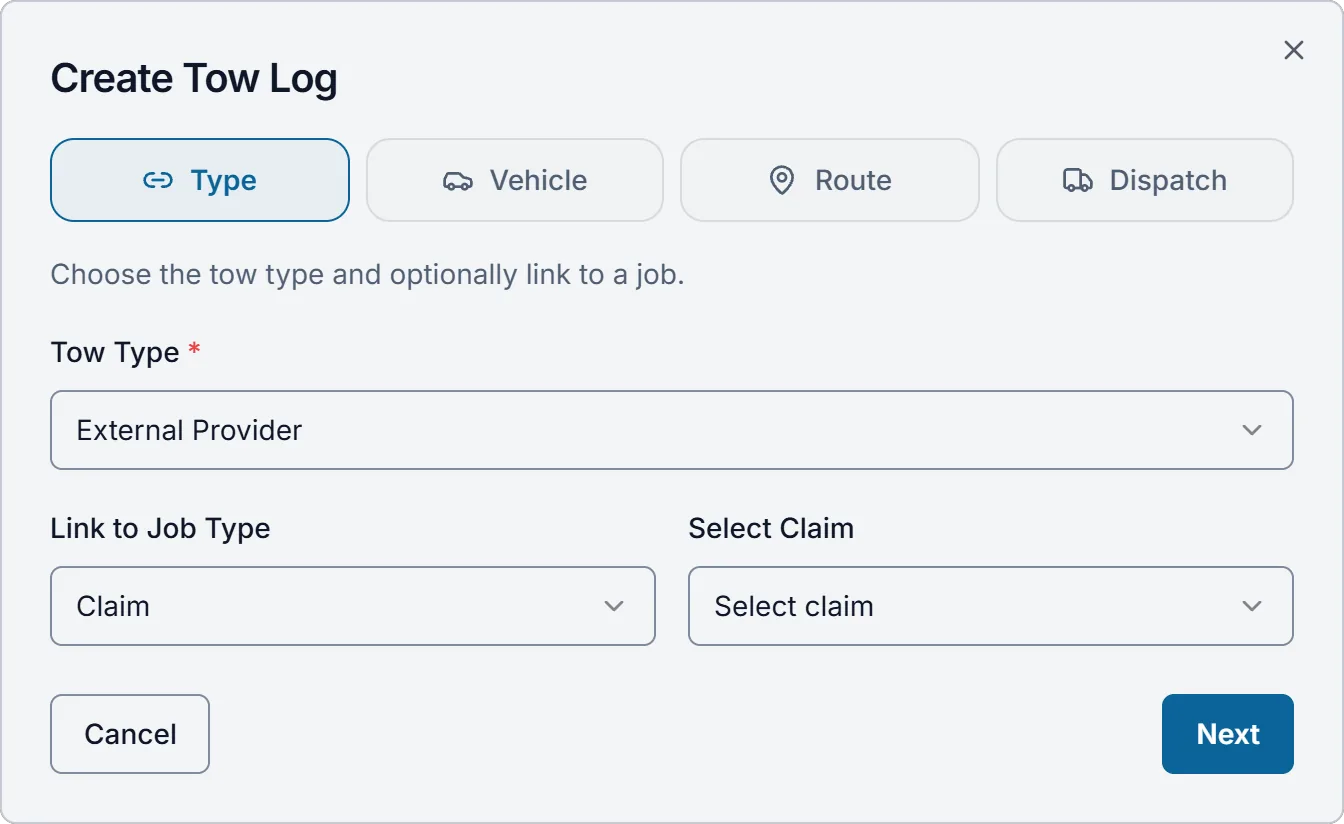
Pick who runs it, then press Create Tow Log
Choose the provider, or the truck and driver. Check Total Cost and Charge to Customer, then press Create Tow Log. Your truck's rates fill in the cost.
Press Mark picked up, then Mark delivered
Press the tow on Active Tows. Press Mark picked up when the truck has the car, and Mark delivered when the car arrives.
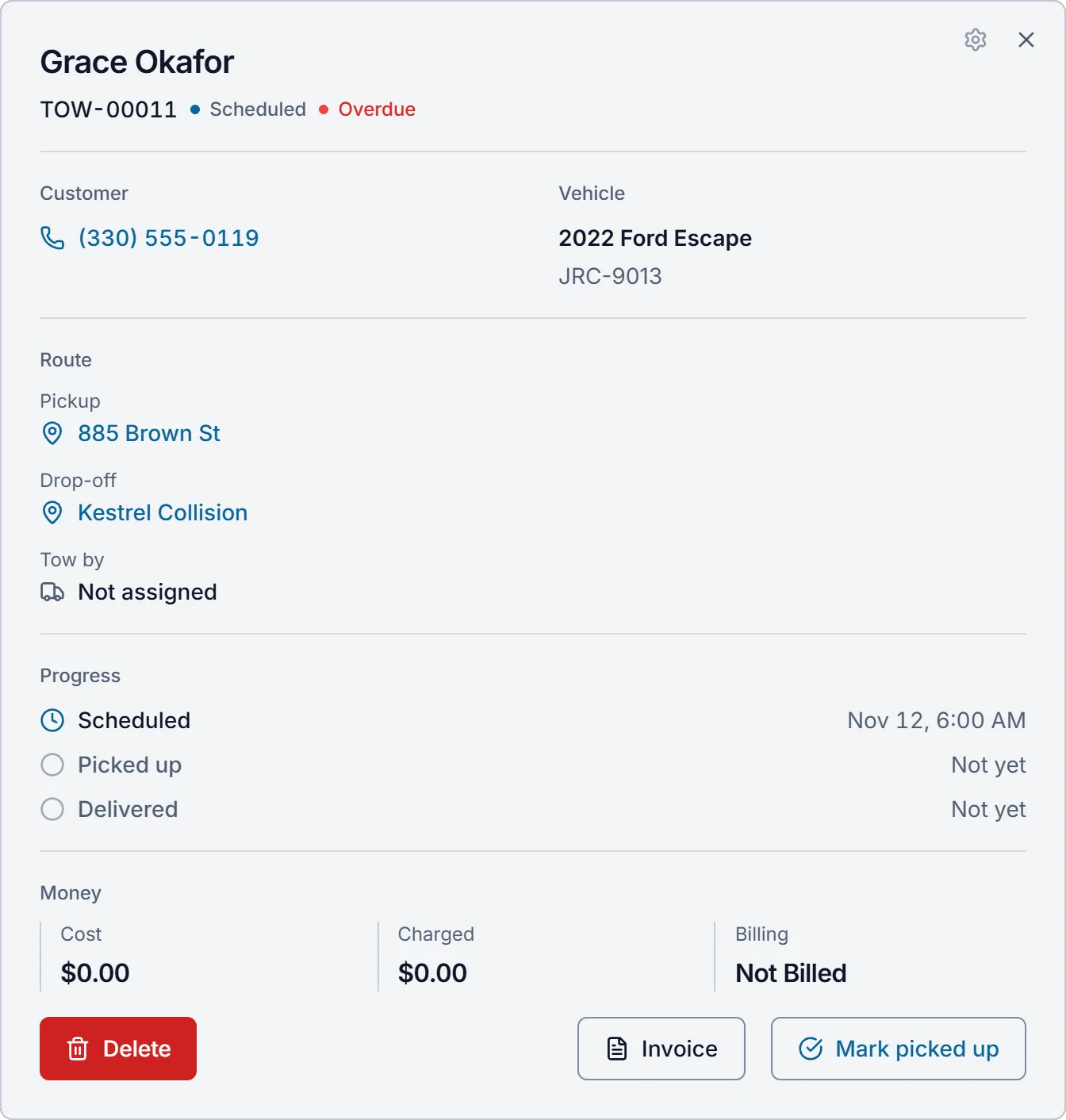
Bill it
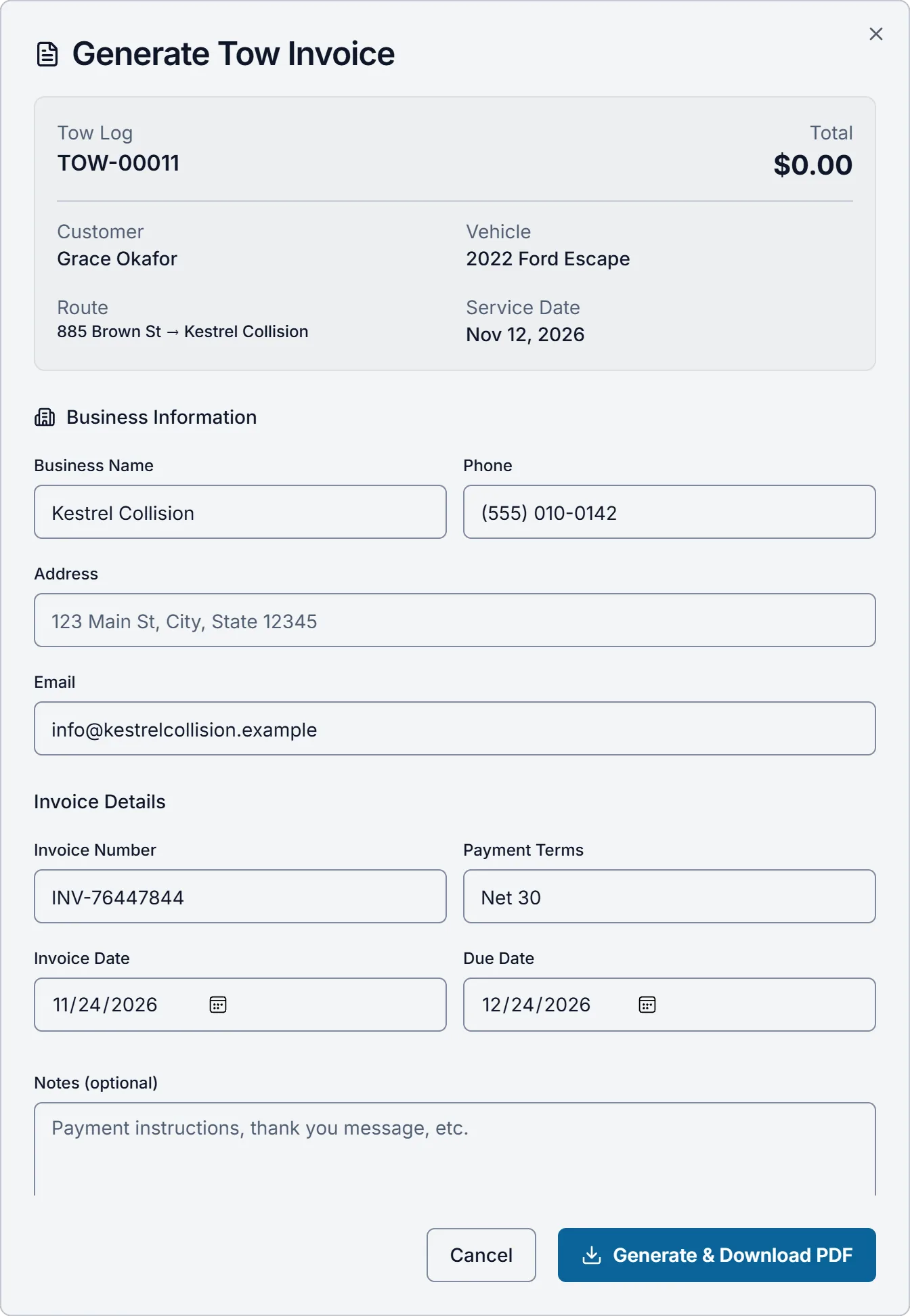
Press Invoice
Open the tow and press Invoice. Check Business Information, the Invoice Number, the dates and the Payment Terms, such as Net 30. Press Generate & Download PDF. Claimory marks the tow Billed.
When the money arrives, press Edit tow and set Billing Status to Collected.


Questions and fixes
What do Delivered, not billed and Billed, not collected mean?
Delivered, not billed counts delivered tows still marked Not Billed. Billed, not collected counts tows you invoiced and have not been paid for yet. Both are boxes you can add at the top of Towing & Transport.
How do I remove a tow driver?
Open Drivers, press Driver actions, then Remove, and confirm. The driver leaves your list, and the tows already run keep their record.
How do I delete a tow, a truck or a provider?
Open the menu on the tow, truck or provider, press Delete and confirm. Deleting is permanent. To keep a company on file, press Mark Inactive on its card.
Can I log a car that a tow company already dropped off?
Yes. Press New Tow, then Car Is Already Here, and type when the car arrived.
No available trucks
Open Trucks, press the menu on a truck and press Set Available. Or choose External Provider and pick an outside company.
No available drivers
A tow can be saved without a driver, so leave the box empty. You can also pick from Other Drivers, or set a driver Available on the Weekly Schedule.
Pick the towing company running this job
Choose a provider on the Dispatch step. For a company you have not saved, choose Other (type the name) and type it.
Failed to generate invoice
Check that Business Name and the customer are filled in, then press Generate & Download PDF again.
Driver name is required
Type the Driver Name on the first step, then press Add driver.
No tow logs yet
Press Schedule First Tow. Every tow for a claim or a cash job then shows on this list.
The Towing page asks me to upgrade
Towing in Claimory starts on Professional. Press Upgrade plan, then open Towing & Transport again.
No data for this period in Towing Reports
Change the period to Last 6 Months or Last 12 Months, or log a tow. Outside tows and your own trucks are reported apart, so one can be empty while the other has data.
What to do next
- Check in a carCheck a car in with Claimory: save the customer's papers, pick what they sign, and take guided photos that keep uploading while you work.
- Loaners and rentalsRun your loaner fleet in Claimory: add cars, put a customer in one, get the rental agreement signed, check the car back in and watch due dates.
- Cash jobs and estimatesWrite an estimate in Claimory, email it, turn a yes into a cash job, then log costs and payments, send the invoice and see the profit on the job.
- Still stuck?Open the Support Center to find the fix or write to a person.