
Check and buy Claim Audit credits
Each Claim Audit uses 1 credit. Your plan adds credits every month, unused ones roll over, and you can buy a pack anytime.
- 3 min read
- Professional and up
- Owner, Manager, Estimator
What you get
- How many audits your shop can run right now
- The day the next credits arrive
- Extra audits in a few clicks when you need them
Before you start
- Professional or Elite to buy a pack. The free trial includes 3 Claim Audits.
- An owner, admin or manager to open Billing and buy.
- A computer or phone browser. Buying is done on the web.
Step by step
0 done of 4 steps
See what is left
Look at the credit number in Claimory AI
Open Claimory AI. The small number with a lightning bolt on top is your credits left. Hold the mouse over it to see how many came from packs and when credits top up.
Press the number to open Billing.

See the full count on Billing
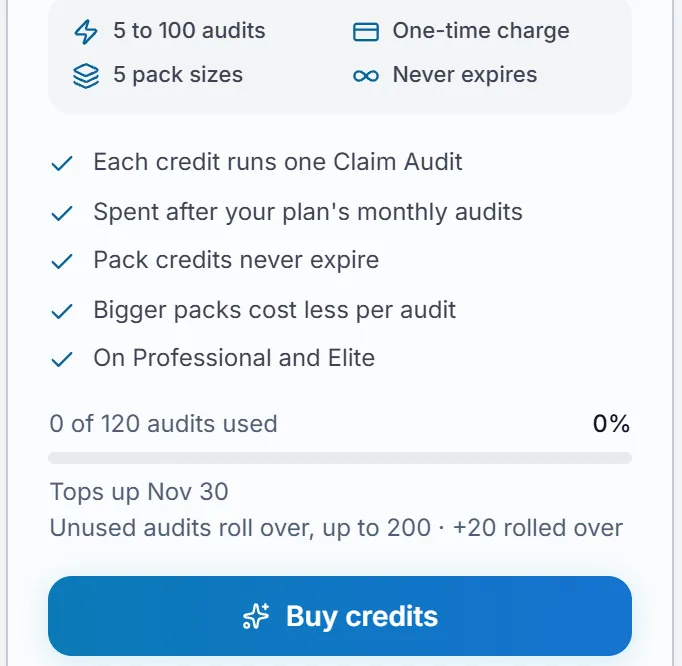
Open Billing and press Add-ons. The Claim Audit credits card shows how many audits are used, the top up date, what rolled over and what came from packs.
- Professional adds 30 a month. Unused ones roll over, up to 60.
- Elite adds 100 a month. Unused ones roll over, up to 200.
- Your plan's credits are spent first, then pack credits.
Buy more
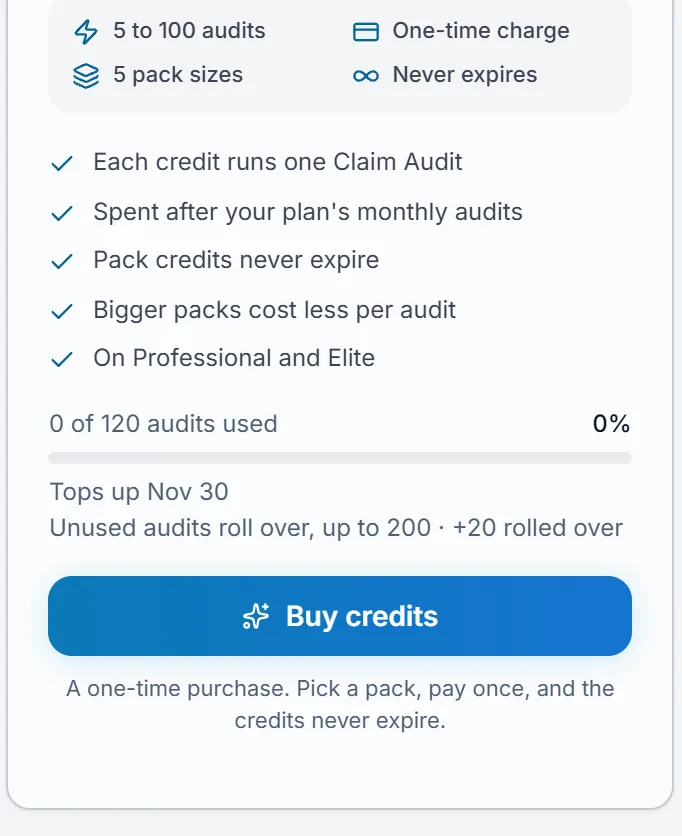
Press Buy credits
On the Claim Audit credits card, press Buy credits. The same packs are under Manage Billing, Add credits.
Pick a pack and pay
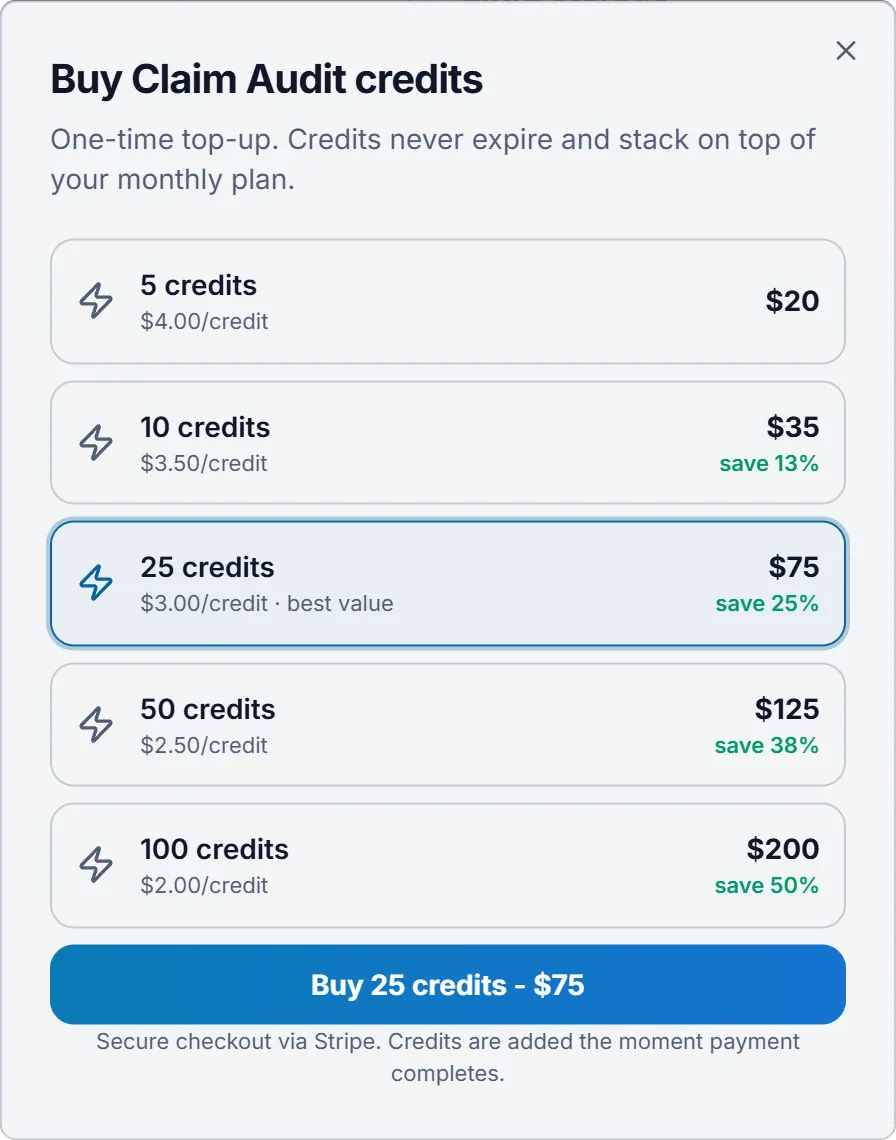
Choose a pack, press the Buy button and pay on the secure checkout. Credits are added the moment payment completes, and pack credits never expire.
- 5 credits for $20
- 10 credits for $35
- 25 credits for $75, marked best value
- 50 credits for $125
- 100 credits for $200


Questions and fixes
Which Claimory plans can run a Claim Audit?
Professional, with 30 a month, and Elite, with 100 a month. The free trial includes 3.
Does running a Claim Audit again cost a credit?
Yes. Each new run in Claimory uses 1 credit. Opening a past report is free. The box before a new run says how many credits you have, or when it is your last one.
Do Claim Audit credits expire?
Pack credits never expire. Unused monthly credits in Claimory roll over, up to twice your plan's monthly number.
Who can buy Claim Audit credits?
Owners, admins and managers. Everyone else sees Ask your shop owner or a manager to upgrade the plan or add a credit pack.
Do my credits stay if my plan stops?
Claimory shows them as saved until your plan is active again.
What else uses a Claim Audit credit?
Claim Money Match uses 1 credit for each check. Claimory AI chat is separate and uses none.
You've used your Claim Audits for now
Owners and managers press Upgrade to open Billing and buy a pack or move up a plan. Everyone else asks the owner or a manager. No usage was charged.
You've used your 3 trial audits
Choose a plan on Billing. Professional comes with 30 Claim Audits a month.
Your free trial has ended
Choose a plan on Billing to keep running Claim Audits. No credit was used.
Your subscription is not active
Update the card or choose a plan on Billing, then run the audit again. No usage was charged.
AI features are not on Starter
Claim Audit starts on Professional. Upgrade on Billing. No usage was charged.
Daily Claim Audit limit reached
The limit resets within 24 hours. Contact support if your shop needs it raised. No usage was charged.
Could not check your credits, or Could not use a credit
Try again in a minute. No credit was used.
You're out of Claim Audit credits, on a card in Claimory AI
Do not press Approve & Run yet. Buy a pack on Billing, or wait until the date on the card.
This workspace has hit its monthly AI usage cap, so the search did not run
Wait for the monthly reset on the first of the month, or upgrade on Billing.
Add-ons unlock once you choose a plan
Packs are sold on Professional and Elite. Press See plans that include it and choose a plan.
I do not see Buy credits
Use a web browser and sign in as an owner, admin or manager on Professional or Elite.
What to do next
- Run a Claim AuditRun a Claim Audit in Claimory: pick the carrier's estimate and photos, read what may be missing, then copy the notes and lines for your supplement.
- Plans and billingChoose a Claimory plan, move from your free trial to paid, change plans, fix a failed card, find invoices, cancel or restart your subscription.
- Claimory AIAsk Claimory AI about any claim, attach photos and PDFs, start a Claim Audit from chat, and approve every email, note and task before it runs.
- Still stuck?Open the Support Center to find the fix or write to a person.