
Find, filter and sort claims
Every claim is on one page with two tabs, one search box and one Filters button. Find the car in front of you in a few seconds.
- 4 min read
- All plans
- Owner, Manager, Front desk, Estimator, Technician
What you get
- The claim you need, by number, name, VIN, plate or carrier
- A list cut down to one status or one carrier
- The figures you care about at the top of the page
Before you start
- Finding claims works on every plan.
- Have two or more letters or numbers from the claim, the customer's name, the VIN or the plate.
- Money figures you add to the top of the page need permission to view financials.
Step by step
0 done of 8 steps
Open Claims
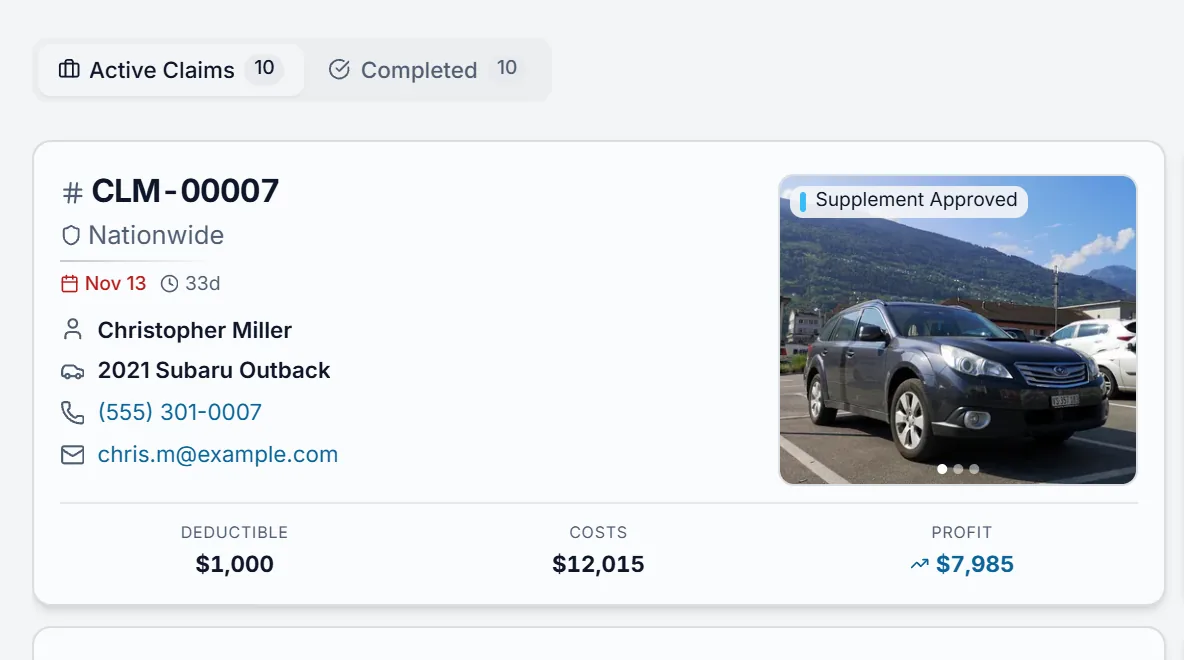
Press Claims in the menu. The page opens on Active Claims. Press Completed for the finished ones. Each tab shows how many claims it holds.
Search
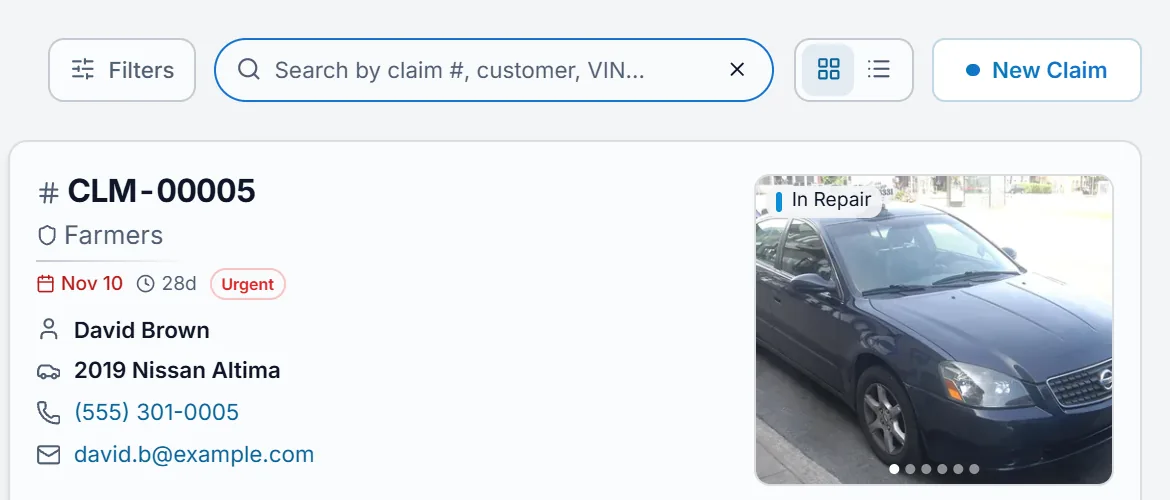
On a computer, press the search icon and type. On a phone, type in the box above the claims. Type at least 2 characters and the list narrows as you type.
- Claim number or RO number
- Customer name
- VIN or license plate
- Insurance company
Pick a status or a carrier
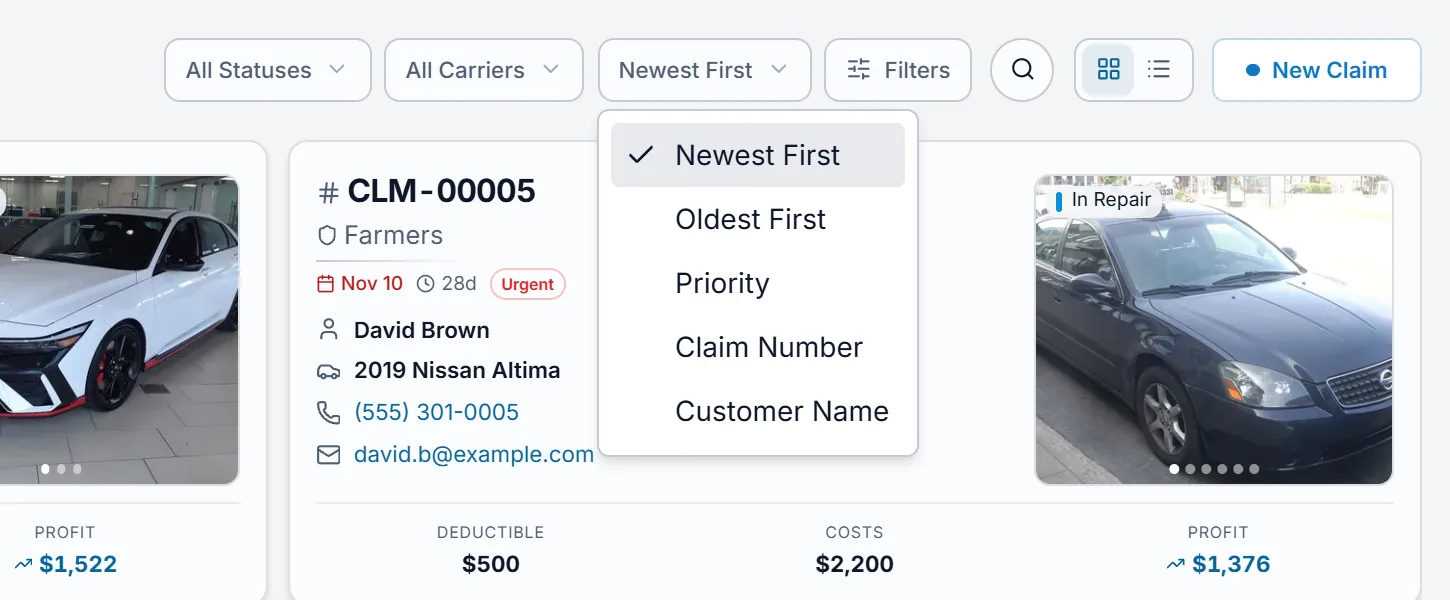
Press Filters and pick a Status or a Carrier. The Carrier list is the carriers on your own claims. In Progress groups New, Repairing and Supplementing.
On a phone, tap Filters & Sort under the search box. A number on the button shows how many filters are on.

Sort the list
In Filters, open Sort by and pick Newest First, Oldest First, Priority, Claim Number or Customer Name.
Clear the filters
Press Clear beside the filters. If the list came up empty, press Clear all filters under the message. Switching between Active Claims and Completed also resets the status.
Choose cards or rows
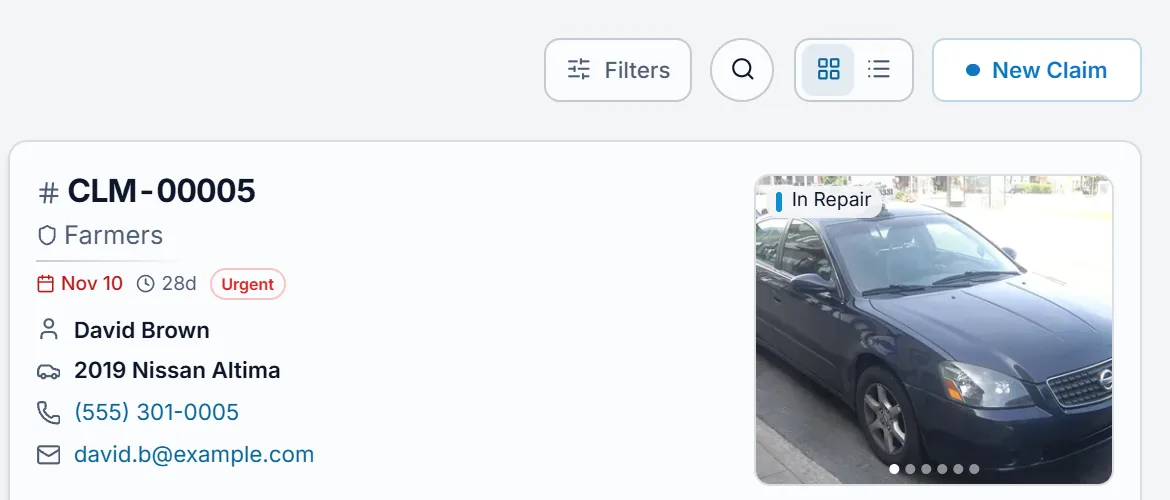
On a computer, press Grid view for cards or List view for rows. Claimory remembers your last choice. A phone shows cards.
- List view columns: Claim / Status, Customer / Vehicle, Insurance, Dates and Financials.
- The Claim actions button on a row opens Edit Claim.
The figures at the top
Pick your figures
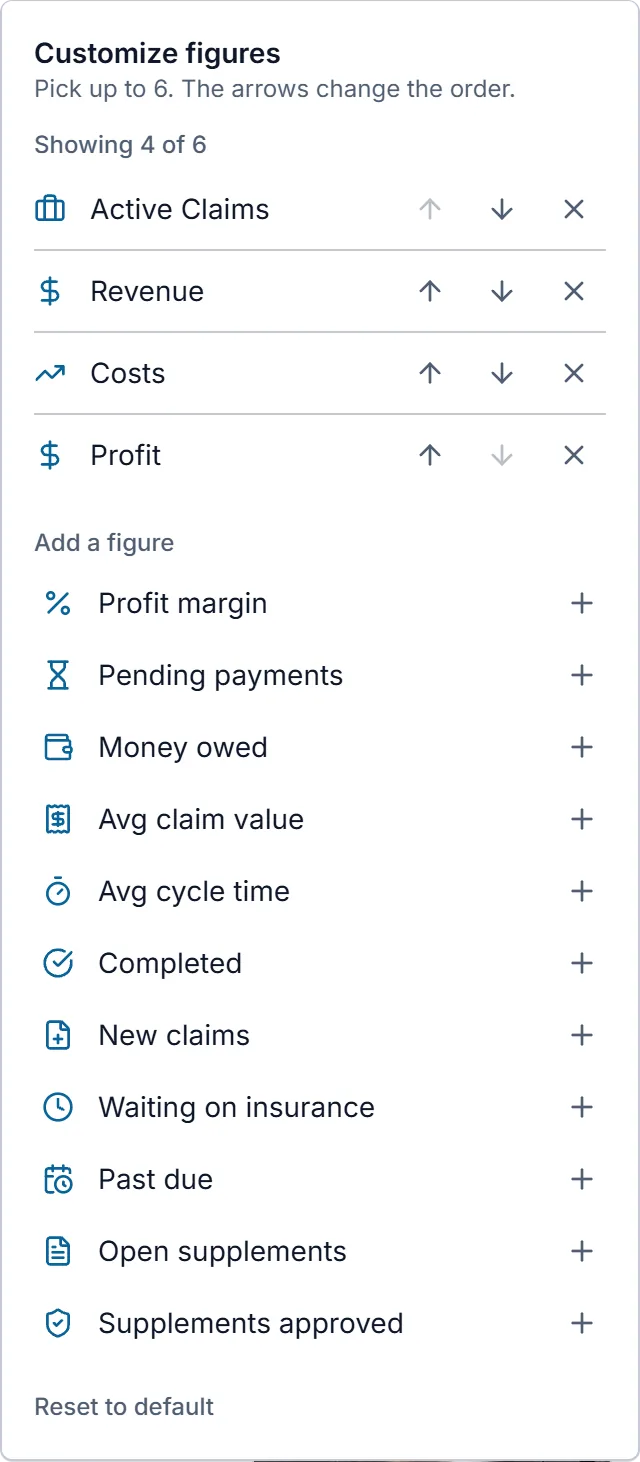
Press Customize at the top right of the figures. Add, remove or reorder them, up to six. Reset to default brings back Active Claims, Revenue, Costs and Profit.
Press Active Claims, Waiting on insurance or Completed in the figures to open that list.
Change the date range
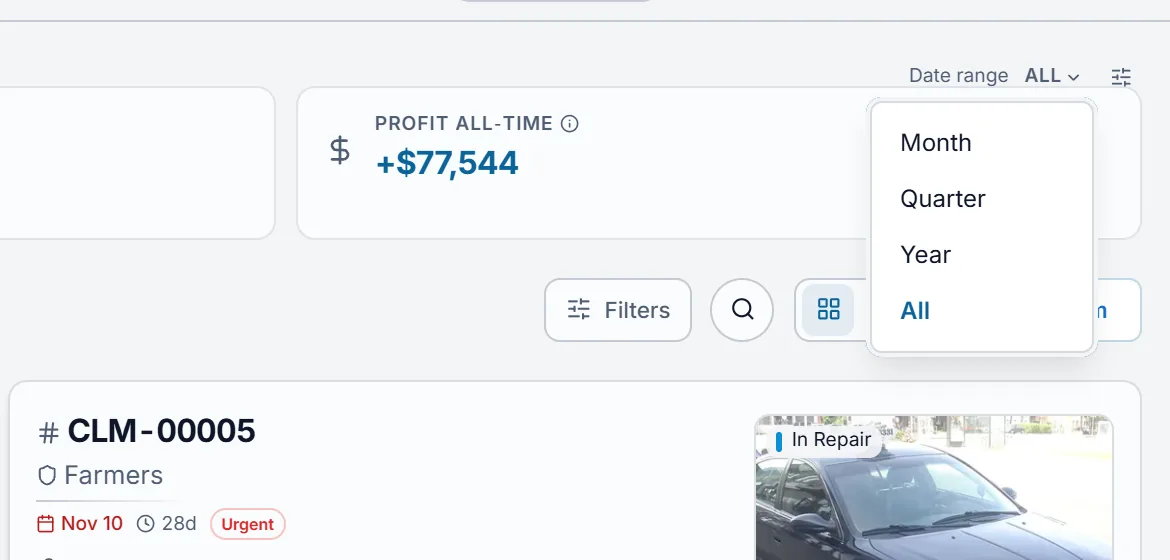
Beside Customize, open Date range and pick Month, Quarter, Year or All. All is the default. The menu shows when one of your figures uses dates, such as Revenue.


Questions and fixes
What is in the menu on a phone claim card?
Press and hold a claim card in Claimory on a phone. The menu has Copy Claim #, Edit Claim, Change to (the next status), Add Note and Archive. A claim that is already archived shows Unarchive.
How many claims show on one page?
Claimory shows 50 claims on a page. Use Previous, Next or the page numbers under the list.
Does Claimory remember how I look at claims?
Claimory remembers Grid view or List view, the figures you picked and their date range. Search, status, carrier and sort start fresh on each visit.
Can I change many claims at once?
Each claim in Claimory is changed on its own page. Filter to the claims you need, then open them one by one.
How do I get my claims list as a spreadsheet?
In Claimory, an owner or manager opens Financial Center from the account menu, presses Export Center and chooses Claims Report as Excel, CSV or PDF. Exports start on Professional. One claim can be saved with Export PDF in its three-dot menu.
What is the difference between New lists and Classic lists?
New lists is the look every Claimory shop starts with: your numbers and tools in one panel and your cards in one grid. Classic lists is the earlier look, added from the Marketplace on Professional and up. Adding one switches the whole shop, and your data stays the same.
How do I put the adjuster on the claim card?
Photo claim cards is a Claimory Marketplace add-on. With it added, open the claim and press the star beside up to two people in Contacts. Their name, phone and email show on the claim card after the customer's.
Search shows every claim after I typed one letter
Type one more. Claims search starts at 2 characters, then waits a moment before it narrows the list.
No active claims found
Press Clear all filters. Then look on the other tab: Completed, Delivered and Total Loss claims are only on Completed.
No active claims
Every claim is finished, so Active Claims is empty. Open Completed to see them, or press New Claim to add one.
My claim is missing from the list
Press Clear all filters, then search its number on both tabs. If it is still missing, ask an owner or manager to look in Settings, Archives, and check that you are in the right shop if you have more than one.
My Claims page looks different from the pictures
Your shop may use Classic lists. An owner or manager can open Marketplace and add New lists to bring back the one-panel look for the whole shop.
The list looks old on my phone
Pull the list down with your finger and let go. Claimory reloads it.
Please wait a moment before creating another share link
Wait three seconds, then press Share Link again on the claim's Files tab.
Two contacts can show on the card. Unstar one first.
Press the star on one of the two starred contacts to take it off the card, then star the new one.
What to do next
- Inside a claimRead a Claimory claim from top to bottom: the header, Overview, Tasks, Files, Financials, Supplements, Claim Audit, notes and the three-dot menu.
- Archive or deleteArchive a claim in Claimory to clear it off your list, restore it any time from Settings, Archives, or delete it for good with a typed confirmation.
- Still stuck?Open the Support Center to find the fix or write to a person.