
Archive, restore or delete a claim
Archive first. It clears the claim off your list and keeps everything. Delete only when you are sure, because a delete is final.
- 3 min read
- All plans
- Owner, Manager
What you get
- A Claims page with only the jobs you care about
- Any archived claim or cash job back in one press
- A safe way to remove a test claim or a duplicate for good
Before you start
- Archiving, restoring and deleting work on every plan.
- Owners, admins and managers archive, and they open Settings, Archives.
- Deleting for good takes an owner, admin or manager and the claim number to type.
Step by step
0 done of 7 steps
Archive
Archive the claim
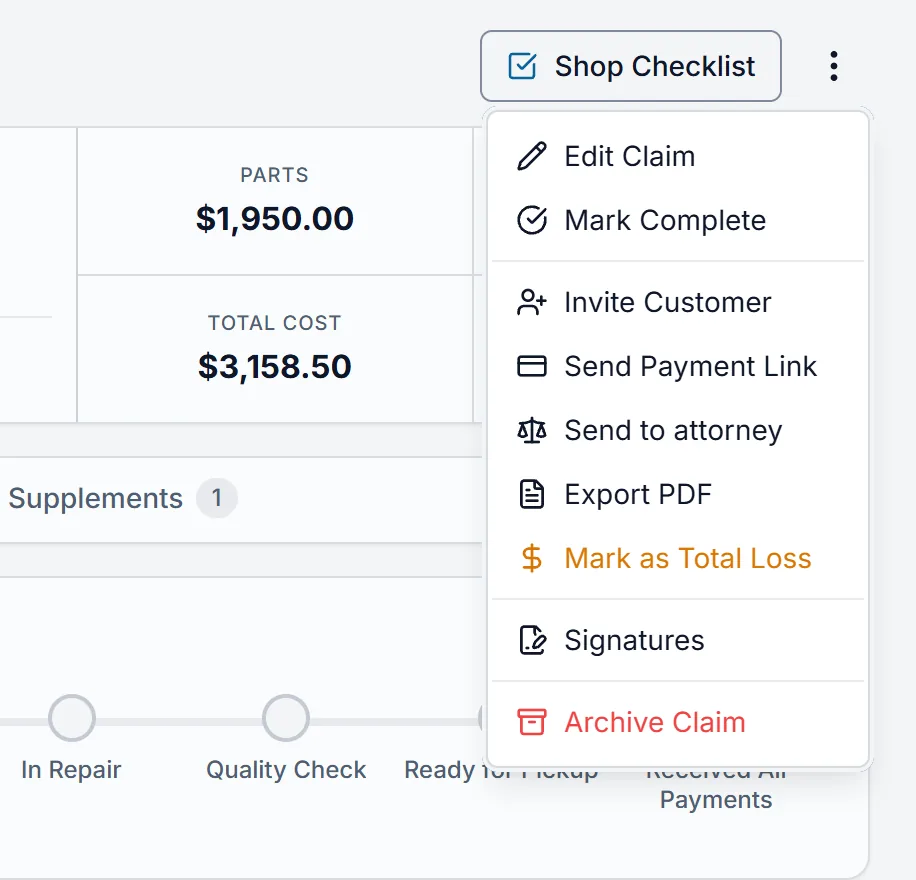
Open the claim, press the three dots, then Archive Claim. Press Archive in the box. The claim leaves the Claims page and you land back on the list.
On a phone, press and hold the claim card and choose Archive, or swipe the card left.
Restore
Open Archives
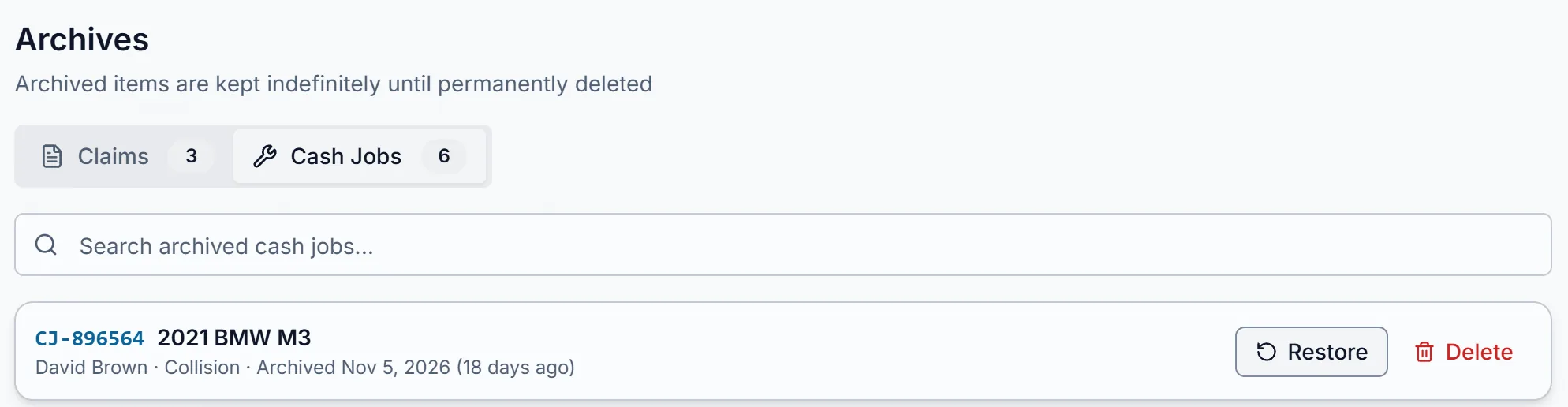
Open your account menu, press Workspace, then Archives. Pick the Claims tab or the Cash Jobs tab.
Find it
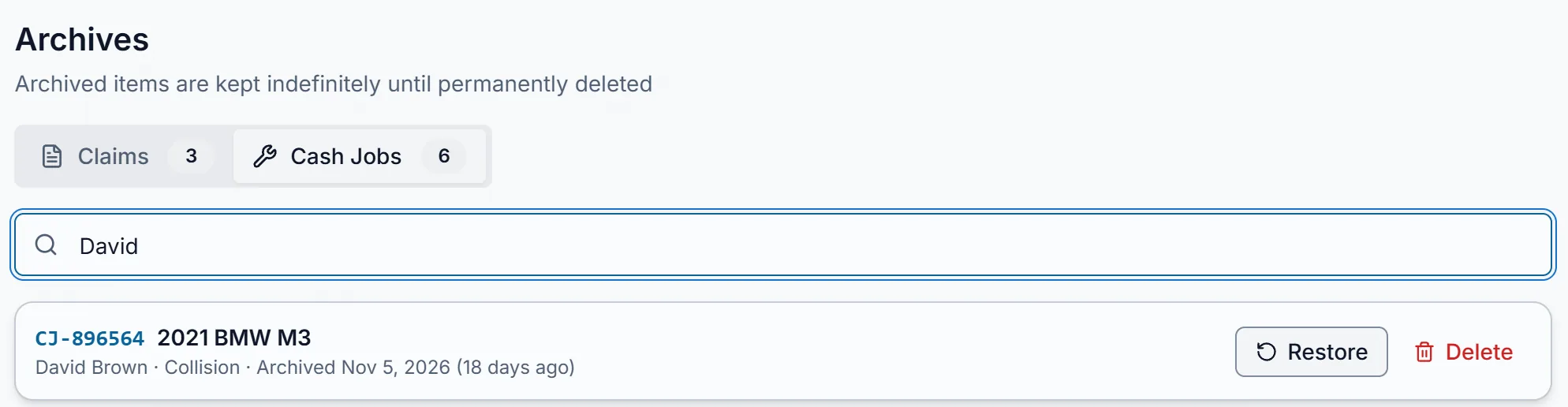
Type a claim number, a customer or a carrier in Search archived claims. Each row says the date it was archived.
Press Restore
Press Restore on the row. It is back on the Claims page or the Cash Jobs page with everything in it.
With the archived claim open, press Restore Claim at the top. On a phone the button says Restore.

Delete for good
Press Delete on the row
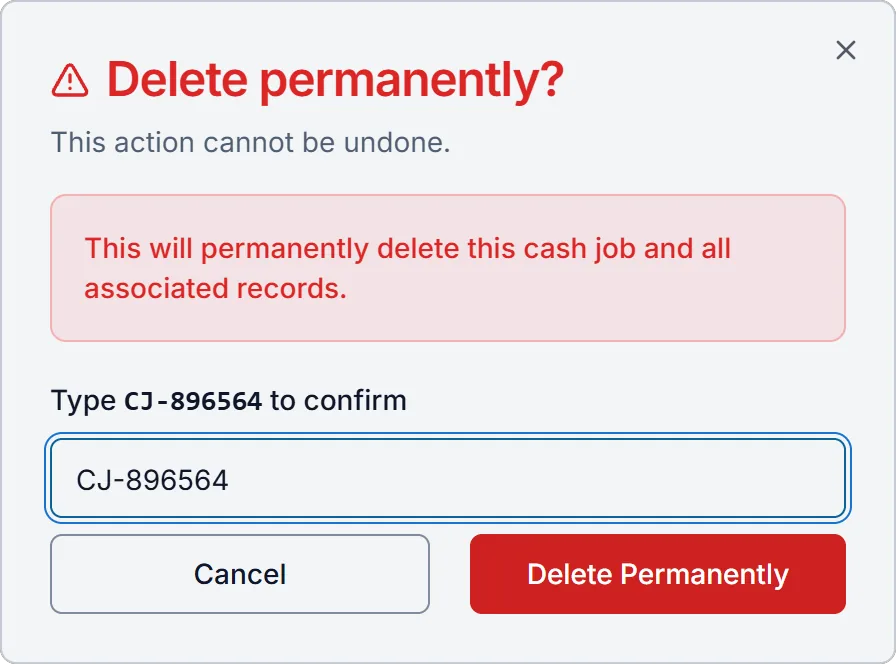
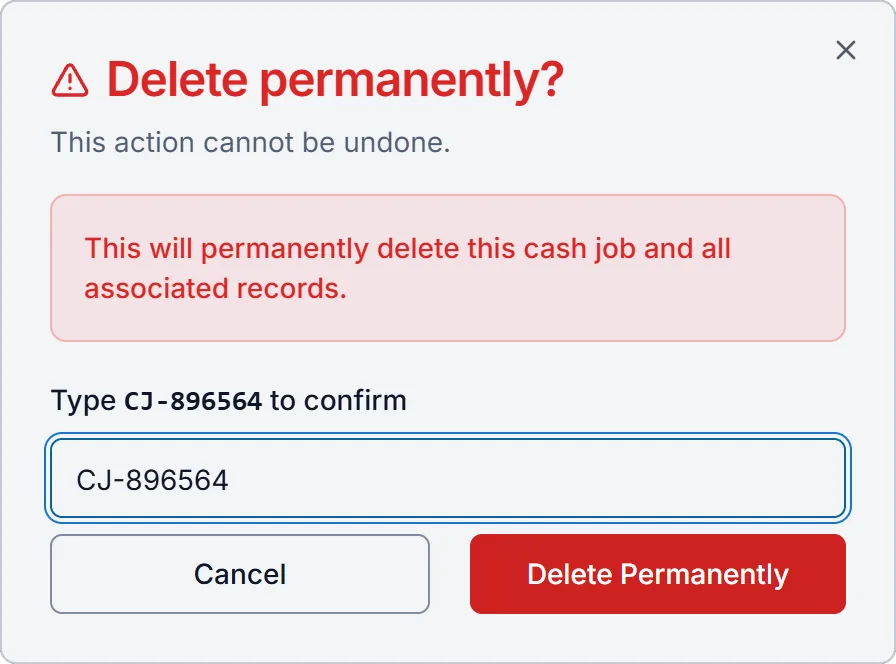
In Archives, press Delete on the claim. Delete permanently? opens. This removes the claim and all its records, and a delete is final.

Type the text shown
Type the text in the box, usually the claim number. With no claim number it asks for the customer's name, the car, or the word DELETE.
Press Delete Permanently
The button turns on when the text matches. Press Delete Permanently and wait for Claim permanently deleted.


Questions and fixes
Where do archived claims go?
Archived claims in Claimory are under Settings, Archives, on the Claims tab, with archived cash jobs on the Cash Jobs tab. They stay there until someone restores them or deletes them for good.
How long does Claimory keep an archived claim?
Claimory keeps archived claims and cash jobs until an owner, admin or manager deletes them for good.
Can I archive old claims and still look at them?
Yes. An archived claim in Claimory leaves the Claims page and stays readable from Settings, Archives. Restore it any time to edit it again.
Can I get a claim back after Delete Permanently?
Delete Permanently in Claimory is final. If you may need the claim later, leave it archived, or press Export PDF on the claim first on Professional and up.
What happens to signed documents when I delete a claim?
Claimory removes the claim's records and shop files. Signed documents and the customer's own uploads stay in Claimory's storage.
How do I archive a cash job?
Open the cash job in Claimory, press the three dots, choose Archive Job, then press Archive. Restore it from the Cash Jobs tab in Settings, Archives.
This claim is archived. Restore it to make changes.
Press Restore Claim at the top of the claim, then make your change.
Failed to archive claim
Check your connection, then press the three dots and Archive Claim again.
Archive Claim is missing from the menu
Owners, admins and managers archive claims. Ask one of them to archive it or to give your role that permission.
I do not see Delete in Archives
Delete shows for owners, admins and managers. Ask one of them, and give them the claim number.
Only an owner or manager of this shop can permanently remove a claim. Nothing was removed.
The claim is safe. Ask an owner, admin or manager of the shop that holds the claim to delete it.
Only an archived claim can be deleted for good. Nothing was removed.
Someone restored it. Open the claim, press the three dots and Archive Claim, then delete it from Archives.
Claimory says the confirmation does not match
Type exactly the text shown in the box, with every dash. Capitals and spaces at the ends are ignored. Delete Permanently turns on when it matches.
Something linked to this claim stops it from being deleted for good
Nothing was removed. A linked record, such as an assist ticket, holds the claim. Leave it archived, which keeps it off your lists.
Some files could not be removed, so the claim was kept
Press Delete on the row again and retype the text. Claimory carries on from the files that are left.
Some files were removed, but the claim was kept
Press Delete on the row and finish the delete. Restoring it now brings back the claim without the files already removed.
That claim no longer exists.
Someone else already deleted it. Refresh Archives and the row goes away.
No archived claims
Archived claims appear here after you press Archive Claim on a claim. For a cash job, press the Cash Jobs tab.
Try adjusting your search
Clear the search box, then type only part of the claim number or the customer's last name. Look on the Cash Jobs tab too.
What to do next
- Find a claimFind any claim in Claimory: switch between Active Claims and Completed, search by number, name or VIN, filter by status and carrier, and sort.
- Status and completingChange a claim's status in Claimory, move its repair stage, set the ready date, flag it, put a technician on it, then mark it complete or reopen it.
- Roles and permissionsSet what managers, estimators and technicians can see and do in Claimory, change a person's role, and learn what each role starts with on every plan.
- Still stuck?Open the Support Center to find the fix or write to a person.