
Find money you earned but did not bill
Two add-ons check that what you earned made it to the bill. Claim Money Match checks one claim line by line. Profit Leak Alerts watches all your claims.
- 4 min read
- Professional and up
- Owner, Manager
What you get
- Lines missing from the final invoice, before the car leaves
- Parts and sublet that cost more than you billed
- One list of every claim with a leak, and the total at risk
Before you start
- Professional or higher, or your free trial.
- The add-on from the Marketplace: Claim Money Match, Profit Leak Alerts or both.
- A role that can see the shop's financials.
- For Claim Money Match: an estimate, a final invoice, two-step login and 1 Claim Audit credit.
Step by step
0 done of 6 steps
Match one claim
Open Billing check on the claim
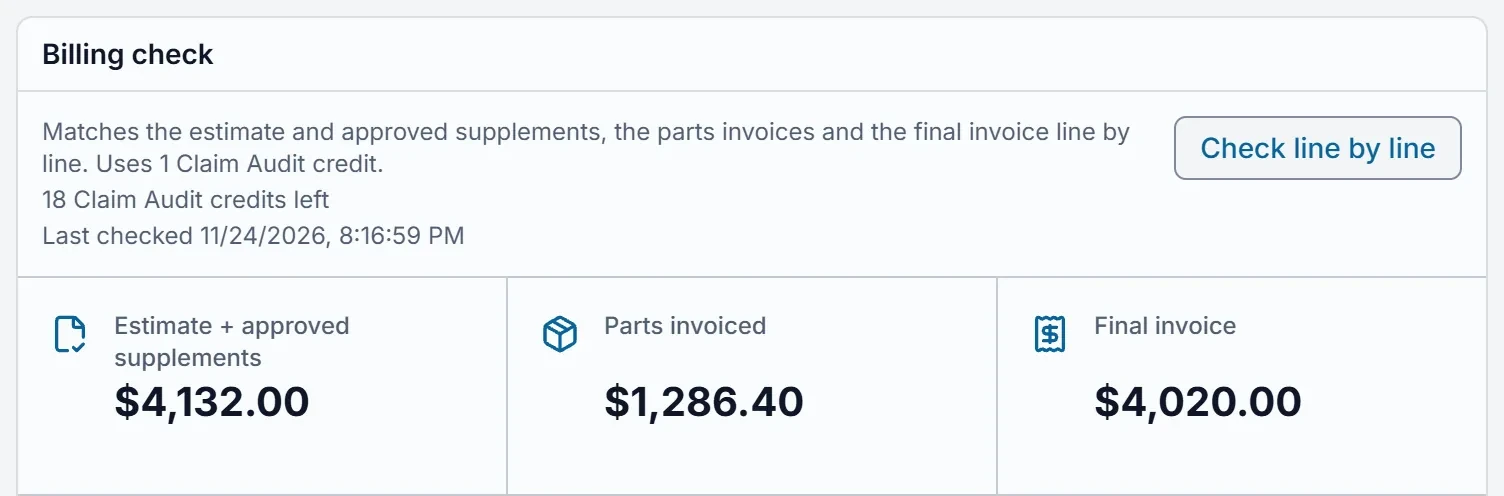
Open the claim and press Financials. Billing check is under the money totals, once the claim has a final invoice.
Press Check line by line
Claimory matches the estimate and approved supplements, the parts invoices and the final invoice. The panel shows your credits left and when the claim was last checked. The first time, tick the notice to agree.
A check that fails gives the credit back.
Read what it found
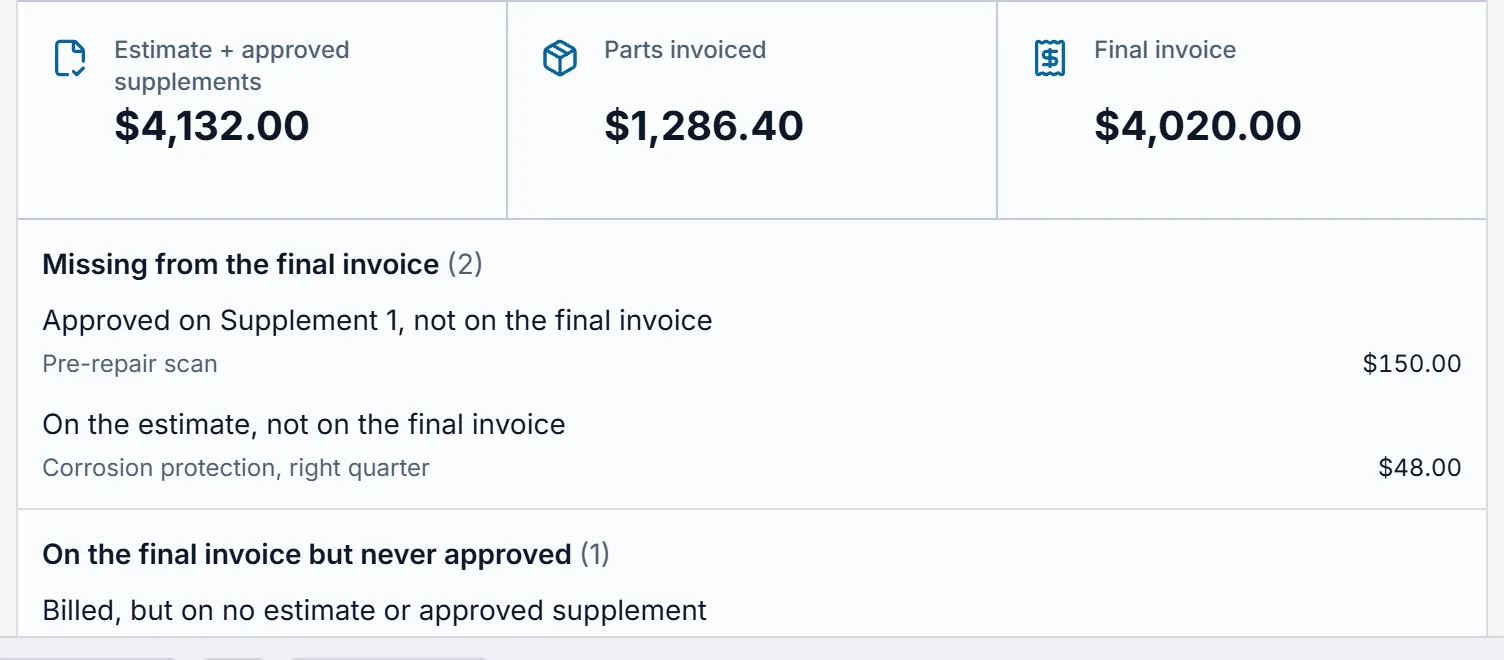
Three totals sit side by side: Estimate + approved supplements, Parts invoiced and Final invoice. Under them are the findings, with the lines and amounts. Fix the invoice, then check again if you like.
- Missing from the final invoice
- On the final invoice but never approved
- Parts invoice over the estimate
- Quantity or price mismatch
Watch every claim
Open Financial Center and press Profit leaks
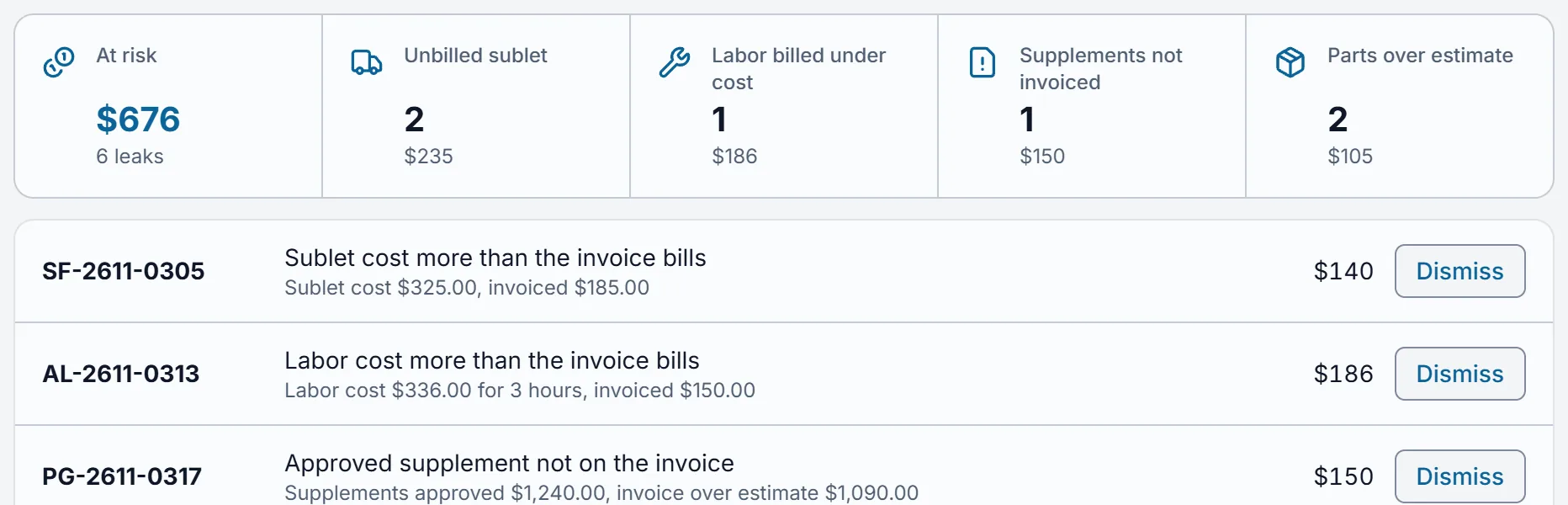
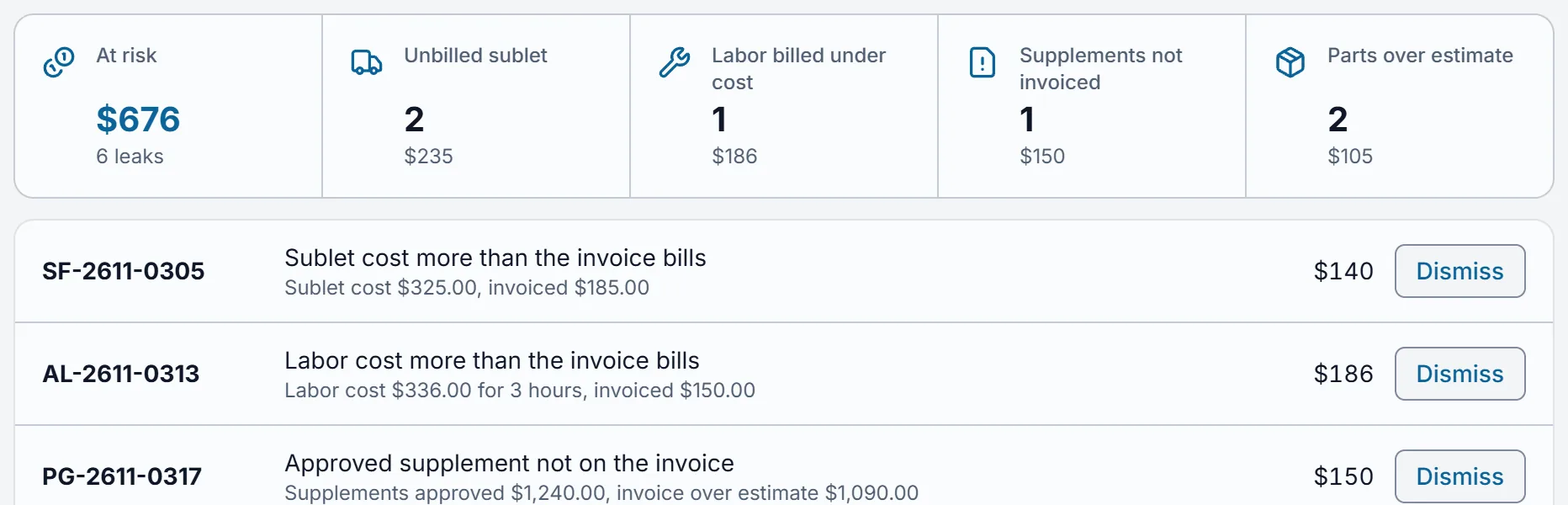
With Profit Leak Alerts added, Financial Center shows in the menu. At risk on top is the total, then a count for each kind of leak.
- Unbilled sublet: sublet cost more than the invoice bills
- Labor billed under cost: labor cost more than the invoice bills
- Supplements not invoiced: an approved supplement is not on the invoice
- Parts over estimate: parts cost more than the estimate
If Profit Leak Alerts is your only add-on here, the list opens right away with no tabs.
Press a row and fix it on the claim
The row opens the claim's Financials tab. The same leaks show in Billing check there. Add the missing money to the invoice.
Press Dismiss on a leak you handled
Dismiss takes the leak off the list for the whole shop. It comes back only if the amount grows.


Questions and fixes
What does Claim Money Match do in Claimory?
Claim Money Match compares the estimate and approved supplements, the parts invoices and the final invoice line by line. It shows what may be missing, unbilled or over cost. It changes nothing on the claim.
Which claims does Profit Leak Alerts check?
Claimory checks open claims and claims delivered in the last 60 days. Sublet and labor are checked against invoices written in Claimory.
What does a clean result look like in Claimory?
Claim Money Match says Everything agrees. No problems found. Profit Leak Alerts says No profit leaks right now.
Does Profit Leak Alerts use a credit?
Profit Leak Alerts uses no credit. Each Claim Money Match check uses 1 Claim Audit credit.
Can I see unbilled money on my dashboard?
Yes. Add the Not billed yet widget in Claimory. It shows the total and the claims with the most.
I do not see Billing check on the claim
Add Claim Money Match or Profit Leak Alerts from the Marketplace. Money Match shows once the claim has a final invoice. Leaks show once the claim has one.
This claim has no estimate yet, or no final invoice yet
Add the one the message names on the claim, then press Check line by line.
Running the check needs two-step login
Press Turn on two-step login, or Enter your two-step code if you have it. No credit is used without it.
No Claim Audit credits left
Buy a pack on Billing, or wait for your monthly credits.
You need access to the shop's financials, or Ask your owner for access to the shop's financials
Ask your owner to give your role access to financials.
A check is already running, or This claim was checked 3 times in the last hour
Wait for the running check to finish, or try again in an hour.
The check could not finish
Read the message. It says whether the credit was given back. Then try again.
AI is turned off for this shop
Ask the owner to turn Claim Audits on, and Pause all Claimory AI off, in Settings, AI.
Could not load profit leaks
Wait a moment and open Profit leaks again.
Labor is left out because your role cannot see pay rates
The other leaks are complete. Ask your owner if you should see pay rates.
What to do next
- Invoices and profitSee what a claim will make in Claimory: read the money tiles, upload the insurance estimate, compare it with your costs, and edit the invoice.
- Financial CenterKeep your shop's books in Claimory: invoice delivered jobs, settle a short pay, enter and pay vendor bills, and see the profit on every closed job.
- Audit creditsSee how many Claim Audit credits your shop has left in Claimory, when they top up, how they roll over, and how to buy a pack when you need more.
- Still stuck?Open the Support Center to find the fix or write to a person.