
Send a payment link and take cards
A payment link asks one customer for one amount. Connect Stripe once and they can pay it by card. Until then, the link shows your phone number.
- 5 min read
- Professional and up
- Owner, Manager
What you get
- A page with your shop's name, the amount and what it is for
- Card payments that go to your shop's own Stripe account, with no platform fee from Claimory
- A payment on the claim that turns Received when the card clears
Before you start
- Professional or Elite.
- The owner, to connect Stripe. It takes about 5 minutes and is for US shops.
- An owner or manager, to create a payment link.
- The customer's email, or another way to hand them the link.
Step by step
0 done of 8 steps
Connect card payments once
Open Settings, then Integrations
Find the card called Get paid through Claimory.
Press Set up payments
Answer Stripe's questions about your shop and your bank account. If you stop halfway, come back and press Resume setup.

Wait for Active
The card says Active once Stripe turns payments on. Your shop can then take card, Apple Pay and Google Pay from the customer portal, and card from payment links.
Send a payment link
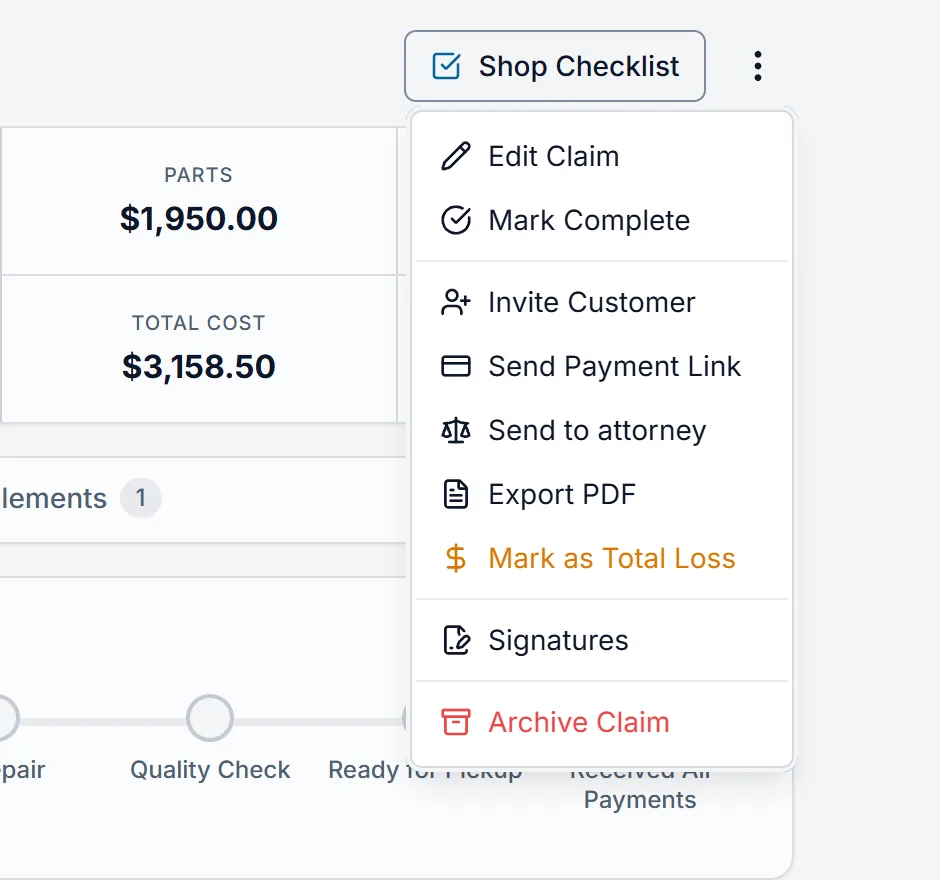
Open the claim and press More actions
Press the three dots on the claim, then Send Payment Link.
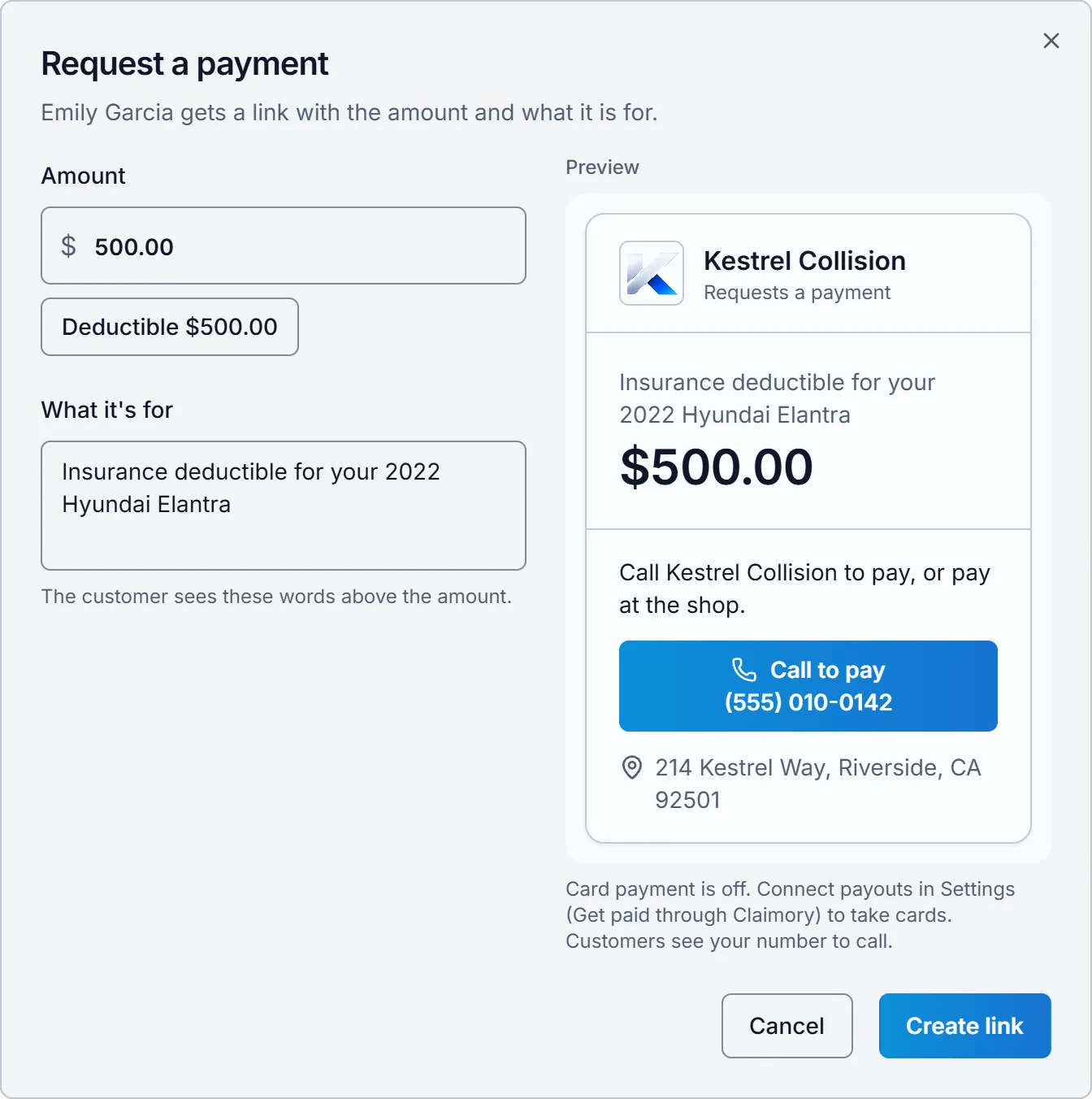
Type the amount and what it is for
Type the Amount, or press the Deductible button to fill in the claim's deductible. Check What it's for, because the customer reads those words above the amount. Preview shows their page.
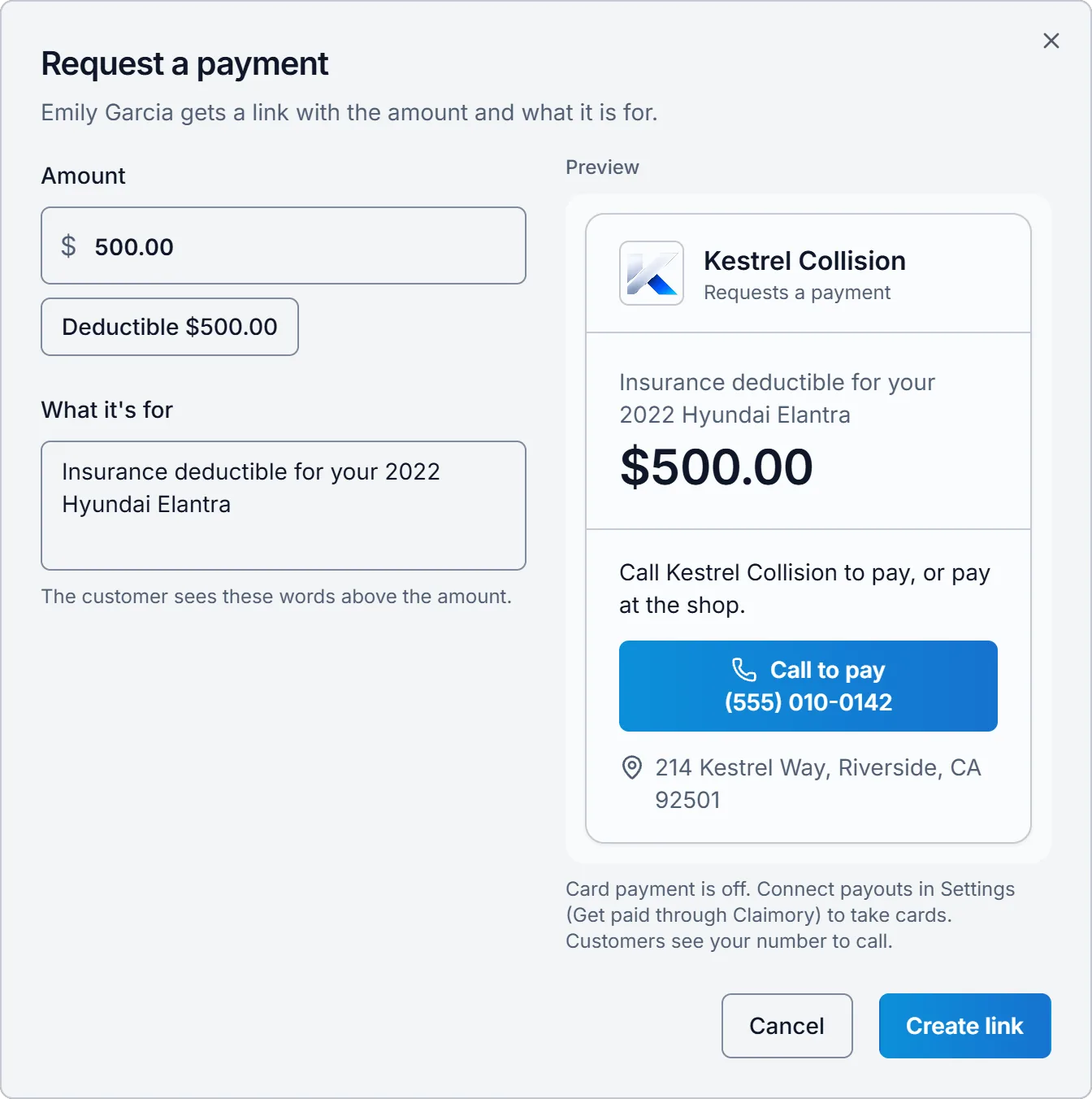
Press Create link
The first time, read the notice, type your full name to sign and press Agree and continue. Claimory saves the request on the claim as Pending.
Press Email link or Copy link
Check Customer email and press Email link. To send it yourself, press Copy link. Open page shows you what the customer gets.
A payment link works for 30 days.
When the customer pays
Check the claim's Financials tab
A card payment turns from Pending to Received by itself. If the customer pays by check, cash or at the counter, find the Pending line and press Received.


Questions and fixes
What does a customer see on a Claimory payment link?
Your shop's name and logo, what the payment is for and the amount. They get a Pay by card button when card payment is on, and a Call to pay button when your shop's phone is on file.
Where does the money from a Claimory payment link go?
Card payments go to your shop's own Stripe account and then to your bank. Claimory takes no platform fee.
Can I send a Claimory payment link before connecting Stripe?
Yes. The link shows the amount and your phone number, and the request is saved on the claim as Pending.
Which cards and wallets can customers use in the Claimory portal?
Card, Apple Pay and Google Pay, once Get paid through Claimory says Active. They can pay a deductible and repair invoices there.
How do I know a customer paid my Claimory payment link?
Look at the claim's Financials tab. A card payment shows Received. A payment made another way stays Pending until you press Received.
How do I refund a customer's payment?
A card payment through Claimory is charged on your shop's own Stripe account, so make the refund in Stripe. When the refund is on an invoice, Claimory takes it back off that invoice. For a payment you logged by hand, open the claim's Financials, press the line and edit or delete it.
When does the money reach my bank?
Stripe sends card money to the bank account you gave it, on your Stripe account's payout schedule. Sign in to Stripe to see the date of each payout.
Card payment is off
Your shop has no payouts connected yet, so customers see your phone number. The owner opens Settings, Integrations and presses Set up payments under Get paid through Claimory.
Your shop has no phone number on file
Open Settings, then Shop Info, and add the shop's phone. The customer can then press Call to pay.
In-portal payments start on Professional
Press View plans on the Get paid through Claimory card and choose Professional or Elite. Then press Set up payments.
Send Payment Link asks me to upgrade
Payment links come with the customer portal, which starts on Professional. Open Billing and choose Professional or Elite.
Only workspace admins can set up payments
Connecting Stripe is for the shop's owner. Ask them to open Settings, Integrations and press Set up payments.
Stripe is reviewing your details
Stripe has your answers. The card switches to Active once Stripe turns payouts on. Press Resume setup to see whether Stripe wants anything more.
Taking customer card payments through Claimory is US-only for now
Canadian shops can still send payment links. The customer sees the amount and your phone number to call.
Enter an amount above $0.
Type an amount like 500.00. Card payment needs at least $0.50, and below that the customer sees your number to call.
The payment request was not saved
Check your connection and press Create link again. Links are created by an owner or manager, so with another role, ask one of them.
No email on this claim
Type an address in Customer email and press Email link. Or press Copy link and send it yourself.
The email did not send
Read the reason in the message, fix Customer email and press Email link again. Or press Copy link and send it yourself.
A customer sees This payment link is no longer active
The link is over 30 days old or the request was removed. Open the claim, press More actions, then Send Payment Link, and send a new one.
A customer sees Card payment did not start
Ask the customer to press the Pay by card button again, or to press Call to pay.
A customer sees Your payment is processing
The card went through and is clearing. The page checks by itself and changes to Paid. Thank you. Refreshing it is safe.
What to do next
- Log costs and paymentsLog parts costs, labor hours and checks on a claim in Claimory, mark a payment received or deposited, and fix or delete a line that is wrong.
- Customer portalSend a customer a Claimory repair link or QR code, choose what they see, lock it with a PIN, stop it any time, and set the automatic update emails.
- Your repair linkOpen the Claimory repair link your body shop sent, check your repair, sign a document, pay by card, and make a free account to send photos.
- Still stuck?Open the Support Center to find the fix or write to a person.