
Log costs, labor and payments on a claim
Every claim has a Financials tab. Three buttons record the money: Add Cost, Log Labor and Log Payment. The totals on top update as you save.
- 4 min read
- All plans
- Owner, Manager, Estimator, Front desk
What you get
- Every cost, hour and check on the claim it belongs to
- Total cost, Received and Pending that add themselves up
- Checks you can follow from Pending to Received to Deposited
Before you start
- Every plan. Profit on the claim starts on Professional.
- Owners and managers log costs, labor and payments on every claim. Estimators log costs and labor on claims they own or are assigned to.
- A claim that is in your active list. Restore an archived claim before you log money on it.
Step by step
0 done of 9 steps
Open the claim and press Financials
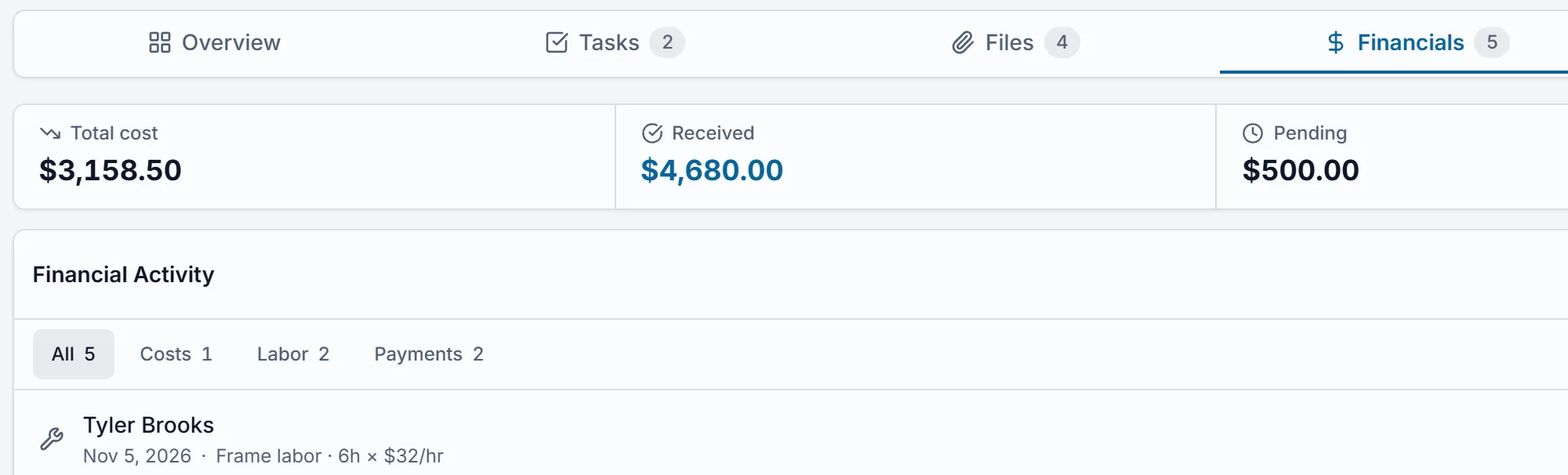
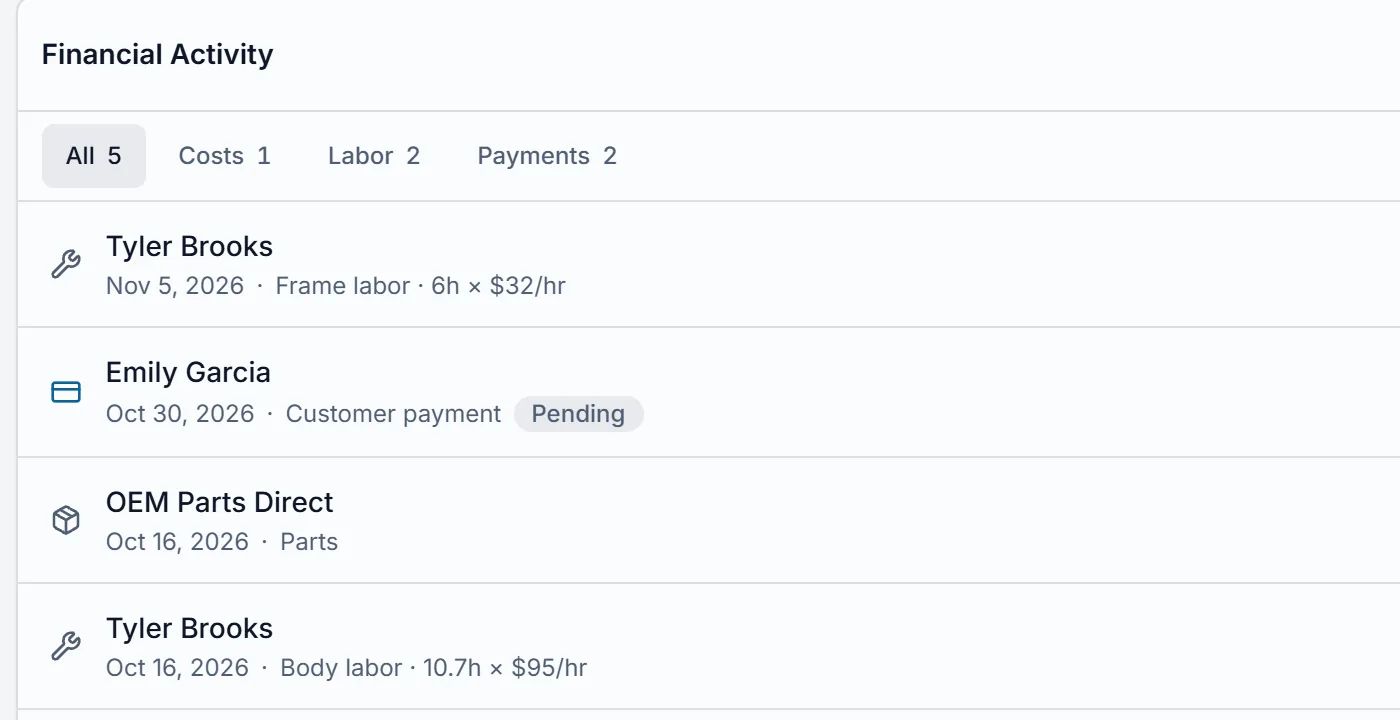
The totals are on top: Total cost, Received, Pending and Received minus costs. Below them, Financial Activity lists every cost, labor, payment and invoice line, newest first.
Log a cost
Press Add Cost
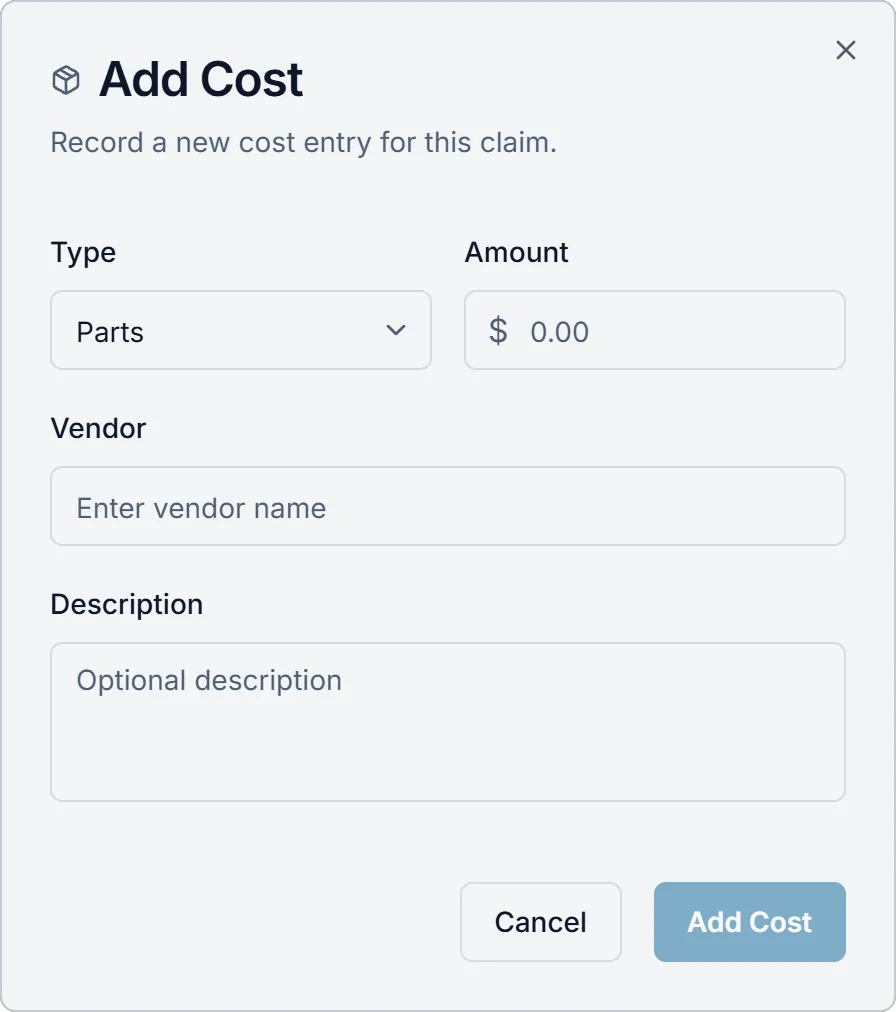
Pick a Type or type your own, then fill in Amount and Vendor. Add a Description if it helps. Press Add Cost.
- The types to pick from are Parts, Sublet, Misc and Other.
Log labor
Press Log Labor
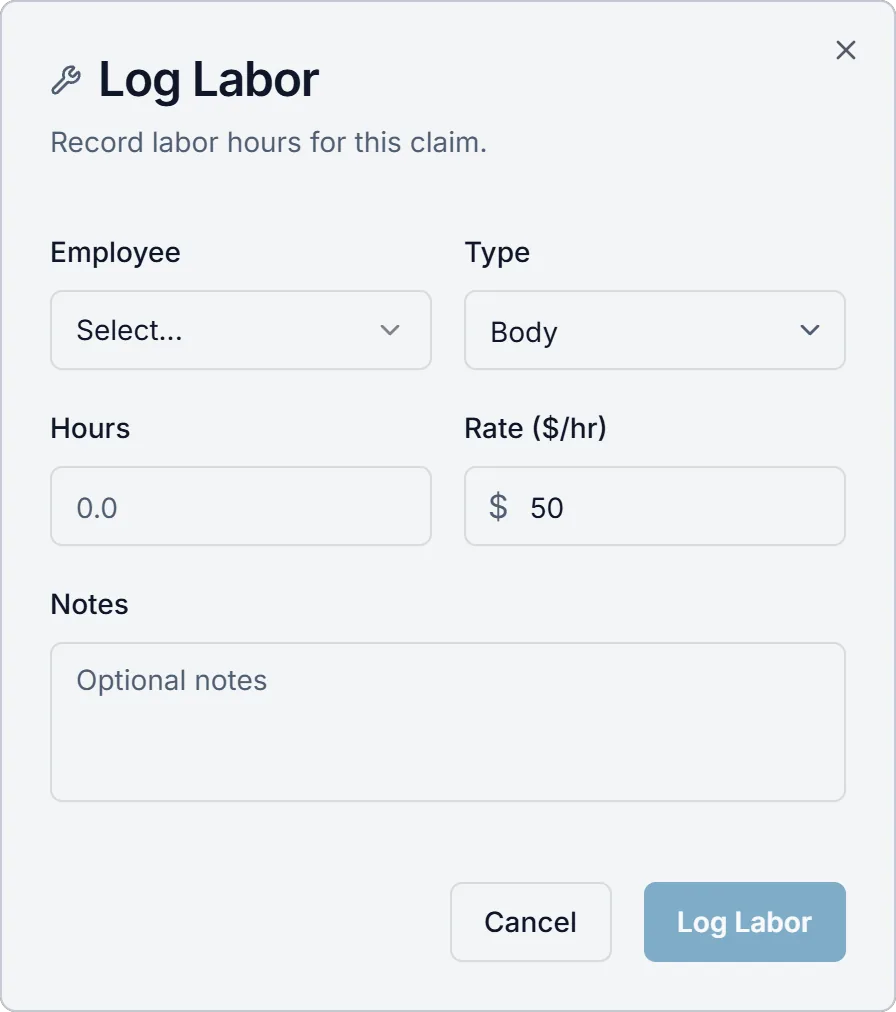
Pick the Employee and the Type, then fill in Hours and Rate ($/hr). Press Log Labor.
- Types to pick from: Mechanical, Body, Paint, Electrical, Frame, Glass, Structural, Detail and Admin.
- You can type a type of your own.
Log a payment
Press Log Payment
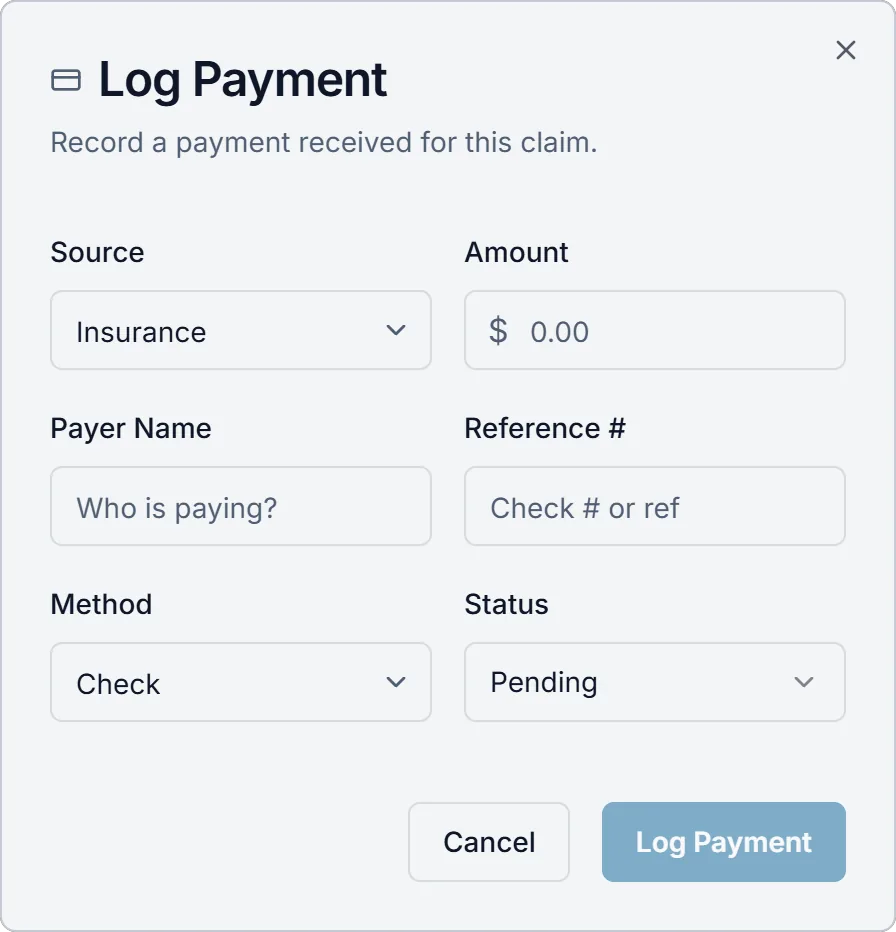
Pick the Source and fill in the Amount. Add the Payer Name, and the check number in Reference #. Pick the Method and the Status, then press Log Payment.
- Source: Insurance, Customer or Other.
- Method: Check, EFT, Card, Cash or Other.
- Status: Pending, Received or Deposited. A new payment starts as Pending.
Move a check along
Find the payment line. Press Received when the check arrives, then Deposited when it is in the bank. On a computer, the button shows when you point at the line.

Record a payment on an invoice
Find the invoice line and press the dollar sign. Record Payment shows Invoice Total, Already Paid and Remaining. Type the Payment Amount and press Record Payment. A smaller amount leaves the invoice as Partial.
Fix and find lines
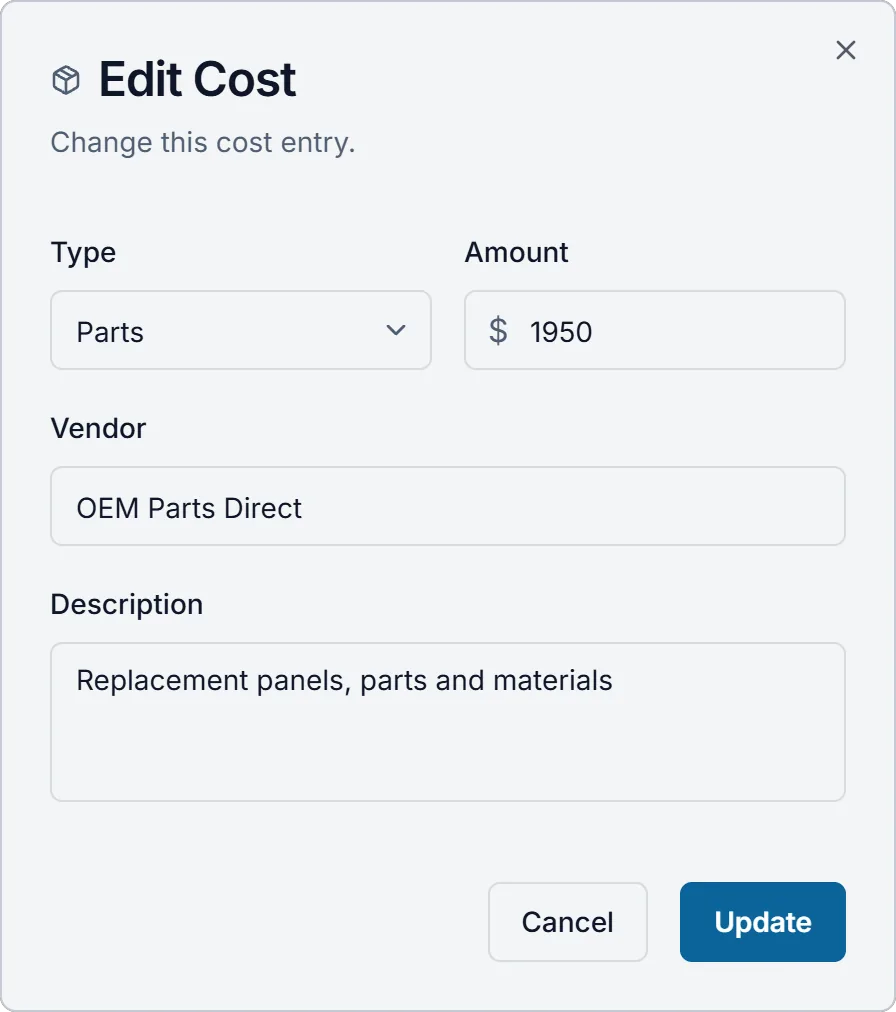
Change a line
Press the line. Change what is wrong and press Update.
Lines with the Time Clock tag are fixed on the Timesheets tab of Time Clock.
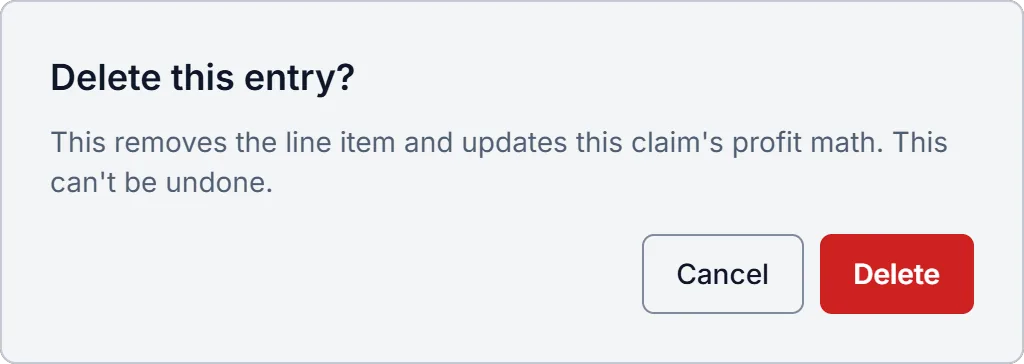
Delete a line
Press the trash can on the line, then Delete in the box that asks Delete this entry? The line comes off and the claim's profit updates. A delete is final.
Show one kind of line
Press Costs, Labor, Payments or Invoices above the list. Press All to see every line again. The buttons show once the claim has two kinds of line.


Questions and fixes
What is on the Financials tab of a claim in Claimory?
The Financials tab shows Total cost, Received and Pending, then Financial Activity with Add Cost, Log Labor and Log Payment. Professional and Elite also show profit on the claim and compare it with the estimate.
What do the statuses on a Claimory payment or invoice mean?
A payment is Pending, Received or Deposited. An invoice is Draft, Pending, Partial, Paid, Overdue, Canceled or Void. Overdue means money is still owed after the due date.
Who can log money on a claim in Claimory?
Owners and managers log costs, labor and payments on every claim. Estimators log costs and labor on claims they own or are assigned to. On Elite, the owner can change this with See financials and Edit financials in Roles & Permissions.
How do I see every check my shop is waiting on?
Press Ctrl+K (Cmd+K on a Mac), type checks and open Checks on the Way. Every Pending payment in Claimory is on that list, with a Mark Received button.
The Financials tab is missing
Your role needs See financials. Technicians start with it off. Ask the owner to switch it on in Settings, Team Management, under Roles & Permissions. Changing roles comes with Elite.
Add Cost, Log Labor and Log Payment are missing
Check two things. If the claim is archived, restore it first. If it is active, your role needs Edit financials and permission to edit that claim, so ask the owner. An estimator can edit claims they own or are assigned to.
The Add Cost or Log Payment button stays gray
Type an amount above zero, like 450.00. Log Labor needs both Hours and Rate ($/hr) above zero.
Please enter a valid amount
The amount is empty, zero or not a number. Type it in digits, like 450.00, and save again.
Failed to log payment
Check your connection and press Log Payment again. Payments on a claim are saved by an owner or manager, so if you have another role, ask one of them to log it.
That cost entry is no longer there
Someone removed the line on another device, and Claimory has refreshed your list. Look at the list, then log the cost again if it is still needed.
No financial entries yet
The claim has no money on it so far. Press Add Cost, Log Labor or Log Payment to start.
I cannot press a labor line
A labor line with the Time Clock tag came from a clock punch. A manager fixes it on the Timesheets tab of Time Clock. To add hours by hand, press Log Labor.
Issue this invoice first
The invoice is a draft in your Financial Center books. Open Financial Center in the menu, press Receivables, open the draft and press Issue invoice. Then record the payment.
What to do next
- Invoices and profitSee what a claim will make in Claimory: read the money tiles, upload the insurance estimate, compare it with your costs, and edit the invoice.
- Payment links and cardsSend a customer a payment link from a claim in Claimory, connect Stripe so they can pay by card, and see the deductible turn Received by itself.
- Quick Log and checksLog a call, a parts order, a payment or a check on the way from any claim in Claimory with Quick Log, then follow every check until it arrives.
- Still stuck?Open the Support Center to find the fix or write to a person.