
Set labor rates, carrier rates and sales tax
Your rates live in Settings, under Labor Rates. Set them once and Claimory uses them on estimates and claims.
- 4 min read
- All plans
- Owner, Manager
What you get
- Your hourly rates and daily storage rate in one place
- Carrier rates that Claim Audit checks estimates against
- Sales tax on the taxable lines of your estimates and cash jobs
- Your license and tax ID printed on the documents you send
Before you start
- Every plan. The sales tax estimate for your books starts on Professional.
- Owner or manager.
- Your rates, your city and state sales tax rate, and your EIN.
Step by step
0 done of 10 steps
Your shop rates
Open Settings, then Labor Rates
Press your shop's name in the top right corner, then Workspace. Press Labor Rates.
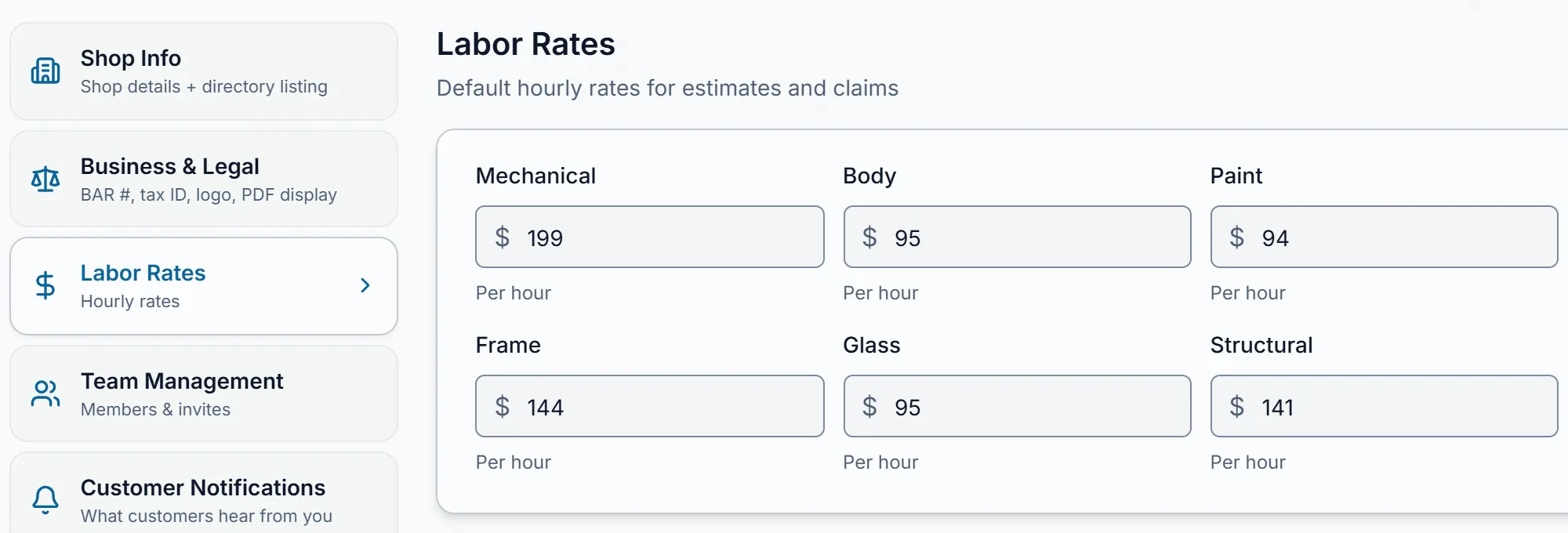
Type each rate and click out of the box
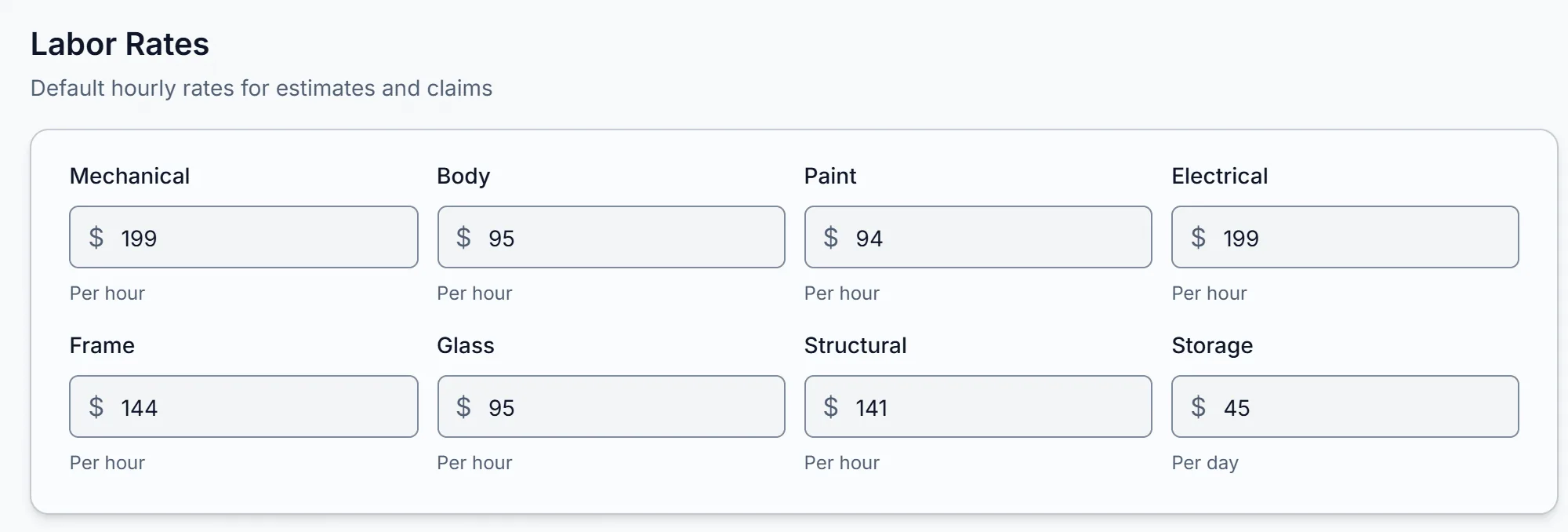
Fill in what your shop charges. Each rate saves by itself when you leave the box.
- Per hour: Mechanical, Body, Paint, Electrical, Frame, Glass and Structural.
- Per day: Storage.
Set your sales tax
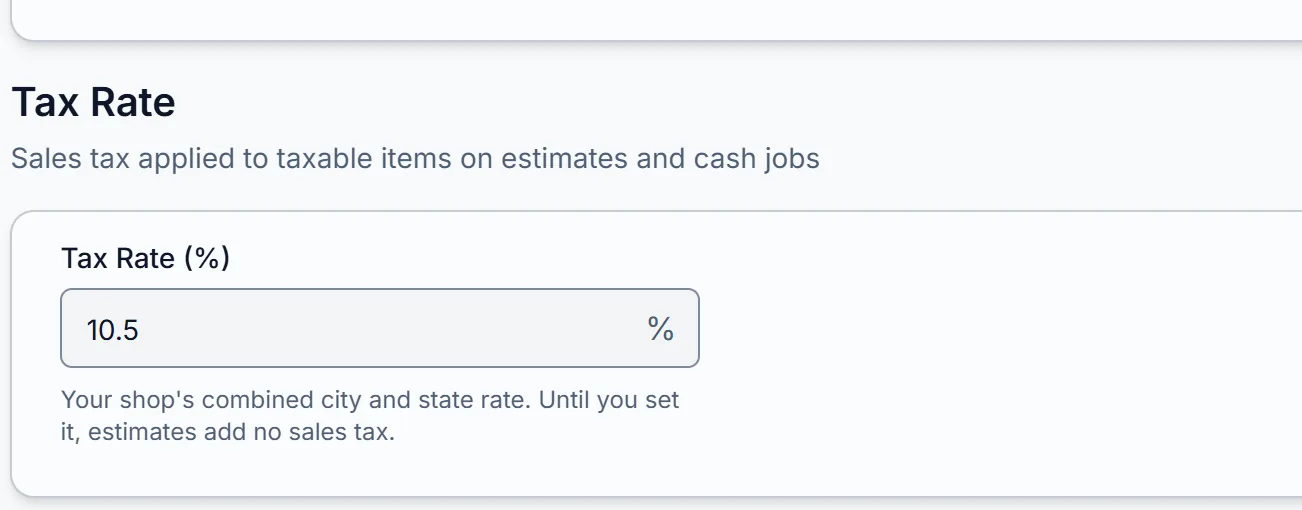
Under Tax Rate, type your combined city and state rate in Tax Rate (%) and click out of the box. Claimory puts it on the taxable items of estimates and cash jobs.
Rates for one carrier
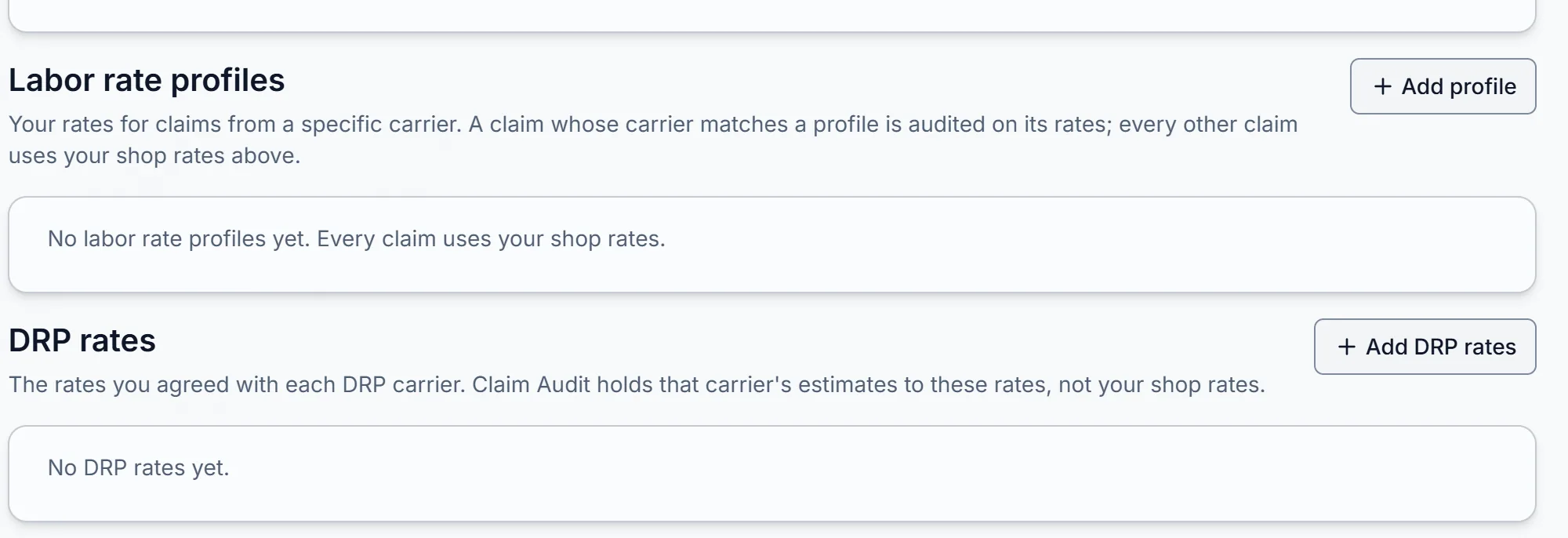
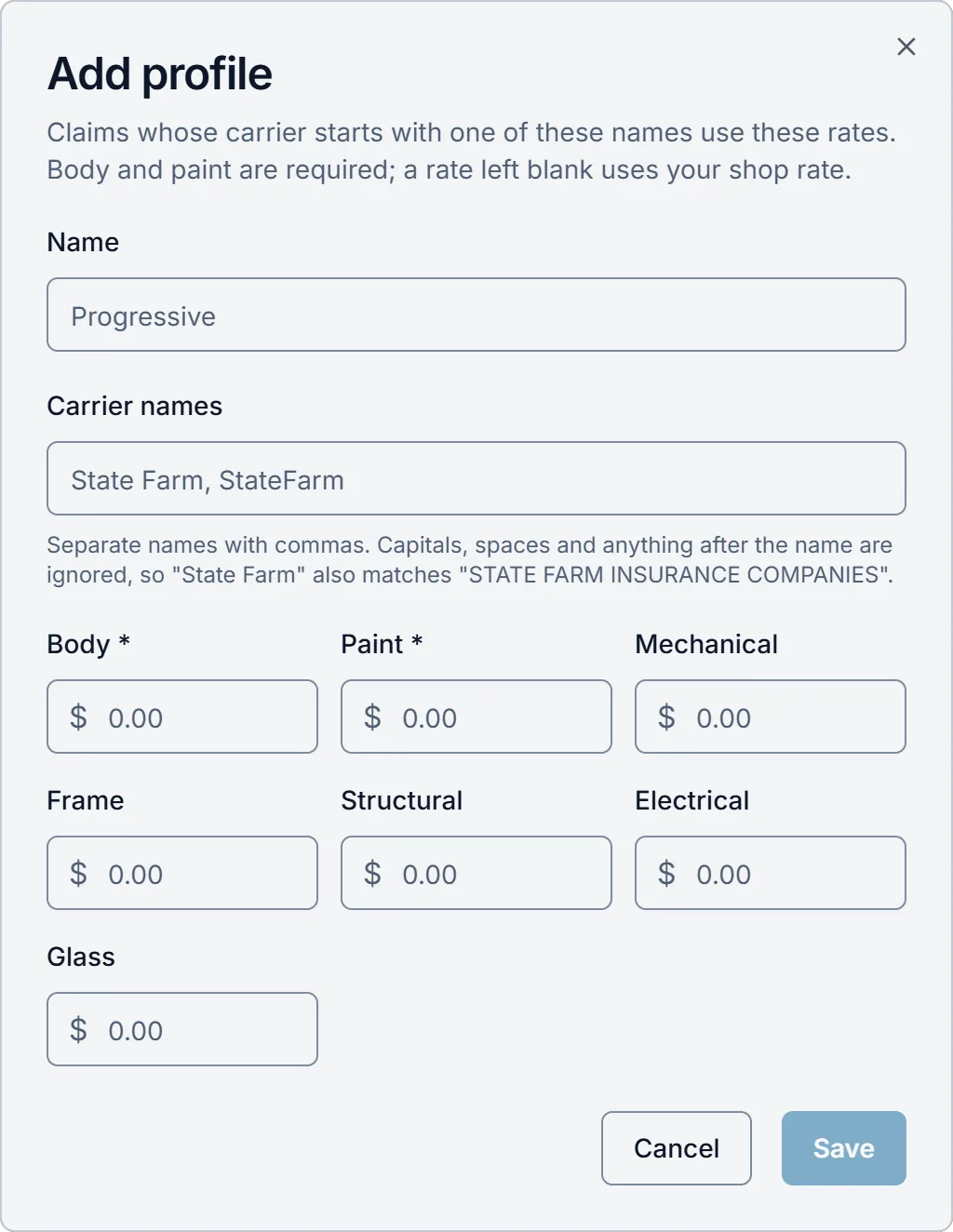
Press Add profile or Add DRP rates
Press Add profile beside Labor rate profiles for a carrier you bill at its own rates. Press Add DRP rates for rates you agreed with a DRP carrier.
Fill in the carrier and the rates
Type a Name and the Carrier names, with a comma between names. Type Body and Paint, which are required, and any others. A rate you leave blank uses your shop rate. Press Save.
Capitals and spaces are ignored. Nationwide also matches NATIONWIDE INSURANCE COMPANY.
Change or delete a profile
Press the pencil to edit, or the trash can and then Delete. After a delete, claims from those carriers go back to your shop rates on their next audit. Audits already run keep the rates they used.
Your license and tax ID
Open Settings, then Business & Legal
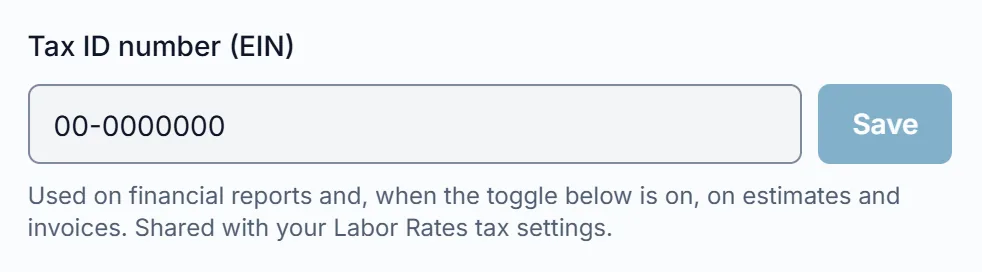
Type your state repair license number and press Save. Type your Tax ID number (EIN) and press Save.
Choose what prints
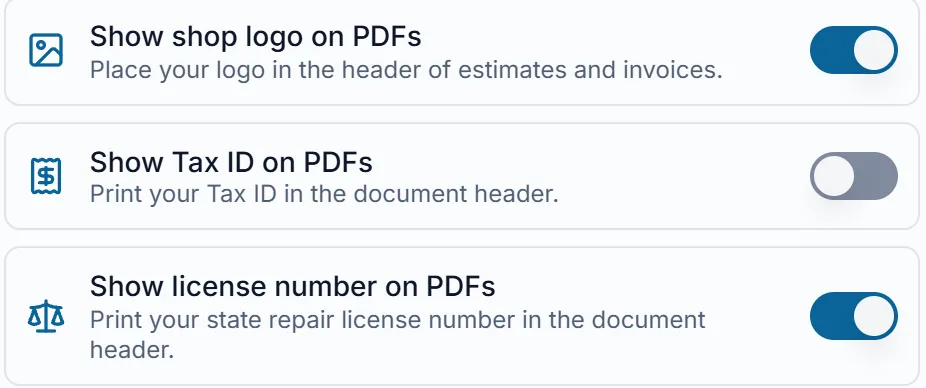
Switch on Show license number on PDFs and Show Tax ID on PDFs.
The sales tax estimate in your reports
Open Tax settings
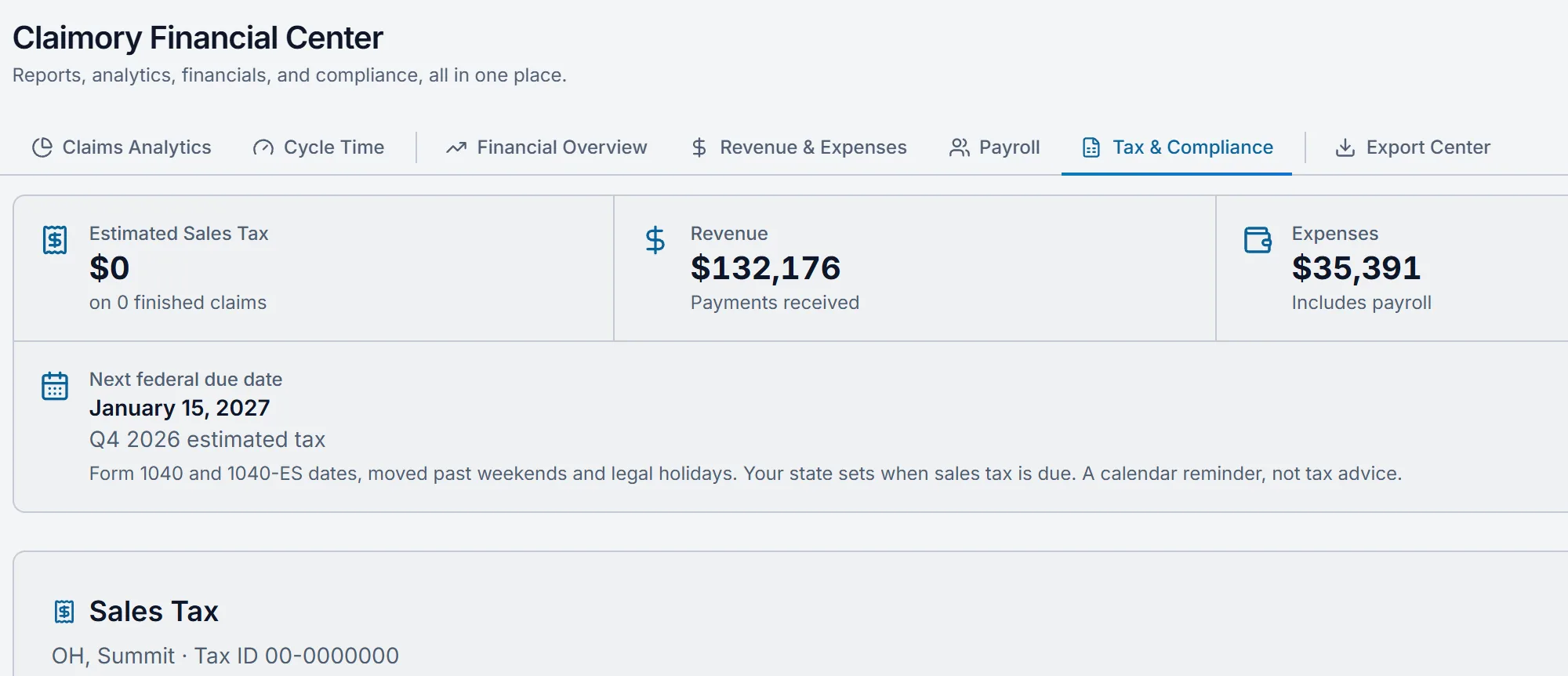
Press your shop's name in the top right corner, then Financial Center, then the Tax & Compliance tab. Press Tax settings beside Sales Tax.
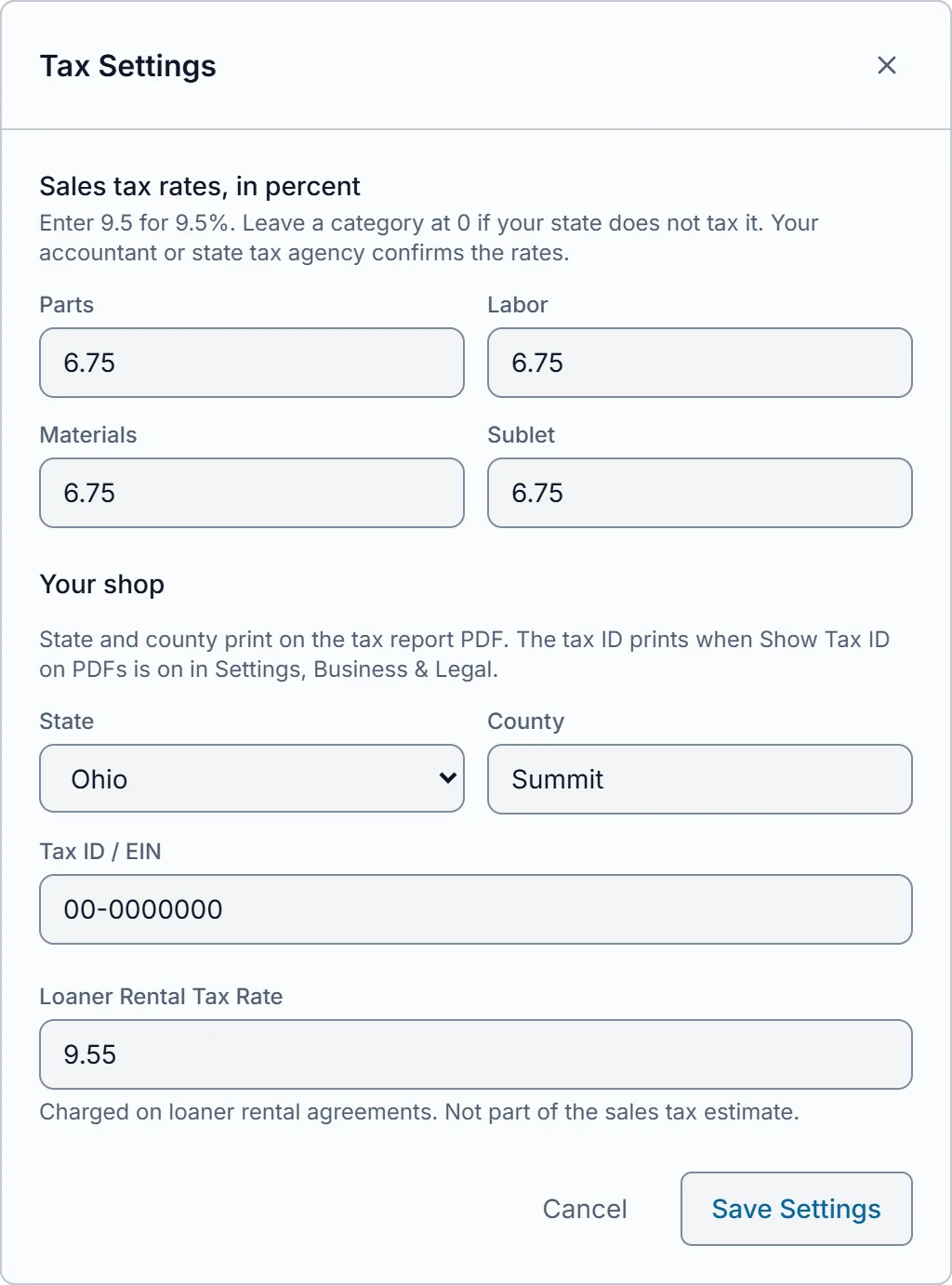
Type the rates and press Save Settings
Type Labor, Parts, Materials, Sublet and Loaner Rental rates in percent. Enter 9.5 for 9.5%, and leave 0 for what your state does not tax. Add State, County and Tax ID / EIN, then press Save Settings.


Questions and fixes
What is a labor rate profile in Claimory?
A labor rate profile holds your rates for claims from one carrier. Claimory audits a claim whose carrier matches on those rates, and every other claim on your shop rates.
What are DRP rates in Claimory?
DRP rates are the rates you agreed with a DRP carrier. Claim Audit holds that carrier's estimates to them in place of your shop rates.
Where does Claimory use the Tax Rate in Labor Rates?
The Tax Rate in Labor Rates is one combined rate for taxable items on estimates and cash jobs. Tax settings, under Financial Center in the menu of your shop's name, holds a rate for each category, for the sales tax estimate in your reports.
Do I press Save on labor rates in Claimory?
Labor rates and the Tax Rate save when you click out of the box. Rate profiles, the license number and the tax ID have their own Save button.
My estimates have no sales tax
Open Settings, Labor Rates and fill in Tax Rate (%). Estimates add sales tax once that rate is set.
You don't have permission to access workspace settings
Workspace settings is for owners and managers. Ask one of them to make the change.
Save stays gray on a rate profile
Fill in Name, at least one carrier name, and a Body and a Paint rate above zero.
No tax rates are set yet, so this shows $0.00
Press Set tax rates on the Tax & Compliance tab, type your rates and press Save Settings.
My tax ID is missing from a PDF
Open Settings, Business & Legal and switch on Show Tax ID on PDFs. State and county print on the tax report PDF from Tax settings.
What to do next
- Shop settingsSet up your shop in Claimory: name, address, logo, labor rates, customer emails and payments, and find the screen that holds each shop setting.
- Reports and exportsOpen your reports in Claimory, read cycle time and carrier performance, track expenses and payroll, and export files for your accountant.
- Run a Claim AuditRun a Claim Audit in Claimory: pick the carrier's estimate and photos, read what may be missing, then copy the notes and lines for your supplement.
- Still stuck?Open the Support Center to find the fix or write to a person.