
Check your limits, add seats and add storage
Each Claimory plan includes a number of seats, active claims and storage. When one runs out you can free room, buy an add-on or move up a plan.
- 3 min read
- Managers and admins
- Owner, Manager
What you get
- The seats and storage you use beside what you have
- More seats or storage added to your plan in one press
- A way past each limit message
Before you start
- The owner, admin or manager role.
- A paid plan to buy add-ons. Extra seats are for Starter and Professional, and extra storage is for every paid plan.
- Your card on file in Billing.
Step by step
0 done of 4 steps
See what you use
Check your seats
Press your shop's name in the top right corner, then Workspace, then Team Management. The number beside your members shows seats used and seats included, with pending invites next to it.

Check your storage
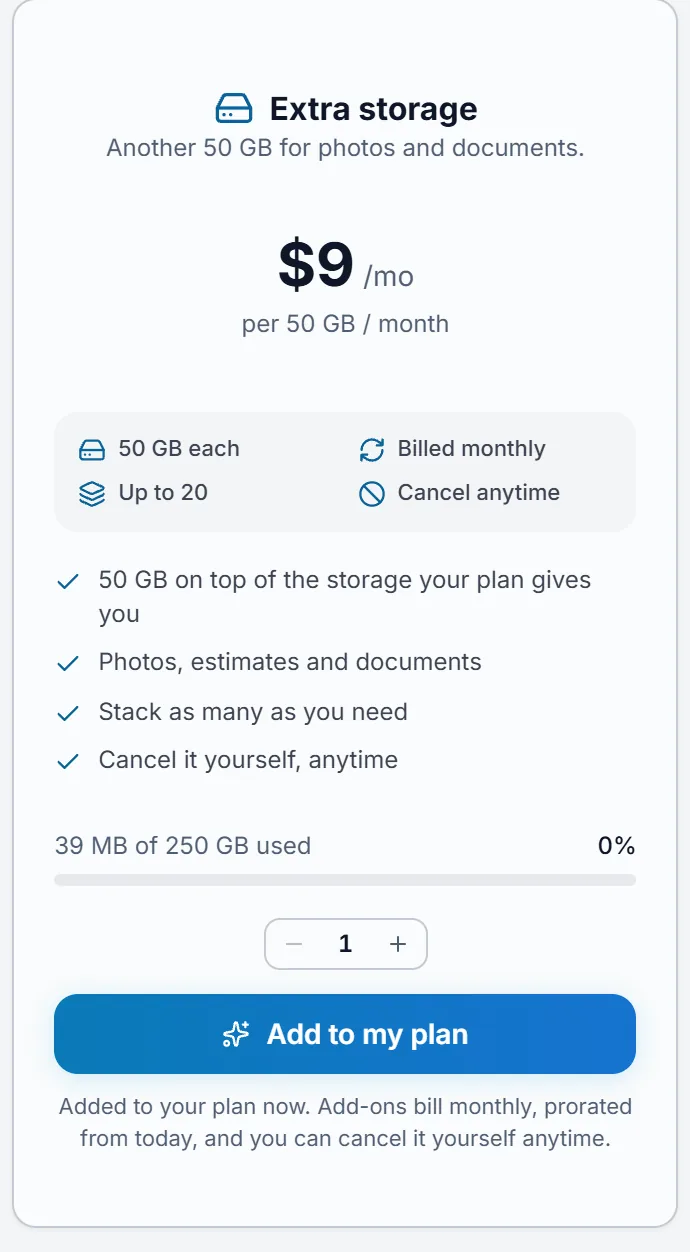
Open Billing and press Add-ons at the top. The Extra storage card shows how much of your storage is used.
Get more
Press Add to my plan on Extra team seat
On Billing, Add-ons, choose how many seats and press Add to my plan. Elite already has unlimited seats. It is $19 per seat per month, up to 25, billed with your plan and prorated from today.
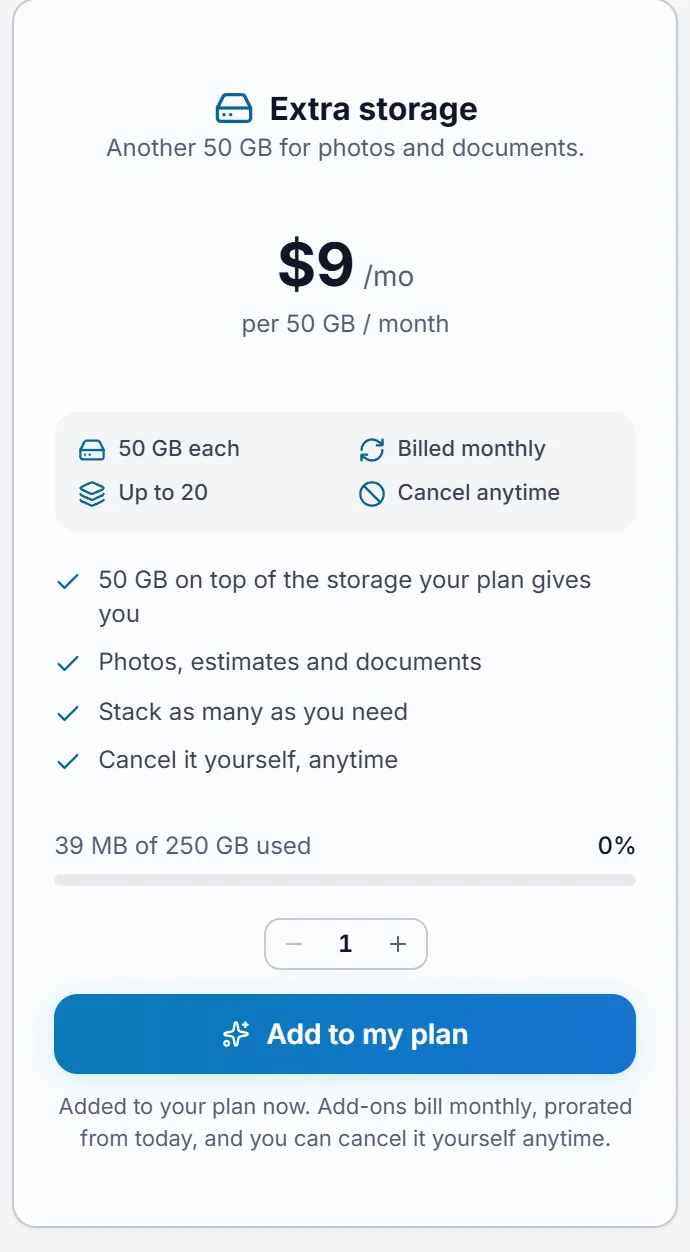
Press Add to my plan on Extra storage
Choose how many and press Add to my plan. It is $9 per 50 GB per month, up to 20 of them.
You can cancel either one yourself anytime with Cancel this add-on.


Questions and fixes
What are the limits on each Claimory plan?
Trial: 3 seats, 25 active claims, 3 Claim Audits, 1 GB. Starter: 1 seat, 30 active claims, 10 GB. Professional: 3 seats, unlimited claims, 30 Claim Audits a month, 50 GB. Elite: unlimited seats and claims, 100 Claim Audits a month, 250 GB.
What counts as an active claim in Claimory?
A claim that is in your list and still open. Archived claims and claims marked Completed, Delivered or Total Loss are left out of the count.
Does the free seat from Shop setup count toward my limit?
Yes. The seat you earn for finishing Shop setup raises your limit by one, and Team Management says Includes 1 free seat earned in Shop setup.
Does a tablet in the shop need a seat?
A tablet signed in with its own Claimory login takes a seat, like any member. A tablet paired to Time Clock uses a code from Pair a tablet, and each person clocks in with a PIN.
Does Elite need extra seats?
No. Elite includes unlimited seats for each location.
Where do I set storage days, teardown and restocking fees for my forms?
Open Settings, Labor Rates and fill in Signature document defaults: Free storage days, Teardown fee and Restocking fee (%). Leave one blank to type it each time you send a document. The storage rate itself comes from Storage in Labor Rates.
Active Claims Limit Reached
The trial holds 25 active claims and Starter holds 30. Complete or archive finished claims to make room, or press Upgrade Now. Professional and Elite claims are unlimited.
You're approaching your claim limit
Claimory shows that bar at 80% of your active claims and counts the slots left. Archive finished claims, or press Upgrade Now for unlimited claims.
Team Seat Limit Reached
Revoke a pending invite or remove someone, buy an Extra team seat for $19 per seat per month on Starter or Professional, or press Upgrade Now. While the Shop setup offer is open, finishing Shop setup earns a free seat.
You are out of room. New uploads are blocked until you add storage or delete some files.
Open Billing, Add-ons and press Add to my plan on Extra storage, or delete files you no longer need. Check-in photos stay safe on the phone and upload once there is room.
Add-ons unlock once you choose a plan
Your shop is on the free trial. Press Plans in Billing, pick a plan, then come back to Add-ons.
What to do next
- Plans and billingChoose a Claimory plan, move from your free trial to paid, change plans, fix a failed card, find invoices, cancel or restart your subscription.
- Invite teammatesInvite teammates to your shop in Claimory, resend or revoke an invite, join from the email, free a full seat and remove someone who has left.
- Audit creditsSee how many Claim Audit credits your shop has left in Claimory, when they top up, how they roll over, and how to buy a pack when you need more.
- Still stuck?Open the Support Center to find the fix or write to a person.