
Your shop listing and reviews
Your listing is your page on the shop locator, where customers in the Claimory customer portal look for a repair shop. Fill it in once, then answer what comes in.
- 4 min read
- All plans
- Owner, Manager
What you get
- A page customers can call, get directions from or send a request to
- Every customer request and review in one place
- Thirty days of numbers: views, calls, directions and requests
Before you start
- Settings opens for owners and managers.
- The listing shows while your shop is on an active plan or trial.
- Review Requests is a Marketplace add-on on Elite.
- Have your street address, hours, and JPG or PNG photos ready.
Step by step
0 done of 8 steps
Set up your page
Open Directory Listing
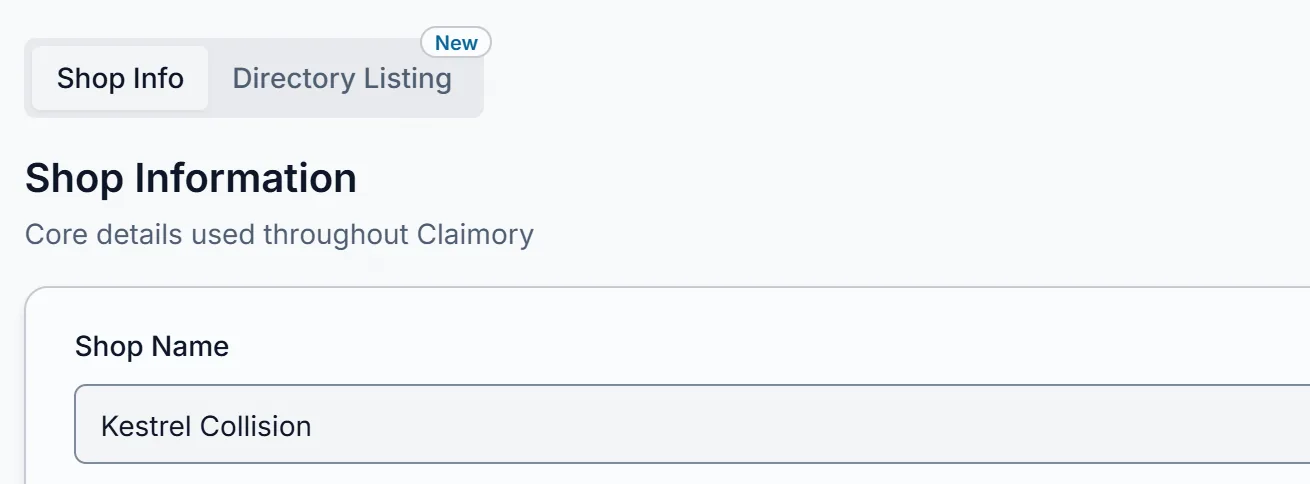
Open Settings, then Shop Info, then the Directory Listing tab. If you see Create my listing, press it.
Fill in Your listing
Type your shop name, About your shop, phone, website and address. List your services and certifications, one per line.
Your claim letters use this name, phone and address too.
Set your hours and photos
Open the Hours tab and switch on each day you are open. Open the Photos tab and press Add photos, up to 12.
Turn on the switch at the top
On the Your listing tab, turn on the switch beside the status line. The name of that switch is Show my shop on the locator. Press See your page to check it.
Changes save on their own. Wait for All changes saved before you leave.
Answer customers
Work your customer requests
Open the Analytics tab. Under Customer requests, call the customer and mark each one New, Contacted or Closed. Requests also arrive by email.
Reply to a review
On the same tab, find Reviews. Type in Your public reply and press Post reply. To change it later, press Update reply.
Ask for Google reviews
Add Review Requests
Open the Marketplace, find Review Requests and add it. It emails each customer a short survey after the car is delivered.
Turn on Review survey
Go back to Directory Listing, then Analytics, and press the gear beside Review survey. Pick Days after delivery, paste your Google review link, and turn on Send review requests.
- The email goes out 1 to 14 days after delivery.
- Every customer who answers is offered your Google link.
- Ratings of 3 or lower go under Needs a call, with the customer's phone.
The first time, read the notice and press Agree and turn on.

Questions and fixes
Who sees my shop on the Claimory shop locator?
Customers who sign in to the Claimory customer portal can search for a repair shop near them. Your page shows your hours, photos, services and reviews. Your shop email stays private.
Where do customer reviews of my shop show up?
In Claimory, open Settings, Shop Info, Directory Listing, then Analytics, and find Reviews. Customers can review you after a repair is delivered, and the reviews show on your public page.
Can I remove a review in Claimory?
Claimory reviews stay up, so customers can trust them. You answer with a public reply under the review.
What do the Analytics on my Claimory listing show?
Claimory's listing Analytics covers the last 30 days: times shown in search, page views, calls, directions, website visits and customer requests.
What is Get sponsored on my Claimory listing?
A sponsored shop appears above other shops in its area on the Claimory locator and is always labeled Sponsored. Your reviews stay the same. On the Analytics tab type the ZIP codes or cities and press Ask about pricing, and Claimory contacts you with the price.
How do I get more Google reviews automatically?
Add the Review Requests add-on from the Claimory Marketplace. Claimory emails each customer a short survey after delivery, then offers every customer who answers your Google review link.
Where do my staff read the survey answers?
Teammates who do not use Settings open Review Requests in the Claimory menu and read every answer there.
How do I hide my shop from the locator?
In Claimory, open Settings, Shop Info, Directory Listing and turn off the switch at the top of Your listing. Turn it on again any time.
Only an owner or manager can change your listing.
Ask an owner or manager at your shop to sign in and make the change.
Photos must be JPG or PNG, Each photo must be under 8 MB, or That photo is too large
Save the photo as a JPG or PNG under 8 MB, or resize it smaller. Then press Add photos again.
Saved, but we couldn't update your map position yet. We'll try again tonight.
Your details are saved. Claimory places your pin again tonight, so check your page tomorrow.
We could not find your address on the map
Check the street, city and ZIP on the Your listing tab. Map pins and ZIP code search work for US addresses only.
We couldn't load your listing just now. Reload the page to try again.
Reload the page, then open Settings, Shop Info and the Directory Listing tab again.
Could not save. Check your connection, then edit a field to retry.
Check your internet, then change any field. Claimory saves again a moment later.
A shop name is needed before your listing saves.
Type your shop name in the Shop name box. The rest saves with it.
Your listing is paused
Open Billing and make sure your plan or trial is active. The listing comes back with it.
Review requests are not sent until your shop's street address is on file.
Press Add it in Settings on that message and type your shop's street address.
What to do next
- Shop settingsSet up your shop in Claimory: name, address, logo, labor rates, customer emails and payments, and find the screen that holds each shop setting.
- AppointmentsLog calls, book leads, turn them into claims and run today's schedule in Claimory, and set up your booking page, website form and email leads.
- Customer portalSend a customer a Claimory repair link or QR code, choose what they see, lock it with a PIN, stop it any time, and set the automatic update emails.
- Still stuck?Open the Support Center to find the fix or write to a person.