
Sign in, passwords and Google sign-in
Two minutes gets you back in. Sign in with your email and password, or send yourself a reset link. Each message you might see has its next step below.
- 4 min read
- All plans
- Owner, Manager, Front desk, Estimator, Technician
What you get
- The way in, with email or with Google or Microsoft
- A new password, sent from the sign-in page
- The next step for every sign-in message
Before you start
- The email on your Claimory account, and access to its inbox for a reset.
- Your phone, if two-step verification is on for your login.
- Every plan and every role. Customers checking on a car use the repair link their shop sent.
Step by step
0 done of 6 steps
Sign in
Open the sign-in page
Go to claimory.io and press Log in.
Type your email and password
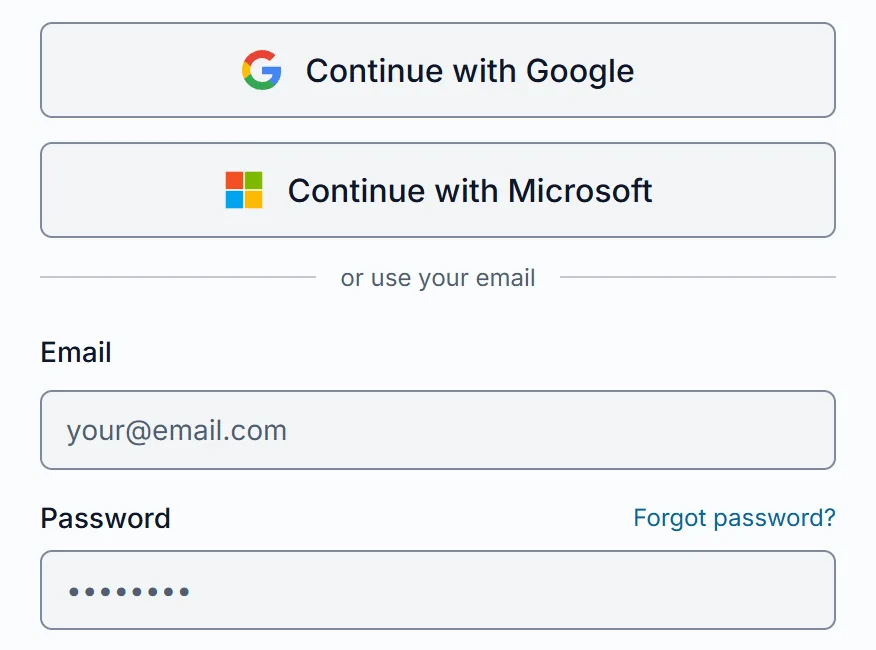
Type your Email and Password, wait for the security check, then press Sign In.
If Continue with Google or Continue with Microsoft is above the form, you can press that instead. Use the same email as your Claimory account.
Type the 6-digit code if asked
When two-step verification is on, type the 6 digits from your authenticator app and press Verify.
Reset a forgotten password
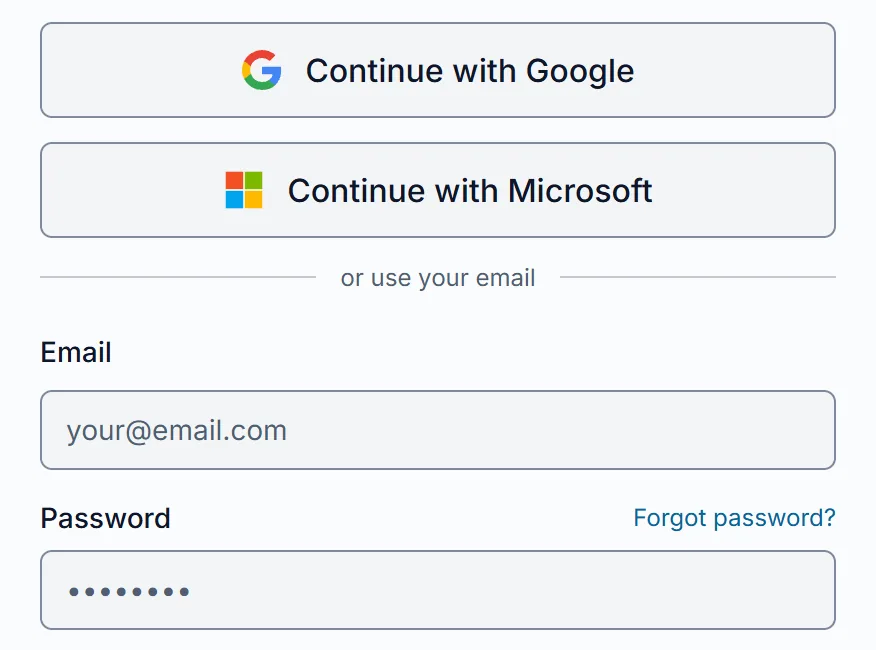
Press Forgot password?
Forgot password? is beside the Password box on the sign-in page. Type your email and press Send Reset Link.
Open the link in your email
Open the newest reset email and press its link. The page is called Set New Password.
Set the new password
Type it in New Password and again in Confirm Password, then press Update Password. Sign in with it right away.
Use at least 8 characters with an uppercase letter, a lowercase letter and a number.


Questions and fixes
Can I sign in with Google or Microsoft?
Claimory shows Continue with Google or Continue with Microsoft above the email form on the sign-in and trial pages when they are switched on. Email and password always work.
Will too many wrong passwords lock me out?
Claimory asks you to slow down after many quick tries: You are going a bit fast. Wait a minute, then sign in or press Forgot password?.
How long is my data kept if I stop paying?
Claimory keeps your shop's data for 90 days after a trial ends, a plan is canceled, or a payment stays unpaid after the final retry. Pick a plan inside the 90 days and everything is as you left it.
Is there a phone app, or do I use the browser?
Claimory runs in the browser on any phone, tablet or computer. If you use the installed Claimory app, sign in there with your email and password, and change plans at claimory.io.
Does Claimory need the internet?
Yes, Claimory works online so the whole shop sees the same claim. Photos taken in a check-in wait safely and upload when you are back on.
How do I switch to dark mode after I sign in?
Press the sun or moon in the Claimory top bar, or in the header on a phone. The label reads Switch to dark mode or Switch to light mode.
Where do I find the login code?
With two-step verification on, the Claimory login code is in your authenticator app. Open the app, find Claimory and type the 6 digits before they change. While you sign up for a new shop, the code is in your email.
Sign in failed. That email and password do not match.
Retype both in Claimory, with Caps Lock off. Still refused, press Forgot password? and set a new one.
Confirm your email first
Open the confirmation email from Claimory and press its link. If you do not have it, press Forgot password? to get a fresh link.
You are going a bit fast. Please try again in a moment.
Wait a minute and sign in to Claimory once more. The customer repair page asks for a few minutes after 5 wrong tries.
I never got the reset email
Look in spam and junk for Claimory. Then press Forgot password? again and type the exact email on your account.
My reset link sends me back to sign in
The Claimory link is old or already used. Press Forgot password?, send a new one and open only the newest email.
Passwords do not match
Retype New Password and Confirm Password so they are exactly the same, then press Update Password in Claimory.
Password is too weak
Choose a longer Claimory password with uppercase, lowercase, a number and a symbol, then press Update Password.
Your new password must be different from your current one
Claimory already has that password on your account. Type one you have not used, or sign in with it.
This password showed up in a known data breach
Press Choose a different password in Claimory to pick a fresh one. Press Use it anyway if you are sure, and that exact password becomes yours.
Password not accepted
On the Claimory Set Your New Password page, pick one with 8 or more characters, upper and lower case and a number. Then press Set Password & Continue.
We could not open Google sign-in, or Microsoft sign-in
Press the button again. Or type your Claimory email and password below the line that says or use your email.
Sign-in was canceled. You can try again any time.
Press Back to Sign In on the Claimory page and try again.
Checking on your car's repair?
You signed in on the shop's Claimory page as a car owner. Press Checking on your car's repair? Open your repair status.
It asks for a 6-digit code and Verify is gray
Your Claimory login has two-step verification on. Type all 6 digits from your authenticator app and Verify turns on. Lost the phone, email support@claimory.io or call (810) 692-5246.
This is an estimator account
Sign in at the Claimory Estimator Portal with the same email and password.
I am still locked out
Press Forgot password?, try a private or incognito window, or open claimory.io in another browser. Still stuck, call Claimory at (810) 692-5246 or email support@claimory.io.
Having trouble connecting. Retrying...
Check your internet. Claimory keeps trying by itself and the bar clears when the connection is back. Check-in photos wait on your phone and upload when you are back, so keep Claimory open.
Could not send the request, when I ask to delete the workspace
Check your connection and press Send deletion request again in Claimory, or email support@claimory.io.
Account permanently closed
Claimory shows this on a login it closed. If you think it is a mistake, email support@claimory.io from that same address with your name and shop name.
What to do next
- Two-step verificationTurn on two-step verification for your Claimory login, sign in with a 6-digit code, and know what to press if your phone is ever lost or replaced.
- Your accountSet your name, password, language, date format and theme in Claimory, sign out of every device, download your data, or delete your account for good.
- Getting helpReach Claimory support by ticket, email or phone, fix the messages a stuck screen can show, and see what is new in the app since you last signed in.
- Still stuck?Open the Support Center to find the fix or write to a person.