
Build the supplement package and citations
After a Claim Audit, the Package tab turns the findings you pick into one PDF you can send the carrier. It saves on the claim, and you send it yourself.
- 5 min read
- Professional and up
- Owner, Manager, Estimator
What you get
- One PDF with a cover letter, each item and its reason, and your documents attached
- The law and OEM text the audit cites, ready to copy or save on your letterhead
- A line list to type into CCC ONE, Mitchell or Audatex
- Ready drafts for when the carrier says no
Before you start
- Professional or higher, or your free trial.
- A finished Claim Audit on the claim. Building the package uses no extra credit.
- For an OEM item, the procedure you pulled for this VIN.
Step by step
0 done of 8 steps
Build the package
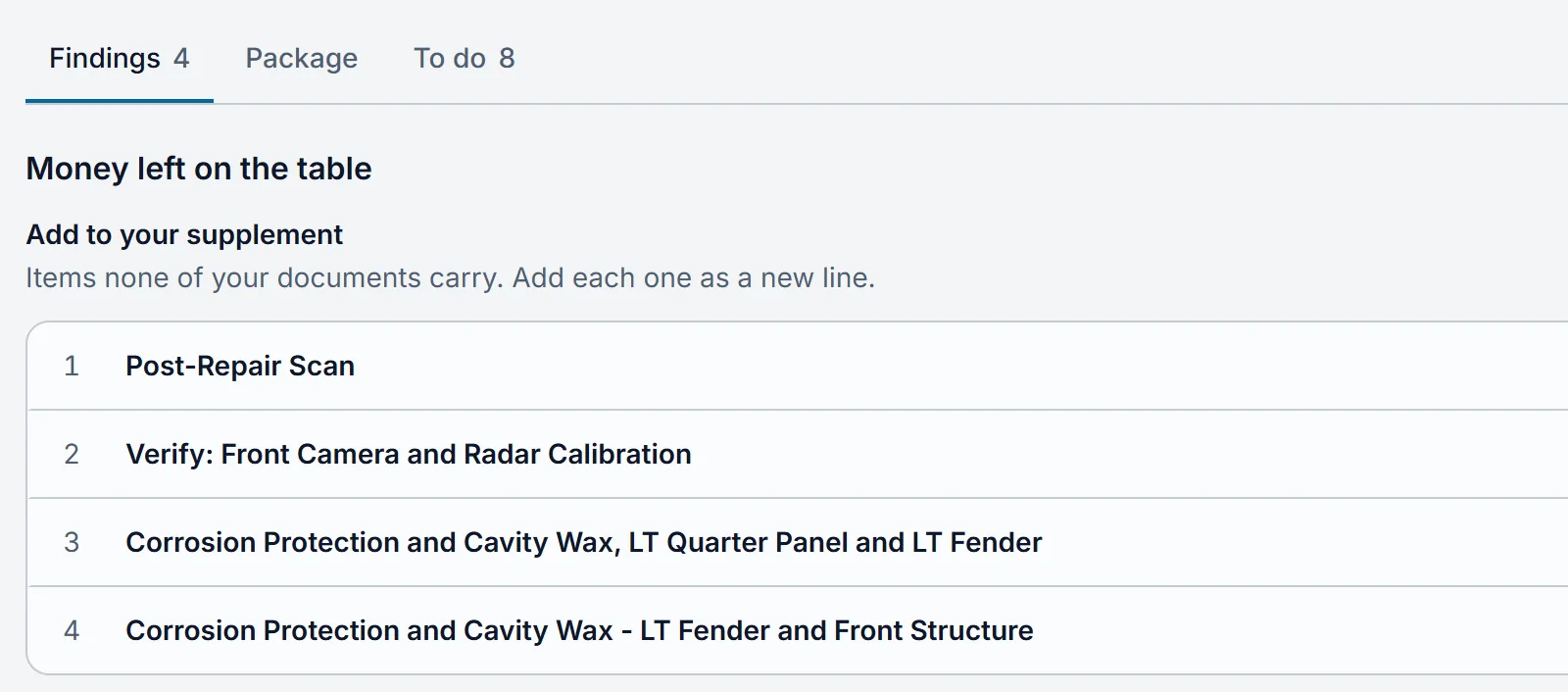
Open the report's Package tab
Open the claim, press Claim Audit, then View report. Press Package, beside Findings and To do.
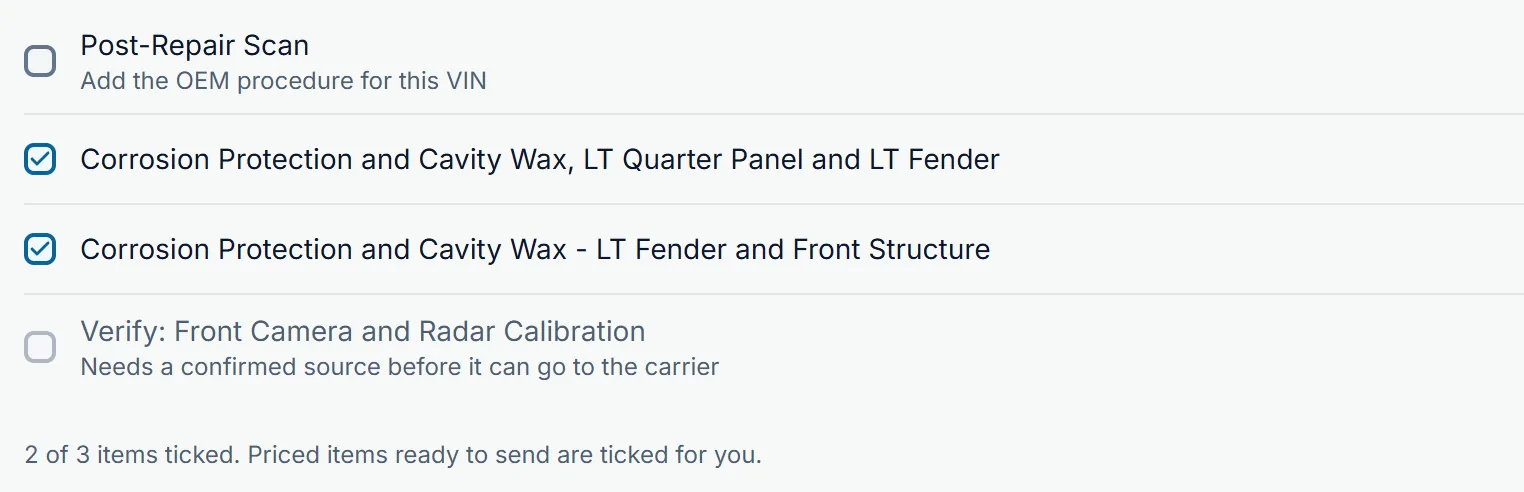
Tick the items to send
Priced items that are ready are ticked for you. Tick or untick the rest. The line under the list says how many are ticked.
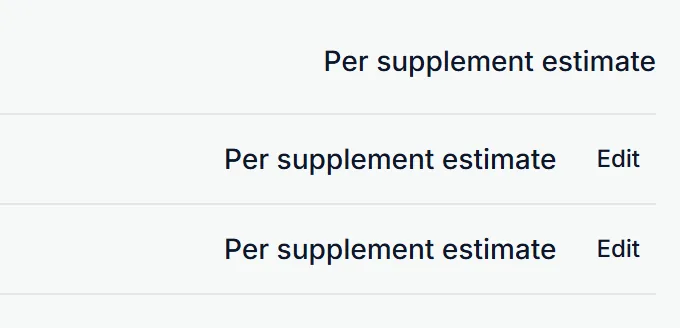
Press Edit to change the wording
Edit shows beside each ticked item. Change the text under What the carrier reads for this item. It prints exactly as written. Press Done when finished.
Use Claimory AI's wording puts the first wording back.
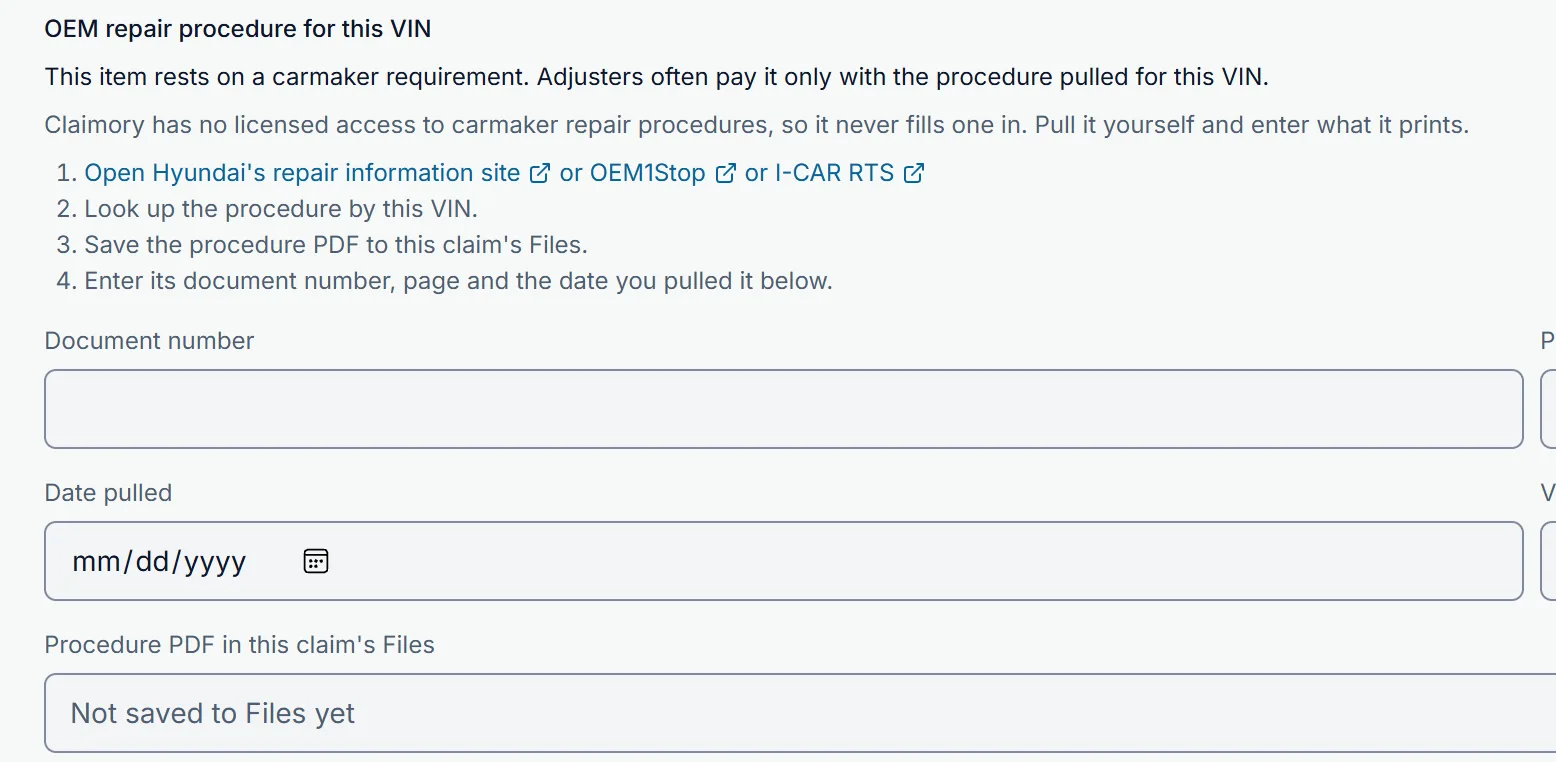
Add the OEM procedure when an item asks for one
An item that says Add the OEM procedure for this VIN is stronger with it. Press Edit, open the carmaker's repair site from the link, look the procedure up by this VIN, save its PDF to the claim's Files, then fill in the boxes.
- Document number, Page and Date pulled
- VIN on the procedure, all 17 characters
- Procedure PDF in this claim's Files
Prints in the package with this item means it is complete.
Press Save supplement package
Claimory builds the PDF and says Supplement package saved. Open the claim's Files tab, then Documents, to read it before you send it to the carrier.
Use one citation
Copy or save a single citation
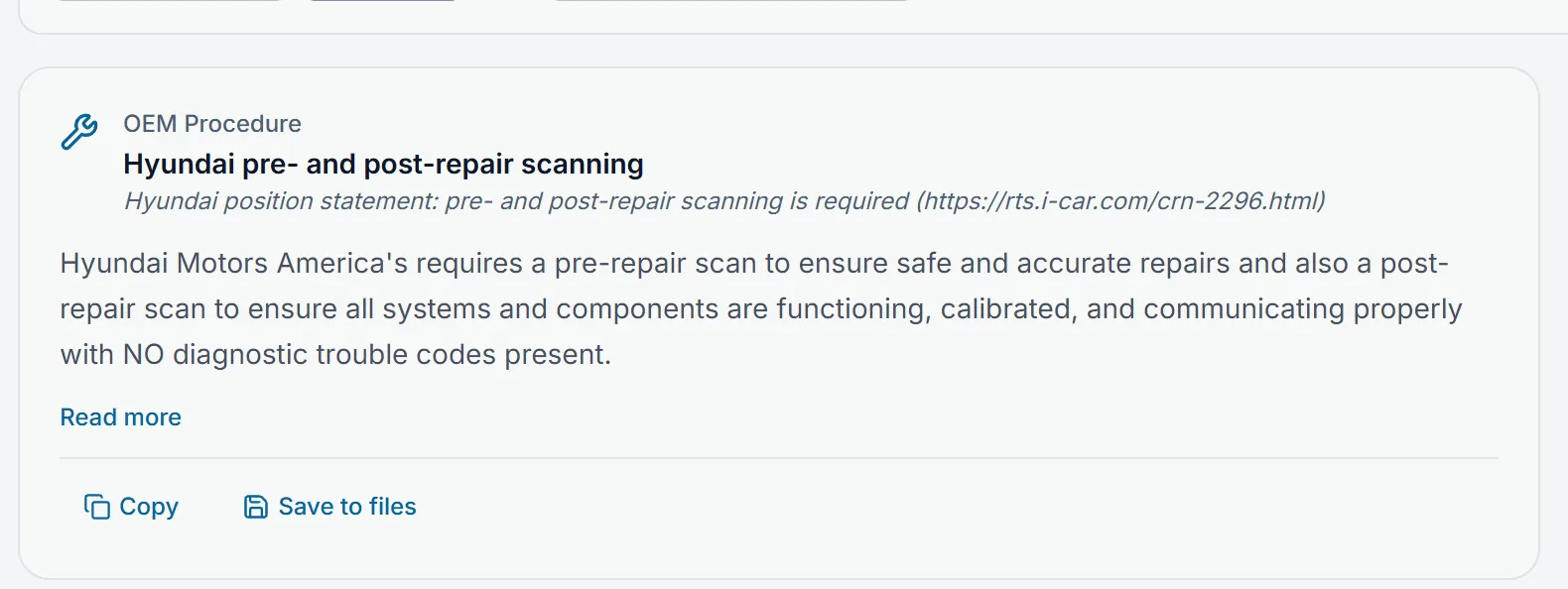
Under the package, each card is an OEM Procedure, State / DOI rule, Legal / Contractual clause or Cited evidence. Press Read more to see what gets saved and, when the source has a link, Open the source. Press Copy, or Save to files for a PDF on your letterhead in Files, Documents.
Move the lines to your estimate
Press Copy line list
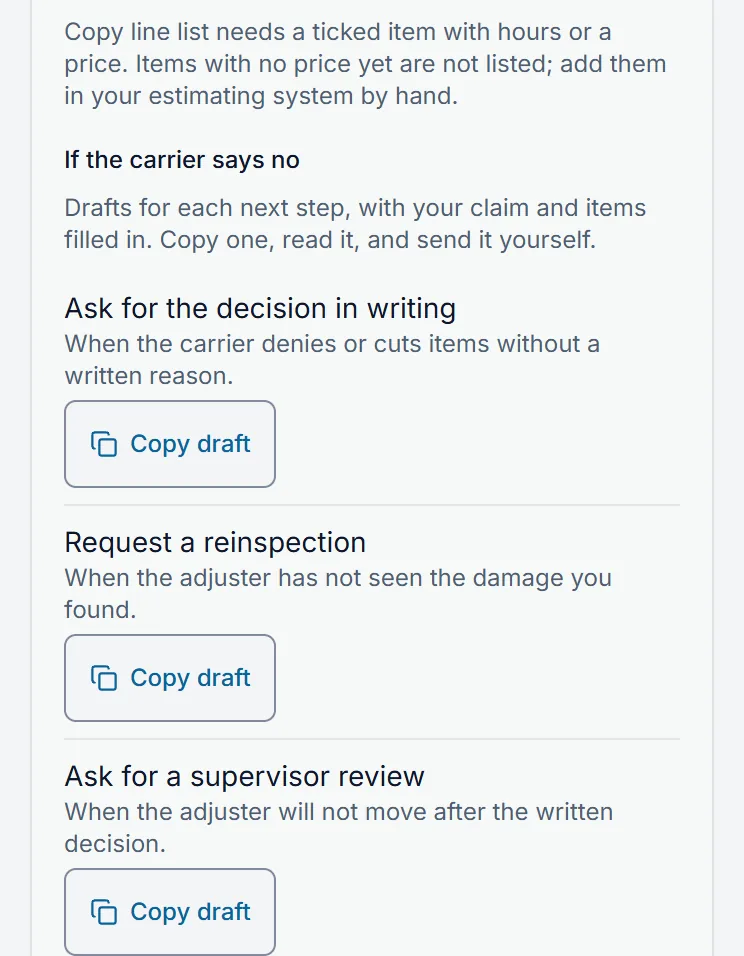
Under Supplement lines for your estimating system, press Copy line list and type the lines from it. You can also set the Supplement number and press Download BMS draft file. The file is a draft, so check each line after any import.
If the carrier says no
Pick the next step and press Copy draft
Under If the carrier says no, each step says when to use it. Your claim and ticked items are already filled in. Press Copy draft beside the one that fits, read it, and send it yourself.
- Ask for the decision in writing
- Request a reinspection
- Ask for a supervisor review
- Appraisal clause (owner's own policy), shown when the owner's own policy pays
- Department of Insurance complaint


Questions and fixes
What is the Claimory supplement package?
One PDF for the carrier: a cover letter, each item you tick with its reason, the cited law and OEM text, and your own documents attached. Claimory saves it on the claim under Files, Documents.
Does Claimory send the package to the carrier?
You send it. Claimory saves the PDF on the claim, so you can read it first and email it or upload it as you do today.
Why does Claimory ask me for the OEM document number?
Carmaker procedures come from the carmaker's own site, pulled by your shop for this VIN. Claimory prints the number, page and date you enter and links you to the site to pull it.
Can I change what the carrier reads?
Yes. In the Claimory package, press Edit on a ticked item and type your own words. They print exactly as written.
How do I get Claimory's lines into CCC ONE, Mitchell or Audatex?
Press Copy line list and type from it, or press Download BMS draft file. Check every line in your estimating system after any import.
Could not save the package
Read the line under the message. Not signed in: sign in again. Could not read the claim, its files or the verified library, or could not upload the package: check your connection, wait a minute and press Save supplement package again.
Save failed or Storage write failed on one citation
That citation was not saved. Check your connection and press Save to files again, or press Copy and paste it where you need it.
Documents could not be attached
The package is saved without the documents named in the message. Open them from the claim's Files tab and send them along with it.
Needs a confirmed source before it can go to the carrier
That item stays out of the package because the audit has no confirmed source for it. Add the source document to the claim's Files tab and run the audit again, or send the package without the item.
Add the document number, date or full 17-character VIN to print it
Fill in the box the message names. The item still prints. The procedure prints with it once all three are there.
This is not this claim's VIN, so it will not print
Pull the procedure for this car and type its VIN exactly. If the claim's own VIN is wrong, fix it on the claim first.
Copy line list is gray
Tick an item with hours or a price. Items with no price yet are added by hand in your estimating system.
None of the ticked items has hours or a price to write
The BMS file takes items with hours or a price. Tick another item, or add the price in your estimating system. After a download, Claimory names the items it left out.
Could not copy
Press Copy again. If it repeats, select the text and copy it by hand.
Save supplement package is gray
Tick at least one item.
What to do next
- Run a Claim AuditRun a Claim Audit in Claimory: pick the carrier's estimate and photos, read what may be missing, then copy the notes and lines for your supplement.
- SupplementsCreate a supplement in Claimory at teardown, mark it sent, watch how many days the carrier takes, and record what was approved, cut or denied.
- Audit creditsSee how many Claim Audit credits your shop has left in Claimory, when they top up, how they roll over, and how to buy a pack when you need more.
- Still stuck?Open the Support Center to find the fix or write to a person.