
Make the dashboard yours
Your dashboard is yours. Move what matters to the top, take off what you never read, and Claimory saves it for you alone. Owners can hand one layout to the whole shop.
- 5 min read
- All plans
- Owner, Manager, Front desk, Estimator, Technician
What you get
- The numbers and lists you use first, at the top
- Up to 6 tabs, with up to 30 widgets on each
- A full-screen board for the shop TV
Before you start
- Every plan and every role can arrange their own dashboard.
- Starting layouts for a new tab come with Elite. More widgets come from the Marketplace, on Professional and up and during the trial.
- Setting the layout for the whole team is for the owner.
Step by step
0 done of 9 steps
Arrange your own
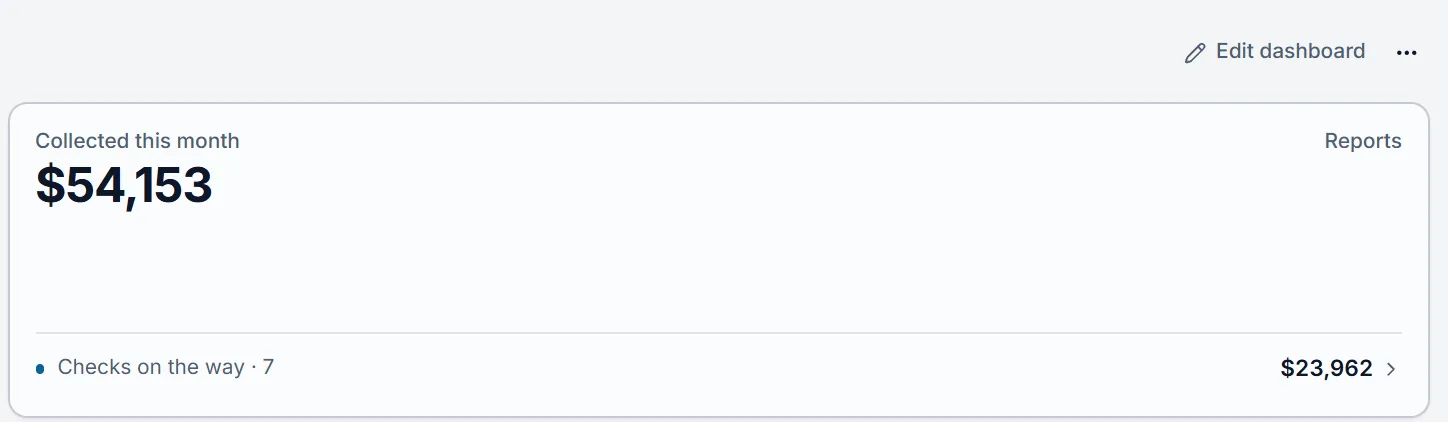
Press Edit dashboard
Open Dashboard and press Edit dashboard. It sits beside the Dashboard options button.
Move and resize widgets
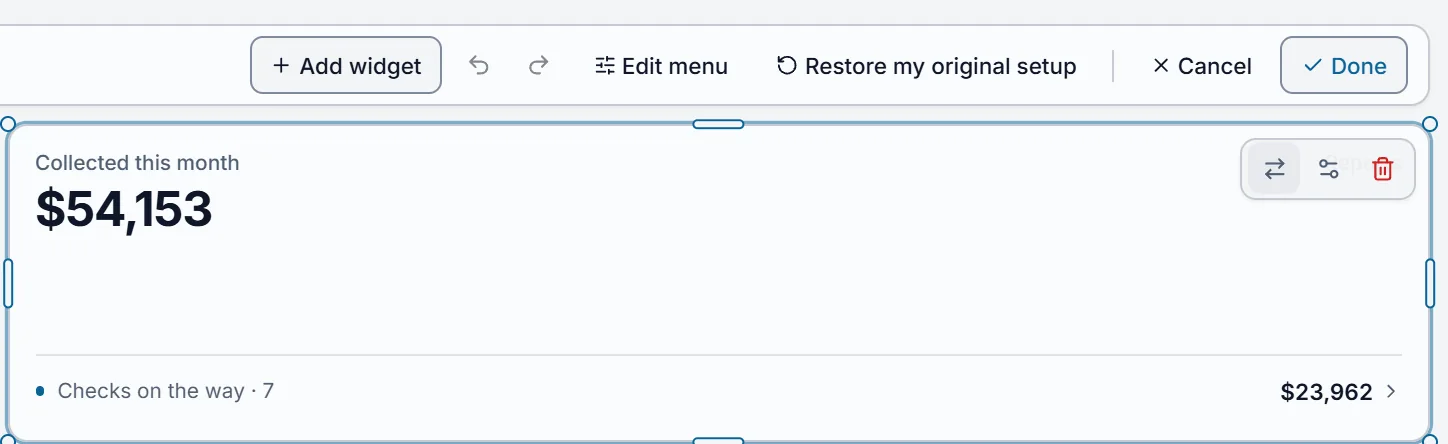
Drag a widget to move it. Drag any edge or corner to resize it.
- Phone: drag a widget by its handle, and pick a height.
- Tablet: use the widget's menu for Size and Move.
- Wrong move? Press Ctrl+Z (Cmd+Z on a Mac) to undo, Ctrl+Shift+Z (Cmd+Shift+Z on a Mac) to redo.
Add or remove a widget
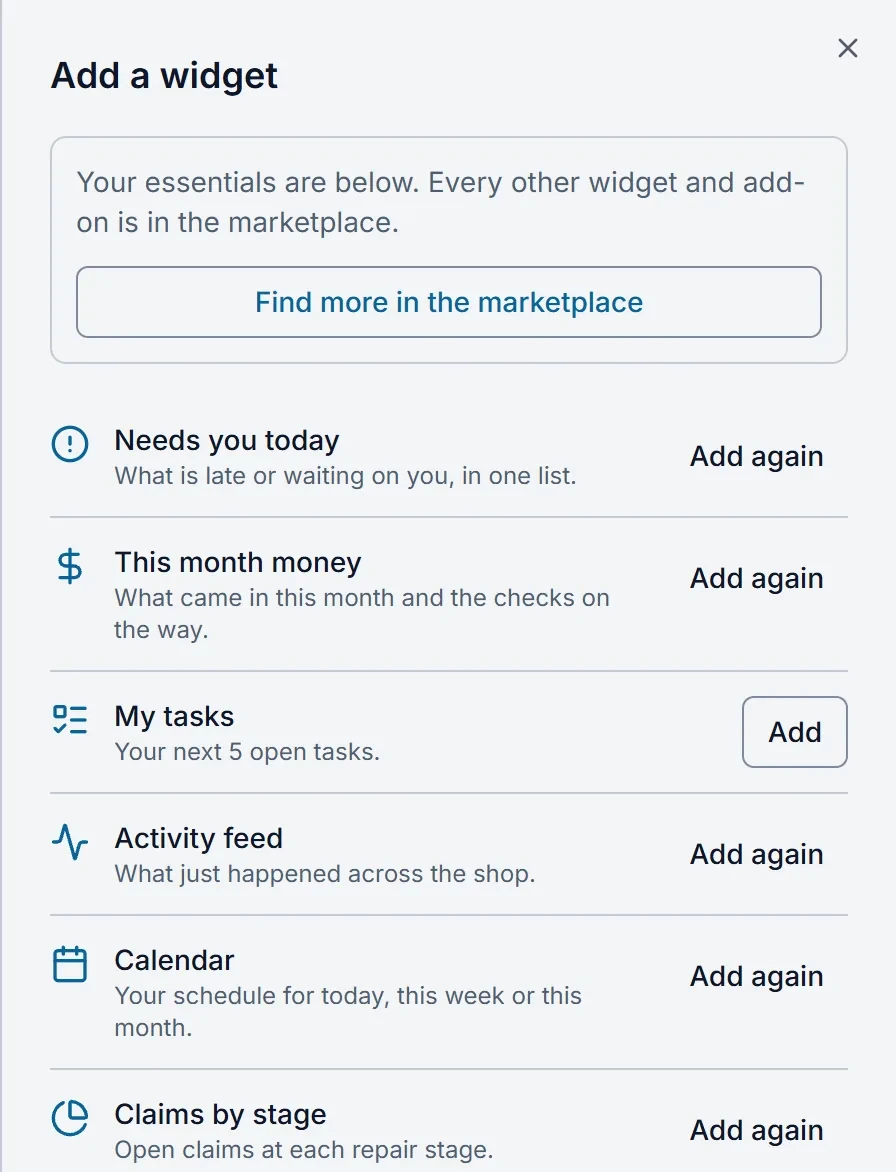
Press Add widget and pick one. Press Remove from dashboard on a widget you are done with. Your data stays, so you can add the widget back any time.
Add widget shows your essentials. Press Find more in the marketplace for the rest.
Press Done
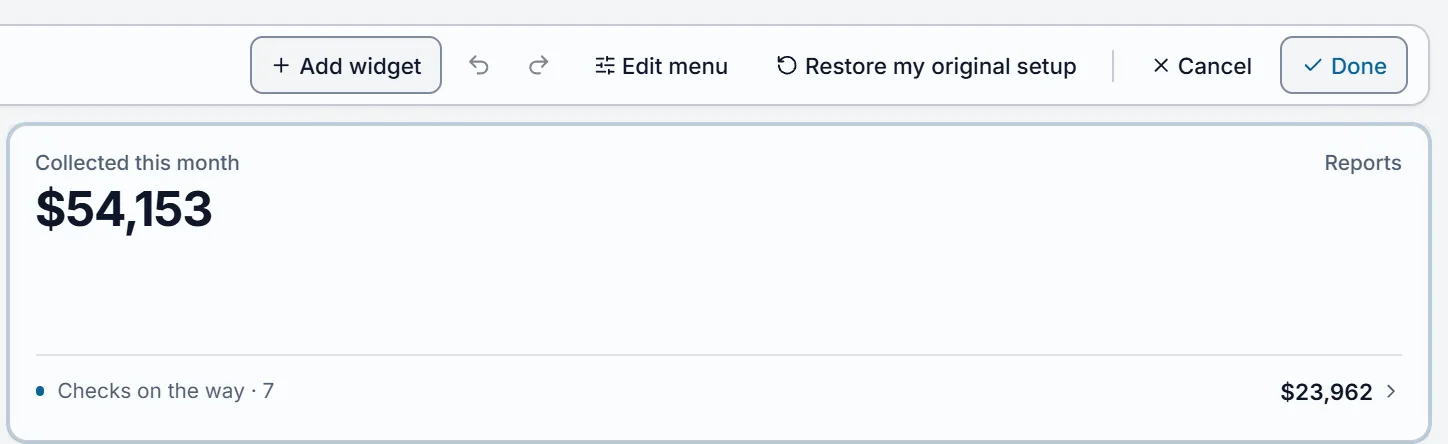
Done saves your dashboard. Cancel leaves it the way it was.
Use tabs and the TV
Add a tab
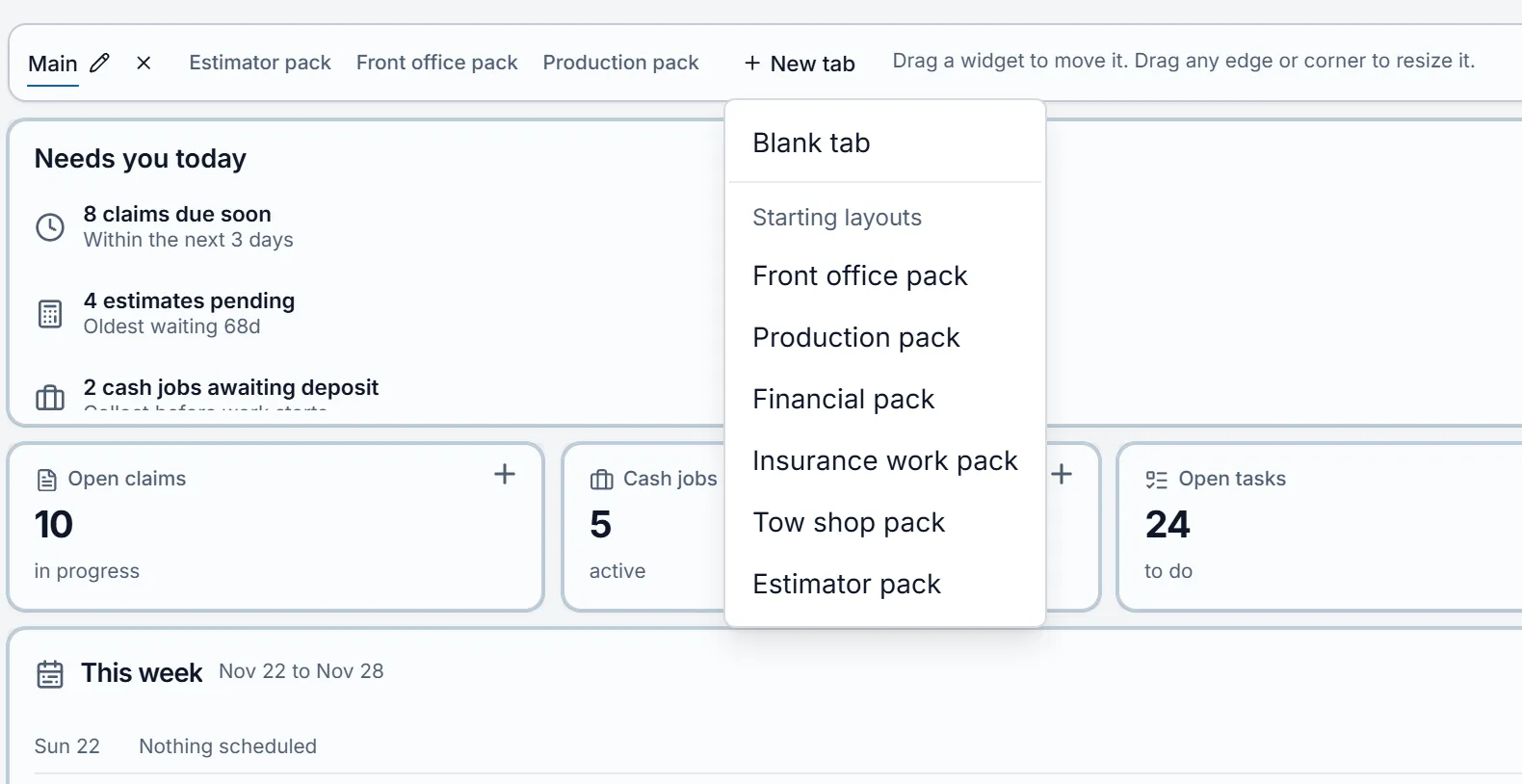
While editing, press New tab. On Elite, pick Blank tab or one of the Starting layouts, such as Front office, Insurance work, Financial, Production, Tow shop or Estimator. Press the pencil to rename the tab.
Starting layouts listed are the ones that fit the tools your shop has added.
Show the dashboard on a TV
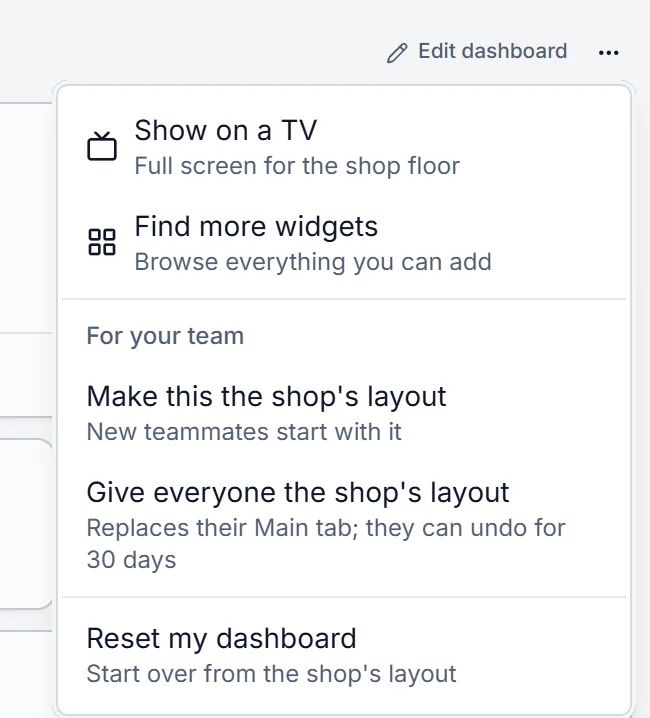
On a computer, open Dashboard options (the three dots) and press Show on a TV. The screen fills for the shop floor. Press Leave TV mode to come back.
Money stays hidden on the TV. The owner can tick Show money on this TV.
Set it for the team
Make yours the shop's layout
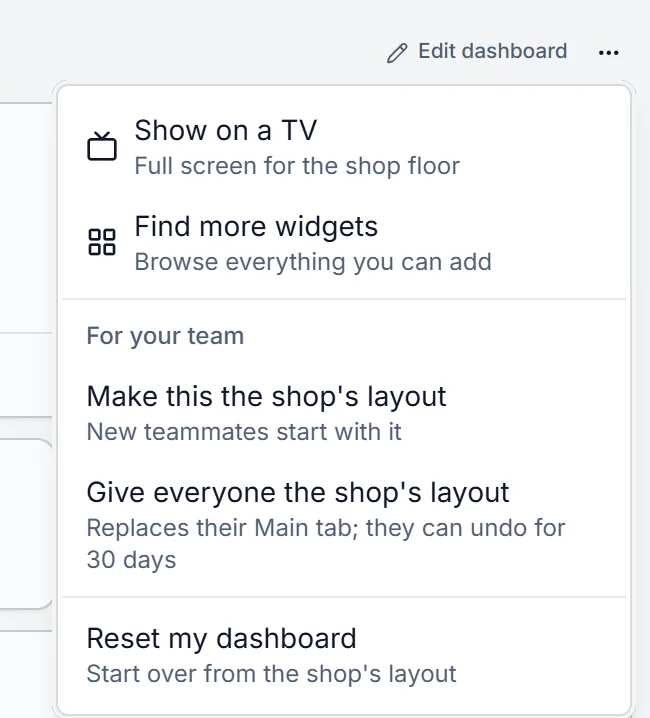
Owners: arrange your Main tab. Open Dashboard options, find For your team, press Make this the shop's layout and confirm. New teammates start with it.
Give it to everyone
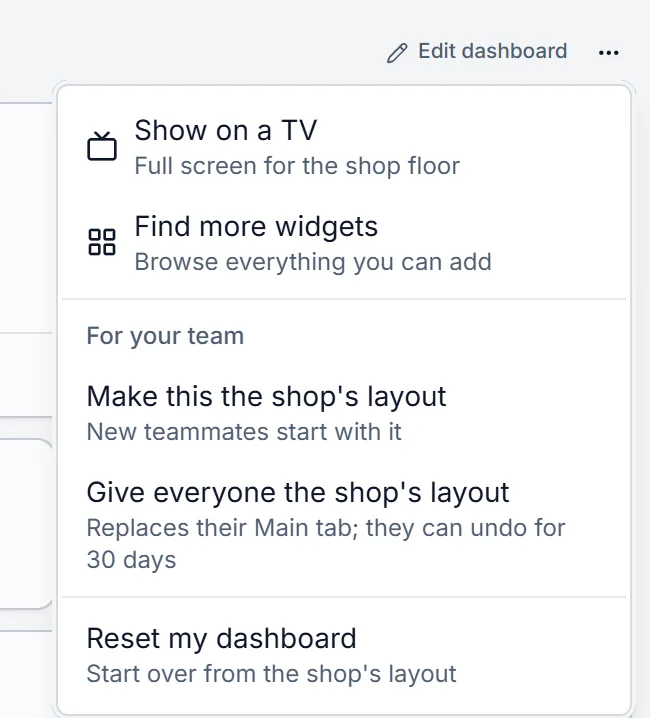
Press Give everyone the shop's layout. Each teammate's Main tab becomes the shop's. Each person can bring their own back for 30 days.
Follow the setup guide
Open the setup guide
A new shop starts with a setup guide. Open the account menu and press Setup guide, or press the Setup chip at the top of the phone screen. Quests such as Set up your shop, Set your labor rates and Run your first Claim Audit show your progress.
- Press Hide setup bar to put the bar away. Press Show setup bar in the guide to bring it back.
- Side quests are optional. Press Not for my shop on any that do not fit, such as cash jobs or towing.


Questions and fixes
Does my layout change anyone else's dashboard?
Your Claimory dashboard is your own. Teammates see a change only when the owner presses Give everyone the shop's layout.
Can I get back the dashboard Claimory built for my shop?
Yes. Owners and managers press Edit dashboard, then Restore my original setup, when Claimory built a setup for the shop. The same button is in Settings, Shop Info.
What is the free team seat in the setup guide?
Finish every quest in the Claimory setup guide before the date shown and you unlock one more person at no cost, on plans with limited seats. Press Invite your teammate, or use Settings, Team Management later.
Where do I find search from the dashboard?
In Claimory, press Ctrl+K (Cmd+K on a Mac) and type at least 2 characters: a claim number, customer, phone, email, VIN, vehicle, carrier or page. Search also reads notes, cash jobs, estimates, files, tasks, parts, payments, supplements, rentals, tows, vendors and your team.
What keyboard shortcuts work here?
In Claimory, Ctrl+K opens search and Ctrl+J opens Claimory AI (Cmd+K and Cmd+J on a Mac). Email uses / to search and J and K to move through the list.
How do I switch to dark mode?
Press the sun or moon switch in the Claimory top bar. On a phone the same switch is in the header at the top.
What are the buttons at the bottom of my phone?
The Claimory bar on a phone has Claims, Tasks, Home, Calendar and More. More opens the rest of your menu, and Open menu is in the header. Edit menu, in dashboard editing, hides items you do not use.
A widget says Turn on a tool to use this
The widget reads a tool your shop has yet to add. Owners and managers press Turn on and Claimory opens its Marketplace page. Everyone else asks the owner to turn it on.
A widget says it did not load
Press Try again on the Claimory widget. If it repeats, refresh the page, or remove the widget and add it back from Add widget.
Your dashboard did not save
Check your internet connection, then make any small change. Claimory saves again with your next change.
This tab is full
A Claimory dashboard tab holds up to 30 widgets. Press New tab while editing and add the widget there. A dashboard holds up to 6 tabs.
Your owner gave everyone a new Main tab
Press Bring mine back in the Claimory message within 30 days to put your own Main tab back.
Save a shop default first
Open Dashboard options in Claimory and press Make this the shop's layout. Then press Give everyone the shop's layout.
The TV says Updates paused after 12 hours
Press Resume on the Claimory TV screen and the numbers start updating again.
I changed too much and want to start over
Open Dashboard options, press Reset my dashboard and confirm. Claimory puts your tabs back to the shop's layout, or the starting one if the shop has none.
The free seat offer ended
The date on the Claimory setup guide has passed. Add people on your plan's seats in Settings, Team Management, or raise the plan in Billing.
Search is unavailable right now, or some groups could not be loaded
Wait a few seconds and type the Claimory search again.
What to do next
- Add a toolAdd free tools and dashboard widgets to Claimory from the Marketplace, see which plan each one needs, remove one safely, and hide menu items you skip.
- Find your way aroundLearn where every screen lives in Claimory, on a computer and a phone, and jump to any claim, customer, VIN or page with one search and two shortcuts.
- Every Marketplace toolCompare every tool in the Claimory Marketplace: what each one does, where it shows up after you add it, and whether it needs Professional or Elite.
- Still stuck?Open the Support Center to find the fix or write to a person.