
Clock in and clock onto a car
Clock in when you start, clock onto the car you are working on, and clock out when you leave. It takes one press each time.
- 3 min read
- Elite
- Technician, Front desk, Estimator
What you get
- Your hours today and this week
- Your time on each car
- A quick way to get a wrong time fixed
Before you start
- Time Clock is an Elite add-on from the Marketplace.
- Your shop sets it up first.
- Your shop may have everyone clock in on the shop tablet.
Step by step
0 done of 7 steps
Start your day
Clock in
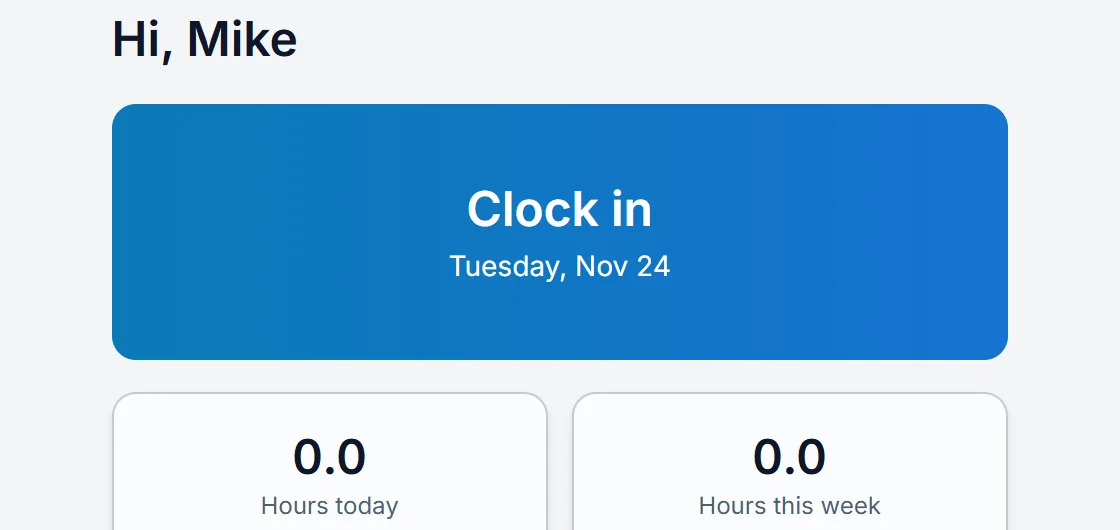
Open Time Clock and press Clock in. The first time, read Before you clock in and press Got it.
On the cars
Clock onto a car
Press Clock onto a car. Press Scan the VIN, or search the RO, name or car and tap it.
Cleaning, training or a meeting? Tap Shop time, not on a car.
Pick the work
Under What work?, tap the kind of work you are doing, such as Body or Paint. Press Start on this car. The timer runs.
Switch to another car
Press Move to another car and pick the next one. Your time on the first car stops there.
Breaks and leaving
Take a break
Press Break. The car pauses. Press End break when you are back and the car starts again.
Clock out
Press Clock out when you leave. Check Hours today and Hours this week on the same screen.
Fix a time
Ask to fix a time
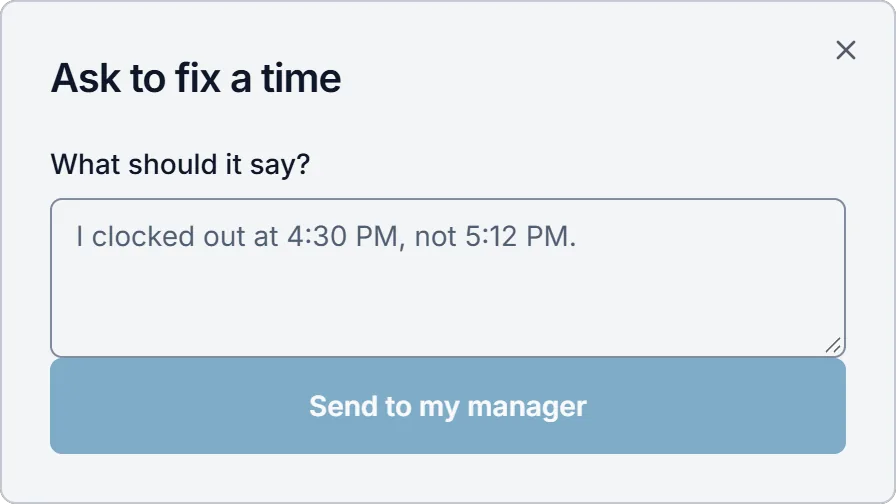
Press This looks wrong, ask to fix it. Type what it should say and press Send to my manager.


Questions and fixes
Who can see my hours in Claimory?
Claimory records your clock in and out times and your managers can see them. You see your own hours on My Clock.
Does the car keep counting while I am on break in Claimory?
Claimory pauses the car when you press Break and starts it again when you press End break.
What are Efficiency and Productivity on Claimory Time Clock?
Claimory shows Efficiency and Productivity for this pay period on My Clock, next to your hours today and this week.
Can I change my own times in Claimory?
In Claimory, you ask and your manager makes the change. Press This looks wrong, ask to fix it on My Clock.
I forgot to clock out
Open Time Clock and press Request a fix on the message that asks Did you forget to clock out?, then say when you left. If you clock out now instead, a manager reviews the shift. Either way it is checked before it is paid.
No open claim or cash job has that VIN.
Scan again in better light, or type the RO, name or car in the search box. If the car is still missing, ask the front desk to check that its claim or cash job is open.
No open claims or cash jobs match that.
Try the RO number, the customer's last name or the car. If the car is still missing, ask the front desk to open its claim or cash job.
Your clock changed on another screen. This is where you are now.
You punched somewhere else, such as the tablet. Look at what the screen shows now and carry on from there.
This shop clocks in on the shop tablet.
Go to the shop tablet, tap your name and enter your PIN. Set the PIN with Set my tablet PIN on My Clock.
Your employee record is archived. Ask a manager.
Ask an owner or manager to bring your employee record back.
Could not load your clock.
Check the connection and press Try again.
Time Clock is not in my menu
Time Clock is an add-on. Ask your owner or manager to add it from the Marketplace.
What to do next
- Time clock for managersSet up Claimory Time Clock, pair the shop tablet, fix punches, approve a pay period, post flagged hours and set each employee's pay rate.
- Every Marketplace toolCompare every tool in the Claimory Marketplace: what each one does, where it shows up after you add it, and whether it needs Professional or Elite.
- Claimory on a phoneUse Claimory on a phone or a shop tablet: sign in, find a car, take claim photos, write a note at the bay, and keep check-in photos safe when the signal drops.
- Still stuck?Open the Support Center to find the fix or write to a person.